About this template
Help prospective customers understand your machining capabilities, how you approach a part, and how to start a conversation. The design presents CNC milling, CNC turning, and prototype-to-production work alongside an engineering review and inspection process.
A dark, technical hero pairs direct machining language with an abstract precision-machined form. Clearly numbered capability rows lead into a visual process sequence, giving visitors a useful path from services to working method and contact.
Who it’s for
Machine shops and CNC machining businesses that want to explain their milling, turning, engineering review, and production capabilities to prospective customers.
What’s included
The page is organized around the questions a manufacturing customer may have: what can you machine, how do you approach the work, and how can we discuss a part?
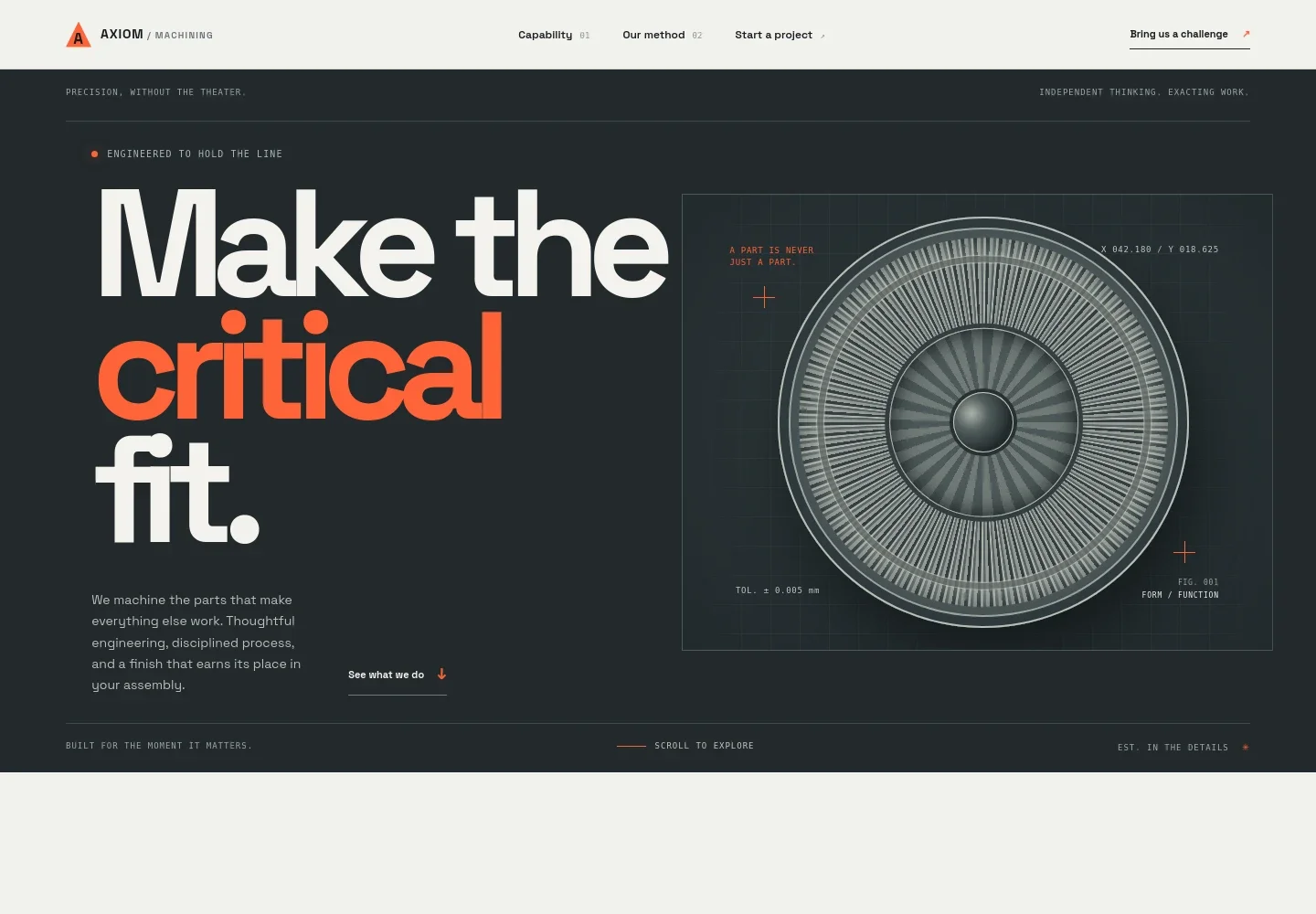
- Machining-focused hero
- Introduces the business with a concise statement about machining critical parts, a prominent abstract precision-machined visual, and a link that guides visitors to the capabilities.
- Capability overview
- Three numbered rows describe CNC milling, CNC turning, and prototype-to-production work, with brief explanations and visible process details such as 3, 4, and 5-axis milling, live tooling, and low-to-mid-volume work.
- Engineering and production method
- A blueprint-style graphic and process rail introduce design review and the route toward machining and inspection. The engineering step explains reviewing geometry, material, finish, and critical dimensions with the customer.
- Working principles
- A short statement and supporting copy emphasize clear communication, honest constraints, and parts prepared for their next use, giving the business a place to explain its approach.
- Project enquiry and contact
- Invites visitors to share a drawing, question, or machining challenge, with an email contact link that can be personalized for the business.
- Footer navigation
- Repeats the machining wordmark and offers a back-to-top link to help visitors move around the page.
How to use this template
Open in Revamp
Click Use this template and sign in or create an account. You’ll start with your own copy of the design, ready to personalize.
Bring your content
Replace the sample text, photos, and logo with your own. Share your content, a document, or an existing website, and ask Revamp to adapt the template to your business.
Refine and publish
Ask Revamp to adjust the colors, layout, or sections, or edit directly on the page. Review desktop and mobile, then publish. You can keep making changes after launch.
Put your website to work
Make it easier to manage enquiries, organize customer and project details, or track work as your shop grows. Ask Revamp to add connections to tools your business uses.
-

Organize customer and project records
HubSpotKeep customer conversations and project information together. Ask Revamp to connect HubSpot for contact and enquiry management.
-

Track production jobs and shop-floor work
JobBOSS²Give teams a shared view of jobs, schedules, and production status. Ask Revamp to connect JobBOSS² for manufacturing operations management.
-

Keep business operations and accounting organized
NetSuiteBring purchasing, inventory, and financial records into a business management system. Ask Revamp to connect NetSuite to support your operations.
Frequently asked questions
Is this machining website template free?
Yes. This premium template is free to use when you select Use this template. Free refers to the template itself.
Can I use my own machining business content?
Yes. Ask Revamp to personalize the page with your business name, machining capabilities, process details, project information, and contact content.
Do I need coding skills to customize the template?
No. Ask Revamp to personalize the content and design without coding.
Can I change the design?
Yes. Ask Revamp to adjust the layout, colors, typography, imagery, and other design details to suit your machining business.
Can I keep editing the website after publishing?
Yes. You can keep editing after launch. Ask Revamp to update your content or design as your business changes.


