About this template
Help visitors see how your meal-planning service can make everyday dinners easier. The page introduces a flexible approach, shows sample meals for four days, and explains how meal ideas and a considered shopping list can give the week structure without making it feel rigid.
A produce-led visual style and conversational copy support the focus on seasonal food, practical choices, and room to adapt. Visitors can review the planning approach, browse example dishes, read the brand’s point of view, and find a contact call to action.
Who it’s for
Meal-planning businesses, food and nutrition professionals, and recipe-led services that want to explain their approach and help prospective customers understand what a more flexible week of meals could look like.
What’s included
The page moves from the everyday challenge of deciding what to eat to a clear explanation of the service’s planning approach, sample meals, guiding principles, and a next step for getting in touch.
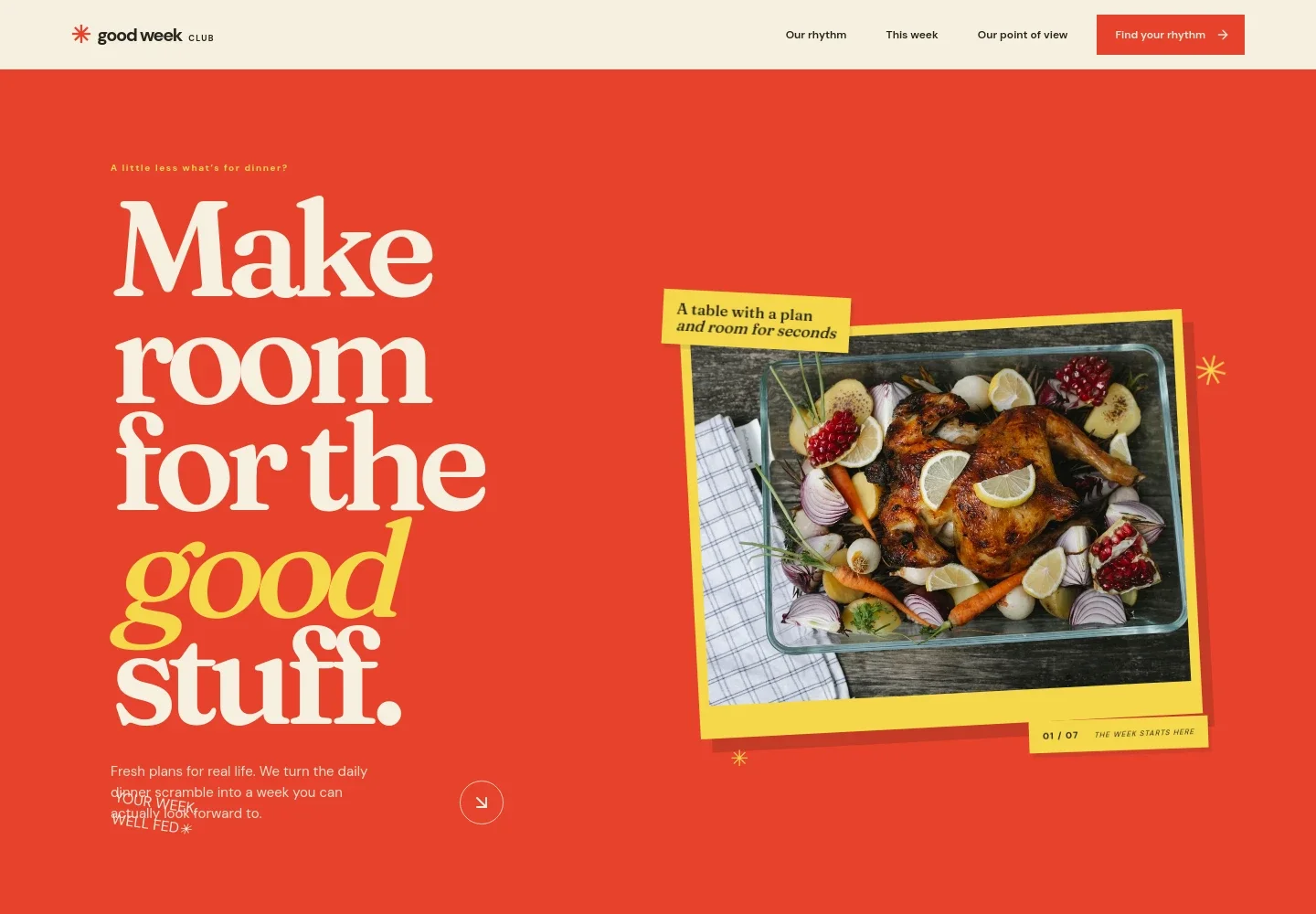
- Hero and introduction
- A prominent food photograph and concise opening copy introduce meal planning as a way to ease the dinner scramble. The following introduction describes a thoughtful starting point that leaves room for changing plans.
- Meal-planning approach
- A three-step list explains choosing the number of dinners, making a flexible plan around recipes and leftovers, and using one organized shopping list. A preparation photo gives the section a practical, hands-on feel.
- Sample weekly menu
- Four sample dishes are shown with short descriptions and cues such as quick preparation and using what is already in the fridge. The copy frames the menu as adaptable inspiration rather than a fixed schedule.
- Point of view
- A produce image and short statement express the idea that food planning should make more room for life. Supporting phrases highlight flexibility, seasonality, and enjoyment.
- Contact call to action
- A closing invitation encourages visitors to start with a few dinner ideas and offers an email link to begin a conversation. The page identifies the displayed contact details as illustrative.
How to use this template
Open in Revamp
Click Use this template and sign in or create an account. You’ll start with your own copy of the design, ready to personalize.
Bring your content
Replace the sample text, photos, and logo with your own. Share your content, a document, or an existing website, and ask Revamp to adapt the template to your business.
Refine and publish
Ask Revamp to adjust the colors, layout, or sections, or edit directly on the page. Review desktop and mobile, then publish. You can keep making changes after launch.
Put your website to work
Help customers move from meal inspiration to a more useful planning experience. Ask Revamp to add or connect tools for collecting preferences, organizing recipes, or sharing updates.
-

Collect meal preferences
TypeformMake it easier to gather dietary preferences and planning details. Ask Revamp to add a Typeform intake form for new meal-planning enquiries.
-

Share weekly updates
MailchimpKeep subscribers informed about new menus and seasonal meal ideas. Ask Revamp to connect Mailchimp for email updates.
-

Organize recipes and plans
AirtableKeep recipe ideas and weekly planning content organized for your team. Ask Revamp to connect Airtable to manage meal-plan content.
Frequently asked questions
Is this template free?
Yes. This premium template is free to use through Use this template. Free refers to the template itself.
Can I use my own content?
Yes. Ask Revamp to personalize the page with your business name, meal plans, recipes, images, service details, and contact information.
Do I need coding skills?
No. You can ask Revamp to personalize the content and design without coding.
Can I change the design?
Yes. Ask Revamp to adjust the colors, imagery, layout, and other design details to suit your meal-planning business.
Can I keep editing after publishing?
Yes. You can keep asking Revamp to update your content and design after launch.


