About this template
Help prospective clients understand how your mechanical engineering practice approaches complex technical problems, from defining operating conditions to developing designs for manufacture. The page presents a clear path through your approach, working method and capabilities.
A dark, technical visual style pairs machining and mechanical component photography with concise service descriptions. The structured sections give visitors a useful overview of the engineering work you take on and a direct way to start a conversation.
Who it’s for
Independent mechanical engineering consultants, engineering firms, product development specialists and technical teams looking to explain their services to prospective clients.
What’s included
The design guides visitors from your engineering point of view through your process and services, ending with a contact prompt. Numbered sections and workshop imagery make the content easy to scan while keeping the focus on practical engineering work.
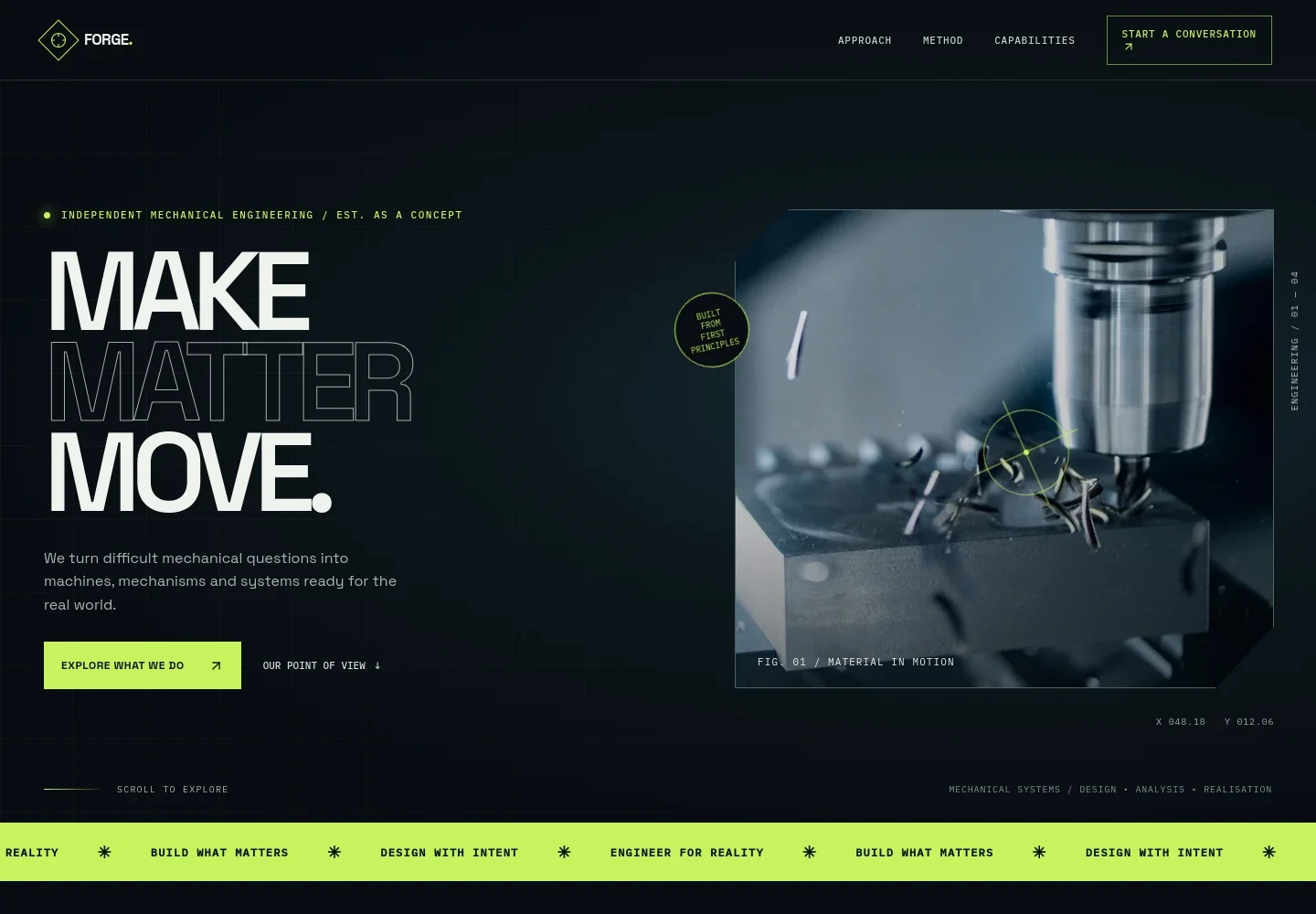
- Engineering introduction
- A prominent headline, short introduction and machining image establish a mechanical engineering focus. Visitors can move directly to the capabilities or approach sections.
- Approach
- Three principles cover understanding forces, designing for the whole system and testing ideas against real-world conditions.
- Working method
- A four-stage sequence explains how a project can move from framing the problem and exploring concepts to detailed engineering and realisation.
- Engineering practice
- Photography of mechanical components and engineers collaborating supports copy about balancing performance, manufacturability, service access and lifecycle.
- Capabilities
- A focused service list presents mechanical design, engineering analysis, product development and technical partnership, with descriptions of the work each can cover.
- Contact prompt
- A closing invitation encourages visitors to describe what they are trying to build, improve or understand, with a contact link they can personalize.
How to use this template
Open in Revamp
Click Use this template and sign in or create an account. You’ll start with your own copy of the design, ready to personalize.
Bring your content
Replace the sample text, photos, and logo with your own. Share your content, a document, or an existing website, and ask Revamp to adapt the template to your business.
Refine and publish
Ask Revamp to adjust the colors, layout, or sections, or edit directly on the page. Review desktop and mobile, then publish. You can keep making changes after launch.
Put your website to work
Make it easier to handle enquiries and keep project information organized. Ask Revamp to add or connect tools that suit your engineering practice.
-

Organize client and project information
HubSpotKeep prospective client details and follow-up activity in one place. Ask Revamp to connect HubSpot for enquiry and relationship management.
-

Schedule initial conversations
CalendlyGive prospective clients a straightforward way to choose a meeting time. Ask Revamp to add consultation booking with Calendly.
-

Track project budgets and costs
Google SheetsOrganize project estimates and expense records for business planning. Ask Revamp to connect Google Sheets for a shared tracking workflow.
Frequently asked questions
Is this template free?
Yes. This premium template is free to use when you select Use this template. The offer applies to the template itself, not hosting or other services.
Can I use my own content?
Yes. Ask Revamp to personalize the copy, images, services, contact details and other content for your engineering business.
Do I need coding skills?
No coding is needed. Ask Revamp to make changes to your content and design in natural language.
Can I change the design?
Yes. Ask Revamp to adjust the visual style, layout, colors, typography or imagery to suit your practice.
Can I keep editing after publishing?
Yes. You can keep asking Revamp to update your site after launch as your services, projects or business details change.


