About this template
Help families understand how your equipment rental service can support care at home. The page introduces a personal, conversation-led approach, then organizes equipment needs into mobility and daily living, respiratory care, recovery and comfort, and home safety.
A three-step process explains how visitors can share what would help, find a suitable fit, and feel supported at home. A separate care section describes matching equipment to a person's needs, space, and routine, along with thoughtful setup and support as circumstances change.
The page closes with a direct phone call to action, giving visitors a clear next step when they are ready to discuss equipment.
Who it’s for
Medical equipment rental providers serving people who need support at home, their family members and caregivers, and professionals helping arrange home care.
What’s included
The design pairs reassuring, plain-language explanations with clear paths to browse equipment or speak with a care specialist. Its numbered sections guide visitors from understanding the service to considering equipment categories and contacting the provider.
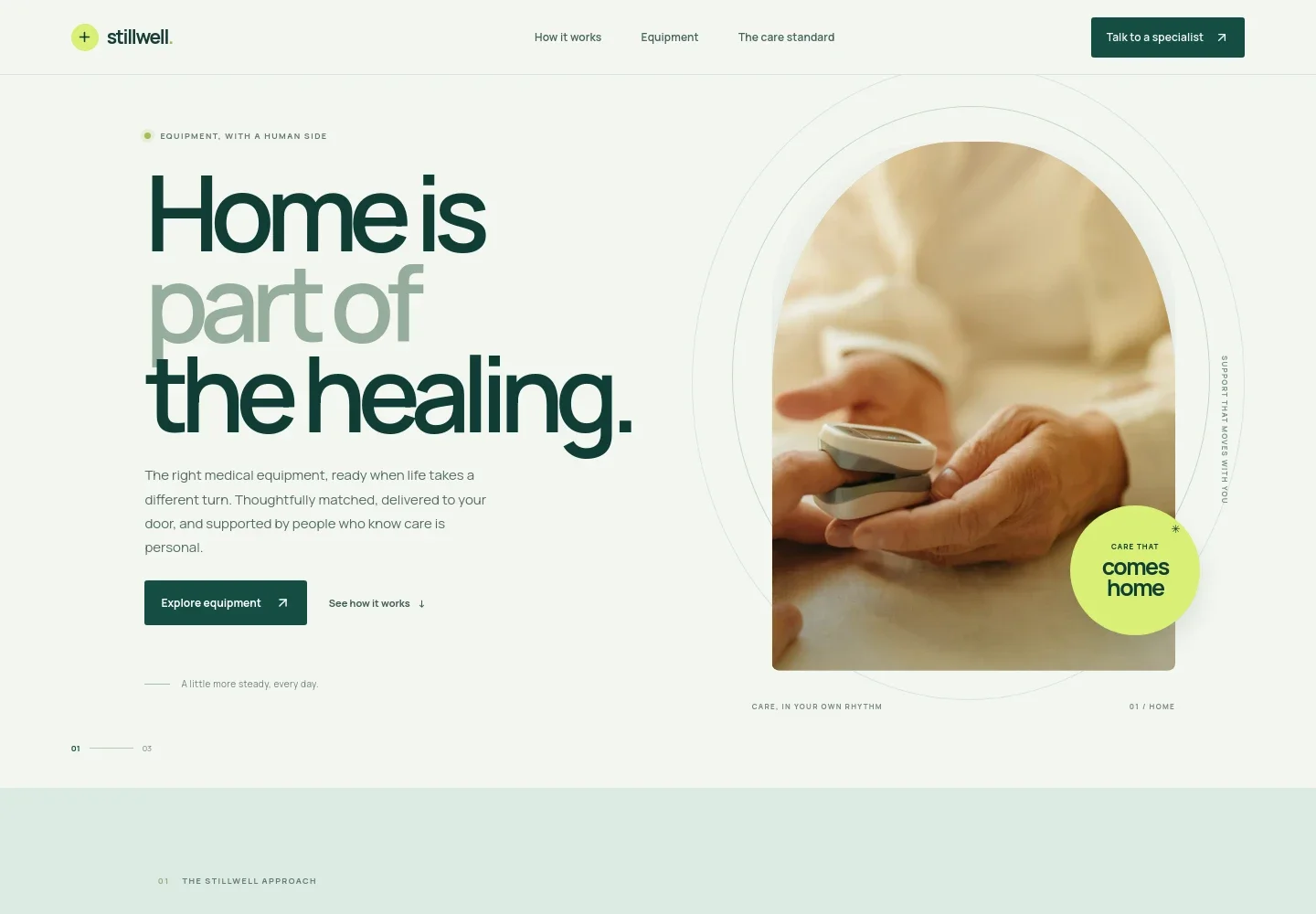
- Home-focused hero
- Introduces the role of medical equipment in care at home, with links to browse equipment or learn how the process works.
- How it works
- Sets out three steps: tell the provider what would help, find an appropriate fit, and receive support at home. Supporting copy invites visitors to begin with a conversation.
- Equipment categories
- Groups rental needs into mobility and daily living, respiratory care, recovery and comfort, and home safety. Each category links visitors toward a conversation about their needs.
- The care standard
- Explains the service approach through equipment matching, considered setup and delivery, and support when needs change.
- Contact call to action
- Ends with an invitation to discuss the next useful step and a prominent phone link for contacting the care team.
- Footer
- Repeats the business identity and service focus, offers a link back to the top, and identifies the contact details as illustrative.
How to use this template
Open in Revamp
Click Use this template and sign in or create an account. You’ll start with your own copy of the design, ready to personalize.
Bring your content
Replace the sample text, photos, and logo with your own. Share your content, a document, or an existing website, and ask Revamp to adapt the template to your business.
Refine and publish
Ask Revamp to adjust the colors, layout, or sections, or edit directly on the page. Review desktop and mobile, then publish. You can keep making changes after launch.
Put your website to work
Make it easier to manage inquiries, coordinate delivery, and keep rental records organized. Ask Revamp to add connections with tools your team uses.
-

Organize customer inquiries
HubSpotKeep prospective customer conversations and follow-ups together. Ask Revamp to connect HubSpot for inquiry management.
-

Coordinate deliveries and collections
Google CalendarPlan delivery and pickup schedules alongside your team's calendar. Ask Revamp to add scheduling with Google Calendar.
-

Track rental inventory
Google SheetsKeep equipment availability and rental records organized for staff. Ask Revamp to connect Google Sheets for inventory tracking.
Frequently asked questions
Is this template free?
Yes. This premium template is free to use through Use this template. This applies to the template itself, not hosting or other services.
Can I use my own content?
Yes. Ask Revamp to personalize the page with your business name, equipment categories, service details, images, and contact information.
Do I need coding skills?
No. You can ask Revamp to personalize the content and design without coding.
Can I change the design?
Yes. Ask Revamp to adjust the layout, colors, typography, imagery, and other design details to suit your business.
Can I keep editing after publishing?
Yes. You can keep asking Revamp to update your content and design after your site has launched.


