About this template
Help drivers see what you repair, how mobile service works, and where you travel. The page brings no-start calls, brake and safety work, maintenance, and diagnostics into a clear service list.
A direct call button appears in the hero and closing section, making it easy for someone with a car problem to contact you. The service-area section gives visitors a place to understand where you travel and that work is by appointment.
The design pairs bold, high-contrast headings with automotive imagery and route-inspired graphics. Replace the illustrative business details with your own services, contact information, hours, and coverage area.
Who it’s for
Independent mobile mechanics and auto repair businesses that visit customers at home or work, including professionals offering diagnostics, maintenance, brake work, and no-start assistance.
What’s included
The page guides a driver from understanding the mobile service to reviewing repair types, learning how work is explained and approved, checking the service area, and calling.
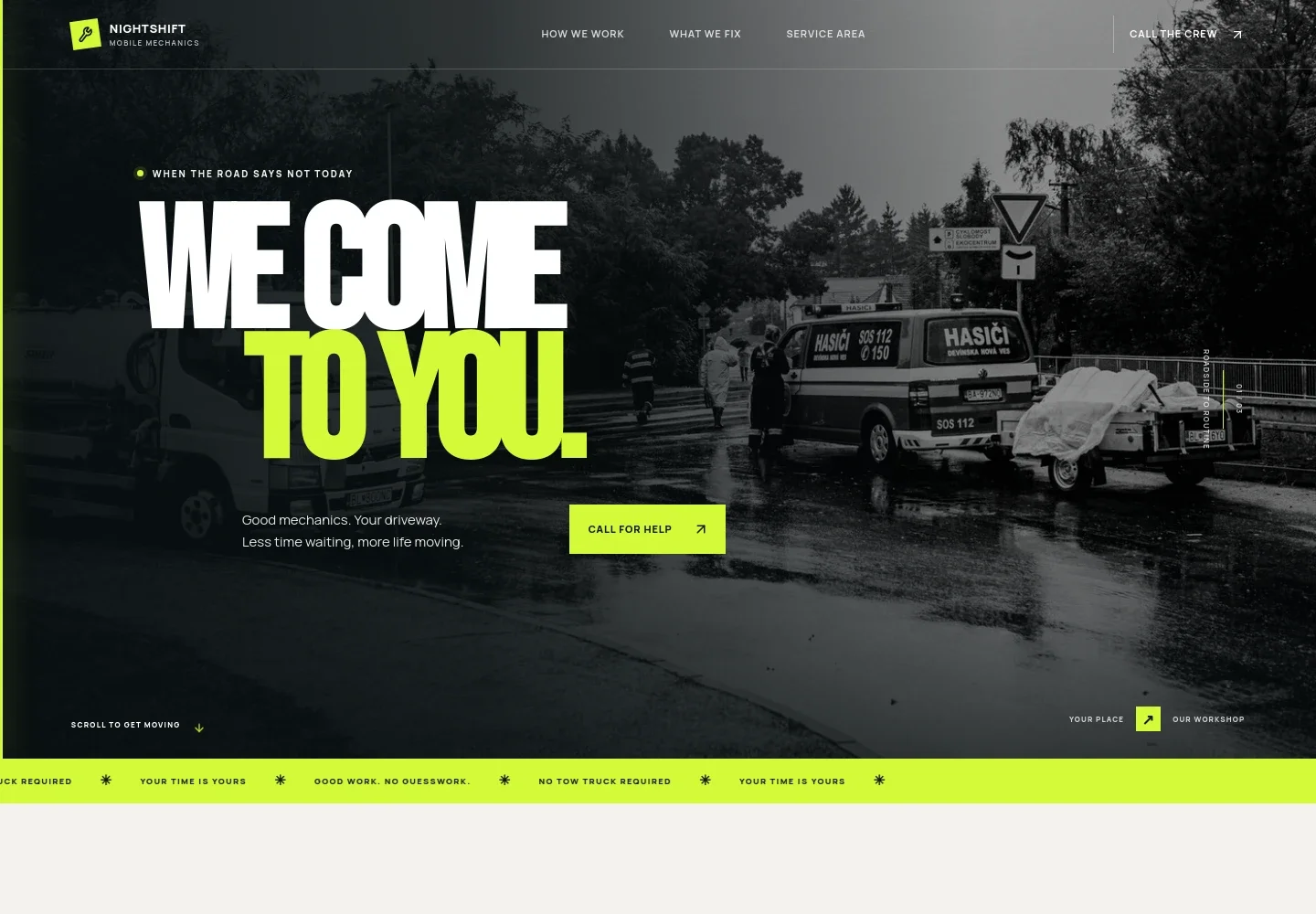
- Hero with call prompt
- A prominent mobile-mechanic message sits over an illustrative roadside scene, with a call button and a visual cue that the mechanic travels to the customer.
- Mobile service approach
- An introduction explains the convenience of having repair work done where the vehicle is, supported by a graphic connecting the customer’s car with the mechanic on the way.
- Repair services
- Four service rows describe no-start diagnostics, brakes and safety, routine maintenance, and warning-light diagnostics, helping visitors identify whether their issue may be a fit.
- Work and approval
- A service-focused section explains that findings and options are discussed before work begins, alongside an illustrative engine-bay image.
- Service area and appointment details
- A dedicated area introduces local coverage, visits to homes and workplaces, and appointment-based service. Its copy notes that the real business’s coverage and contact details should be added.
- Closing call to action and footer
- A final phone prompt gives visitors another way to get in touch, while the footer provides space for business details and a back-to-top link.
How to use this template
Open in Revamp
Click Use this template and sign in or create an account. You’ll start with your own copy of the design, ready to personalize.
Bring your content
Replace the sample text, photos, and logo with your own. Share your content, a document, or an existing website, and ask Revamp to adapt the template to your business.
Refine and publish
Ask Revamp to adjust the colors, layout, or sections, or edit directly on the page. Review desktop and mobile, then publish. You can keep making changes after launch.
Put your website to work
Make it easier to handle service requests and appointments. Ask Revamp to add connections that support how your mobile mechanic business books and manages work.
-

Organize mobile repair jobs
ShopmonkeyKeep customer, vehicle, and job details together. Ask Revamp to connect your site with Shopmonkey for auto repair shop management.
-

Schedule service visits
CalendlyLet customers request a time for a visit. Ask Revamp to add appointment booking with Calendly.
-

Manage customer follow-up
HubSpotKeep track of inquiries and follow-up conversations. Ask Revamp to connect your site with HubSpot for customer relationship management.
Frequently asked questions
Is this template free?
Yes. This premium template is free to use when you select Use this template. This applies to the template itself.
Can I use my own content?
Yes. Ask Revamp to personalize the page with your business name, services, service area, hours, phone number, and images.
Do I need coding skills?
No. You can ask Revamp to personalize the content and design without coding.
Can I change the design?
Yes. Ask Revamp to adjust the layout, colors, imagery, and other design details to suit your business.
Can I keep editing after publishing?
Yes. You can continue asking Revamp to make changes to your site after it launches.


