About this template
Help customers understand what your mobile repair service works on, how an appointment begins, and what to expect before repair work starts. The design focuses on phone and tablet service at a customer’s home, office, or another agreed location.
Service rows cover screen and glass, battery and power, charging and buttons, and tablet care. A three-step overview shows how customers share the device and issue, receive a repair plan, and meet a technician at the agreed place. The contact area provides phone and email details that you can personalize.
Who it’s for
Mobile phone and tablet repair businesses that visit customers, including independent technicians and service teams seeking to explain repair options and make it easy to start a conversation.
What’s included
The page pairs a direct service introduction with practical repair categories, a clear process, and contact options. Its section order helps visitors see whether their device issue may be covered and what information to share next.
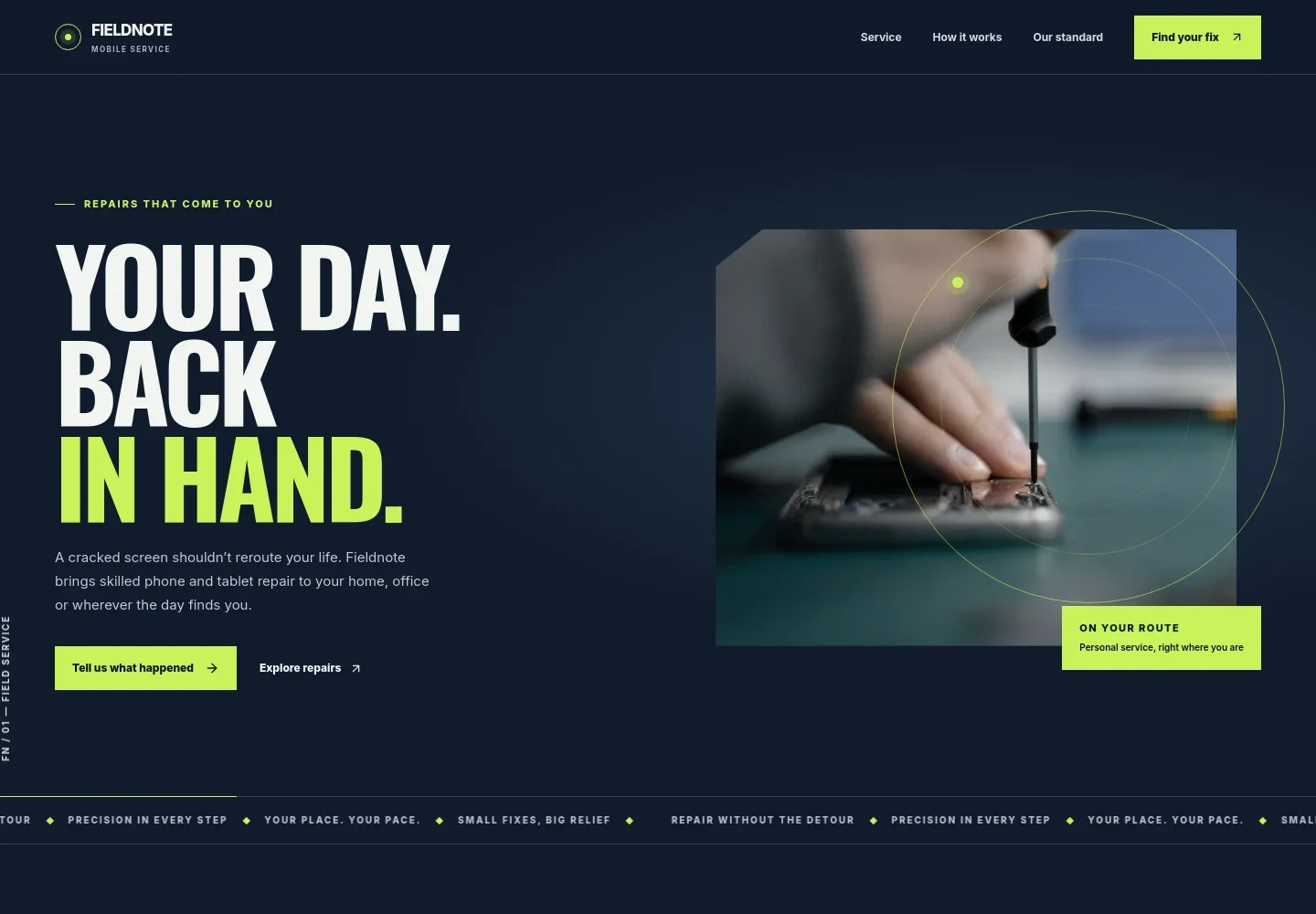
- Mobile repair introduction
- A prominent headline and repair photo introduce the on-site service for phones and tablets, with links to explore repair types or contact the business.
- Repair services
- Four service rows describe screen and glass issues, battery and power faults, charging and button problems, and tablet care. Visitors can quickly scan the types of repairs the business handles.
- How the service works
- A three-step sequence explains how a customer shares the device, issue, and preferred meeting area, receives a repair plan with likely timing and cost, then meets a technician at the agreed location.
- Service standards
- A repair photo and supporting points emphasize hearing options before work begins, keeping the customer involved, and being candid when a repair may not be the right choice.
- Contact
- A closing contact section invites visitors to share their device, issue, and general area, with phone and email links for starting the conversation.
How to use this template
Open in Revamp
Click Use this template and sign in or create an account. You’ll start with your own copy of the design, ready to personalize.
Bring your content
Replace the sample text, photos, and logo with your own. Share your content, a document, or an existing website, and ask Revamp to adapt the template to your business.
Refine and publish
Ask Revamp to adjust the colors, layout, or sections, or edit directly on the page. Review desktop and mobile, then publish. You can keep making changes after launch.
Put your website to work
Make it easier to coordinate mobile service requests and keep customer conversations organized. Ask Revamp to add or connect tools that fit your scheduling and follow-up process.
-

Schedule repair visits
CalendlyGive customers a way to request a convenient time for a technician visit. Ask Revamp to add appointment booking with Calendly.
-

Organize customer inquiries
HubSpotKeep repair requests and follow-ups together as your service business grows. Ask Revamp to connect HubSpot for customer relationship management.
-

Track requests in a spreadsheet
Google SheetsCollect device details and service areas in a shared record for review and planning. Ask Revamp to connect Google Sheets for repair inquiry tracking.
Frequently asked questions
Is this template free?
Yes. This premium template is free to use via Use this template. The offer applies to the template, not hosting or other services.
Can I use my own content?
Yes. Ask Revamp to personalize the text, images, repair categories, service area, and contact details for your business.
Do I need coding skills?
No coding skills are needed. Ask Revamp to make content or design changes in plain language.
Can I change the design?
Yes. Ask Revamp to adjust the colors, typography, imagery, layout, or other design details to suit your business.
Can I keep editing after publishing?
Yes. You can keep asking Revamp to update your site after launch as your services, contact details, or business needs change.


