About this template
Help customers compare phone options around what matters in daily life, such as camera, battery and budget. The design pairs a focused phone-selection section with clear descriptions of personal advice and help getting started with a new device.
A visit section gives people a direct way to start a conversation or find the shop, while the bold phone imagery and editorial layout keep the experience centered on the products and people behind the service.
Who it’s for
Independent mobile phone shops and electronics retailers that want to introduce their phone selection, explain their customer support and invite people to visit or get in touch.
What’s included
The page guides visitors from choosing a phone to understanding the help available and deciding how to get in touch. Its product-led hero, clear service descriptions and prominent visit section suit a shop where customers may value a conversation as much as comparing devices.
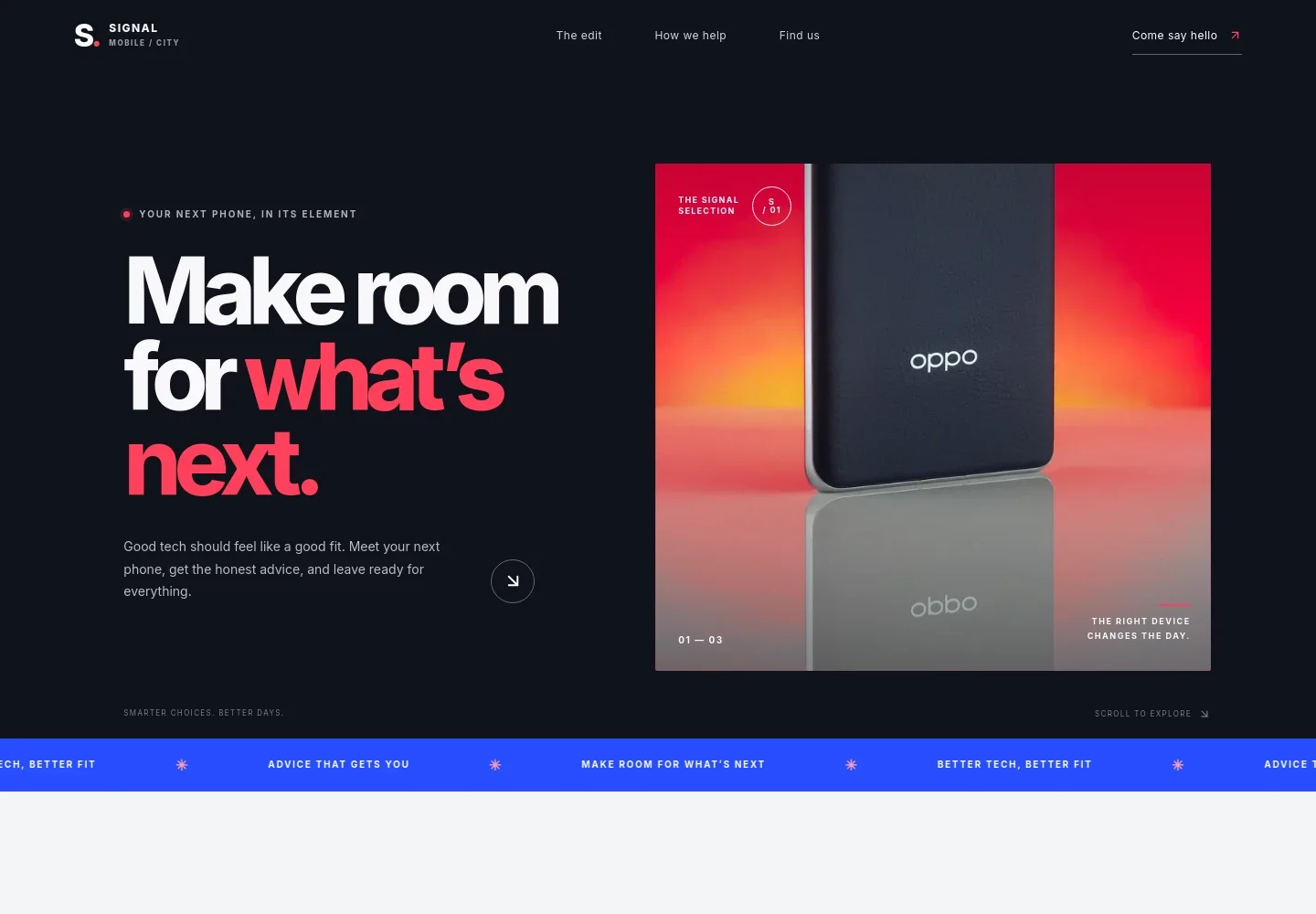
- Phone-focused hero
- A prominent smartphone image, concise introduction and link to the phone edit establish the store’s focus and invite visitors to explore.
- The phone edit
- Introduces a focused approach to choosing a device and highlights camera, battery and budget as practical comparison points.
- How we help
- Explains three kinds of customer support: finding a suitable phone, getting guidance when switching devices and returning for help later.
- Visit and contact
- Invites visitors to have a conversation or see the phones in person, with example store details, an email link and a central-city location label to personalize.
- Footer navigation
- Closes the page with the shop wordmark, a short brand line and a link back to the top.
How to use this template
Open in Revamp
Click Use this template and sign in or create an account. You’ll start with your own copy of the design, ready to personalize.
Bring your content
Replace the sample text, photos, and logo with your own. Share your content, a document, or an existing website, and ask Revamp to adapt the template to your business.
Refine and publish
Ask Revamp to adjust the colors, layout, or sections, or edit directly on the page. Review desktop and mobile, then publish. You can keep making changes after launch.
Put your website to work
Give customers convenient ways to arrange a visit, ask a question or receive updates. Ask Revamp to add or connect tools that fit how your shop serves customers.
-

Make store visits easier to arrange
CalendlyAsk Revamp to add appointment booking with Calendly for customers who want dedicated time to compare phones or discuss an upgrade.
-

Keep in-person appointments organized
Google CalendarAsk Revamp to add appointment scheduling with Google Calendar so customers can request a time to visit and get personal advice.
-

Stay in touch with interested customers
MailchimpAsk Revamp to connect Mailchimp for customer email updates about new arrivals, phone comparisons or shop news.
Frequently asked questions
Is this template free?
Yes. The premium template is free to use when you select Use this template. This applies to the template itself, not hosting or other services.
Can I use my own content?
Yes. Ask Revamp to personalize the page with your shop name, phone selection, services, contact details and store information.
Do I need coding skills?
No coding skills are needed. Ask Revamp to personalize the content and design for your shop.
Can I change the design?
Yes. Ask Revamp to change the page’s colors, imagery, layout or other design details to suit your business.
Can I keep editing after publishing?
Yes. You can keep asking Revamp to update your content and design after launch as your shop changes.