About this template
Help prospective clients understand how occupational therapy can support everyday activities, from building routines and managing self-care to finding new ways to approach movement and tasks.
The page introduces a person-led approach, outlines four areas of support, and guides visitors toward an initial conversation. Its everyday-life examples and clear practice sections make it easier for people to see where their needs may fit.
Who it’s for
Designed for independent occupational therapists, therapy practices, and clinics explaining their approach and services to prospective clients, patients, and families.
What’s included
The design moves from a welcoming overview of person-led care to specific areas of support and a clear invitation to begin a conversation. The visual emphasis on everyday moments makes the practice’s focus tangible without relying on clinical jargon.
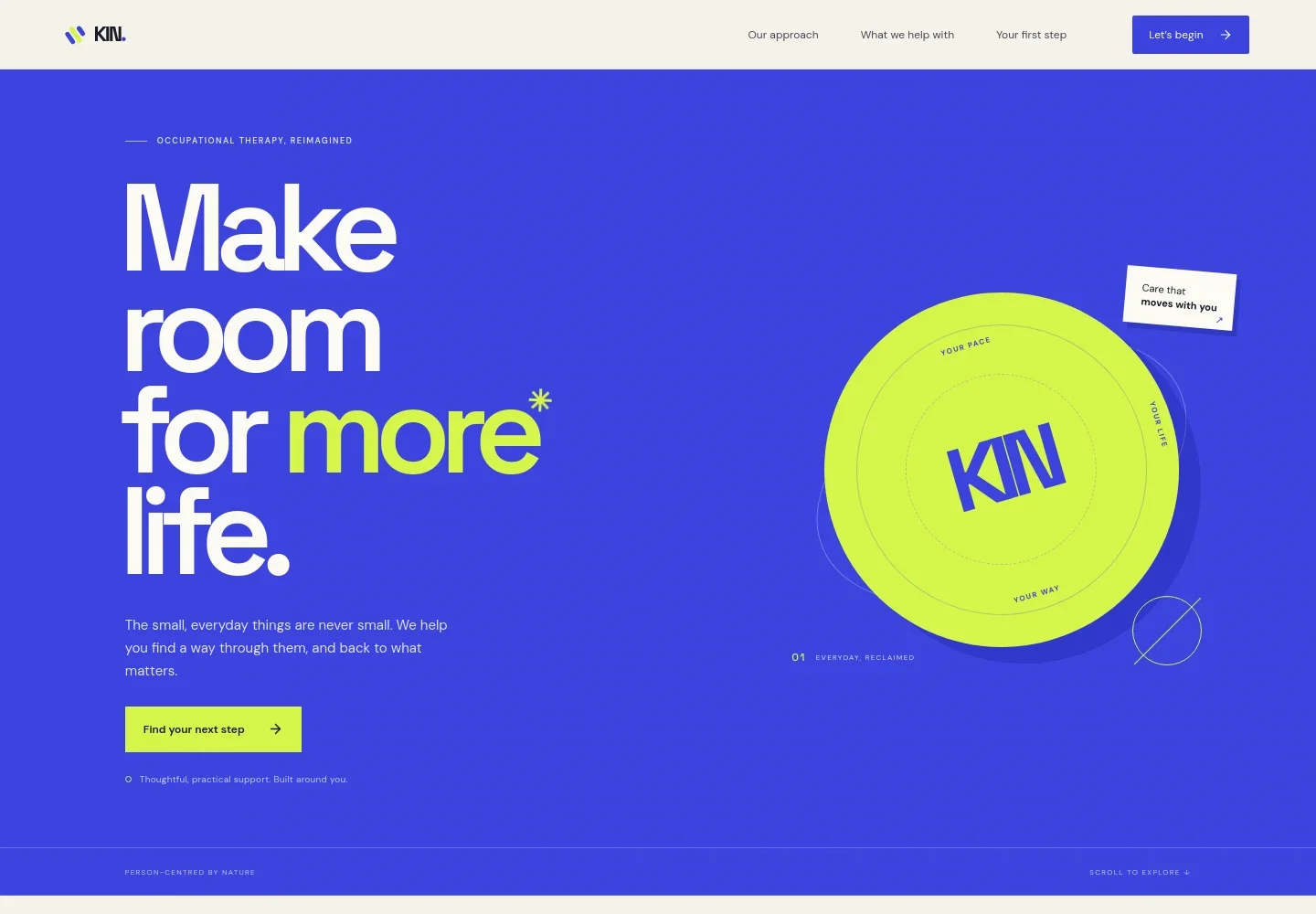
- Hero introduction
- A prominent headline and concise copy introduce practical, individualized support, with a button leading visitors to learn about the approach.
- The practice approach
- Explains how support starts with a person’s real life and everyday activities, with examples such as getting dressed, making breakfast, and going outside.
- Areas of support
- Four clearly separated service areas cover daily rhythms, movement and function, life transitions, and meaningful participation. Short descriptions and topic tags help visitors identify relevant support.
- Everyday progress feature
- A photographic feature describes how a small, practical change can be a starting point, reinforcing the page’s focus on adapting support to real-life needs.
- First conversation
- A closing contact section invites visitors to share what feels difficult, what they hope to change, or what they miss doing, with an email link to begin.
- Navigation and footer
- Navigation links connect visitors to the approach, support areas, and first-step section. The footer repeats the practice identity and provides a return-to-top link.
How to use this template
Open in Revamp
Click Use this template and sign in or create an account. You’ll start with your own copy of the design, ready to personalize.
Bring your content
Replace the sample text, photos, and logo with your own. Share your content, a document, or an existing website, and ask Revamp to adapt the template to your business.
Refine and publish
Ask Revamp to adjust the colors, layout, or sections, or edit directly on the page. Review desktop and mobile, then publish. You can keep making changes after launch.
Put your website to work
Give clients a simpler way to request appointments and help your practice keep track of inquiries. Ask Revamp to add a booking or client-management tool that fits your workflow.
-

Let clients request an appointment online
CalendlyMake it easier for prospective clients to find a time to speak with you. Ask Revamp to add appointment booking with Calendly.
-

Keep client scheduling and records organized
SimplePracticeBring appointment scheduling and practice administration into a system suited to healthcare providers. Ask Revamp to connect your practice website with SimplePractice.
-

Manage appointments and client details in one place
ClinikoSupport day-to-day scheduling and client administration with a practice-management platform. Ask Revamp to connect your website with Cliniko.
Frequently asked questions
Is this occupational therapist website template free?
Yes. The premium template is free to use when you select Use this template. This applies to the template itself.
Can I use my own practice content?
Yes. Ask Revamp to personalize the text, images, practice details, and contact information for your occupational therapy services.
Do I need coding skills to customize it?
No coding skills are needed. Ask Revamp to make changes to your content or design in plain language.
Can I change the design?
Yes. Ask Revamp to adjust the layout, colors, typography, imagery, or other design details to suit your practice.
Can I keep editing after publishing?
Yes. You can keep asking Revamp to update your website after launch as your services, content, or practice details change.


