About this template
Help patients understand how your oncology practice approaches care, what they can expect from a first visit, and how to get in touch. The page foregrounds patient-centered communication and explains a clear care path from understanding a diagnosis to choosing a plan together.
A prominent patient image and direct, reassuring language set the tone. Dedicated sections introduce your care principles, explain the steps in your approach, and offer practical preparation guidance for a first appointment.
Who it’s for
Oncologists, oncology practices, and cancer care professionals who want to explain their approach and help prospective patients know what to expect before reaching out.
What’s included
The page guides visitors from your approach to care through the care path and first-visit information, ending with a direct contact section. Its focused sections help patients find practical next steps while giving your practice room to communicate with clarity and care.
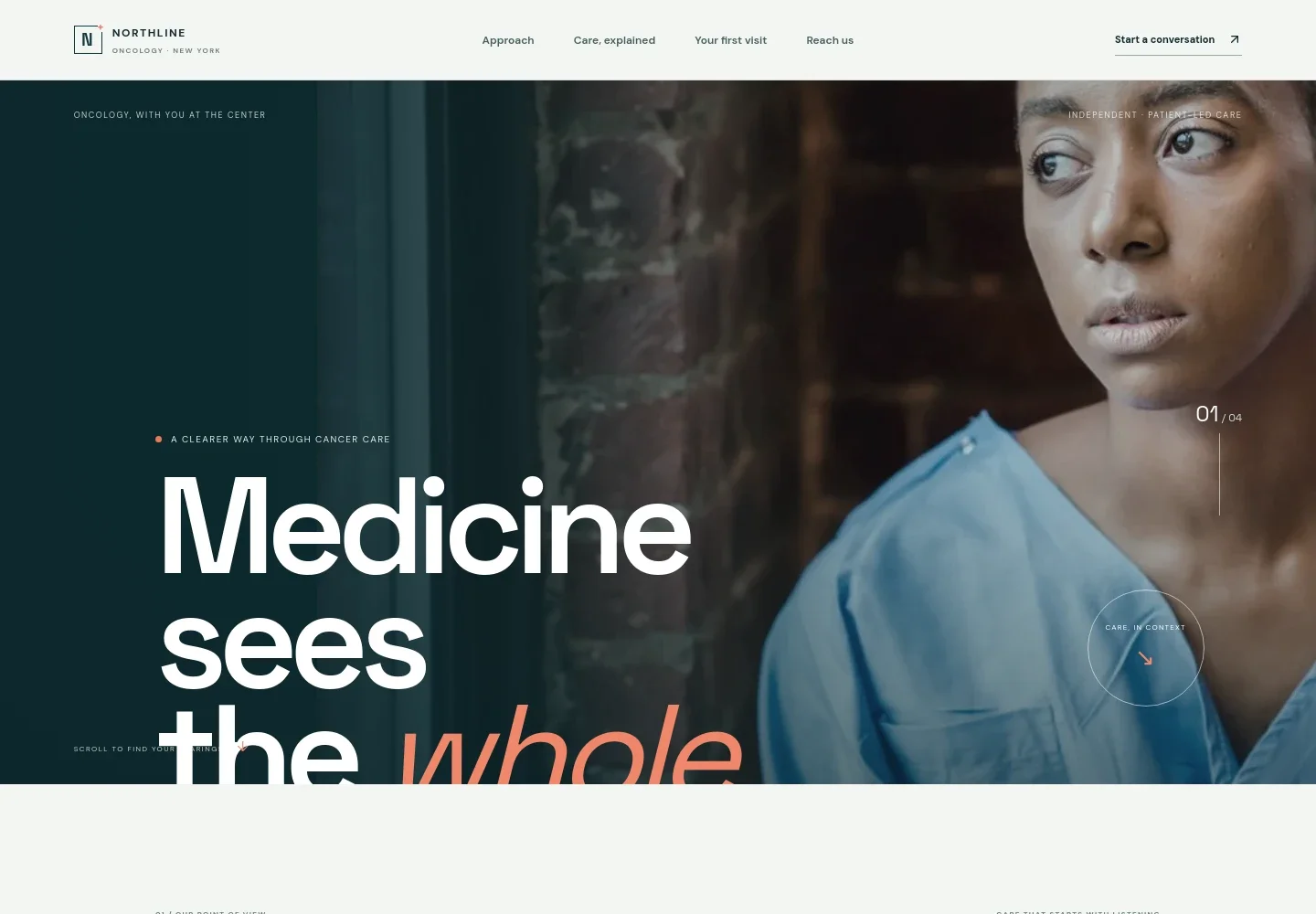
- Patient-centered hero
- A prominent patient photograph, concise statement about whole-person cancer care, and a clear link into the practice's approach establish the page's purpose at a glance.
- Practice approach and principles
- An introductory statement and three principles describe listening to patients, making complex information clear, and staying alongside them through decisions and appointments.
- Care pathway
- Four steps, Understand, Consider, Choose together, and Keep in touch, show how the practice explains options, shapes a plan around patient priorities, and communicates about next steps.
- Your first visit
- A physician and patient conversation image accompanies an overview of the first visit, with practical suggestions to bring records, write down questions, and invite someone trusted.
- Closing reassurance
- A short statement reinforces the page's message of ongoing support without making claims about treatment outcomes.
- Contact section
- A closing invitation presents phone and email contact links and encourages visitors to start a conversation. Replace the illustrative contact details with your practice's information.
How to use this template
Open in Revamp
Click Use this template and sign in or create an account. You’ll start with your own copy of the design, ready to personalize.
Bring your content
Replace the sample text, photos, and logo with your own. Share your content, a document, or an existing website, and ask Revamp to adapt the template to your business.
Refine and publish
Ask Revamp to adjust the colors, layout, or sections, or edit directly on the page. Review desktop and mobile, then publish. You can keep making changes after launch.
Put your website to work
Appointment scheduling and practice-management tools can help patients take a clear next step and help your team manage practice operations. Ask Revamp to add or connect a tool that suits your workflow.
-

Help patients request a visit
CalendlyAsk Revamp to add consultation booking with Calendly so prospective patients can request a suitable time.
-

Coordinate appointments with your clinic calendar
Google CalendarAsk Revamp to connect Google Calendar to support appointment scheduling and calendar coordination.
-

Organize patient and practice workflows
Flatiron AssistAsk Revamp to connect an oncology-focused practice-management system such as Flatiron Assist to support administrative workflows.
Frequently asked questions
Is this template free?
Yes. This premium template is free to use through Use this template. This applies to the template itself, not hosting or other services.
Can I use my own content?
Yes. Ask Revamp to personalize the page with your practice name, care information, images, contact details, and other content.
Do I need coding skills?
No coding skills are needed. Ask Revamp to make changes to the content and design in plain language.
Can I change the design?
Yes. Ask Revamp to adjust the layout, colors, imagery, and other design details to suit your practice.
Can I keep editing after publishing?
Yes. You can continue editing after launch. Ask Revamp to update your content or design as your practice's needs change.


