About this template
Help prospective patients understand your approach to eye care, from the first conversation and examination to explaining findings and planning next steps. The page brings this process into view without relying on claims about specific treatments or outcomes.
A close-up iris image, considered typography, and clear sections create a distinctive setting for your practice information. The visit section gives people a place to find your address, phone number, hours, and a way to start a conversation.
Who it’s for
Designed for ophthalmologists, eye clinics, and medical professionals who want to explain their approach, make patient information easy to find, and invite prospective patients to get in touch.
What’s included
The one-page layout guides visitors from your care philosophy through what an examination involves to practical visit details. Its section headings and visual sequence help patients see what to expect and where to take the next step.
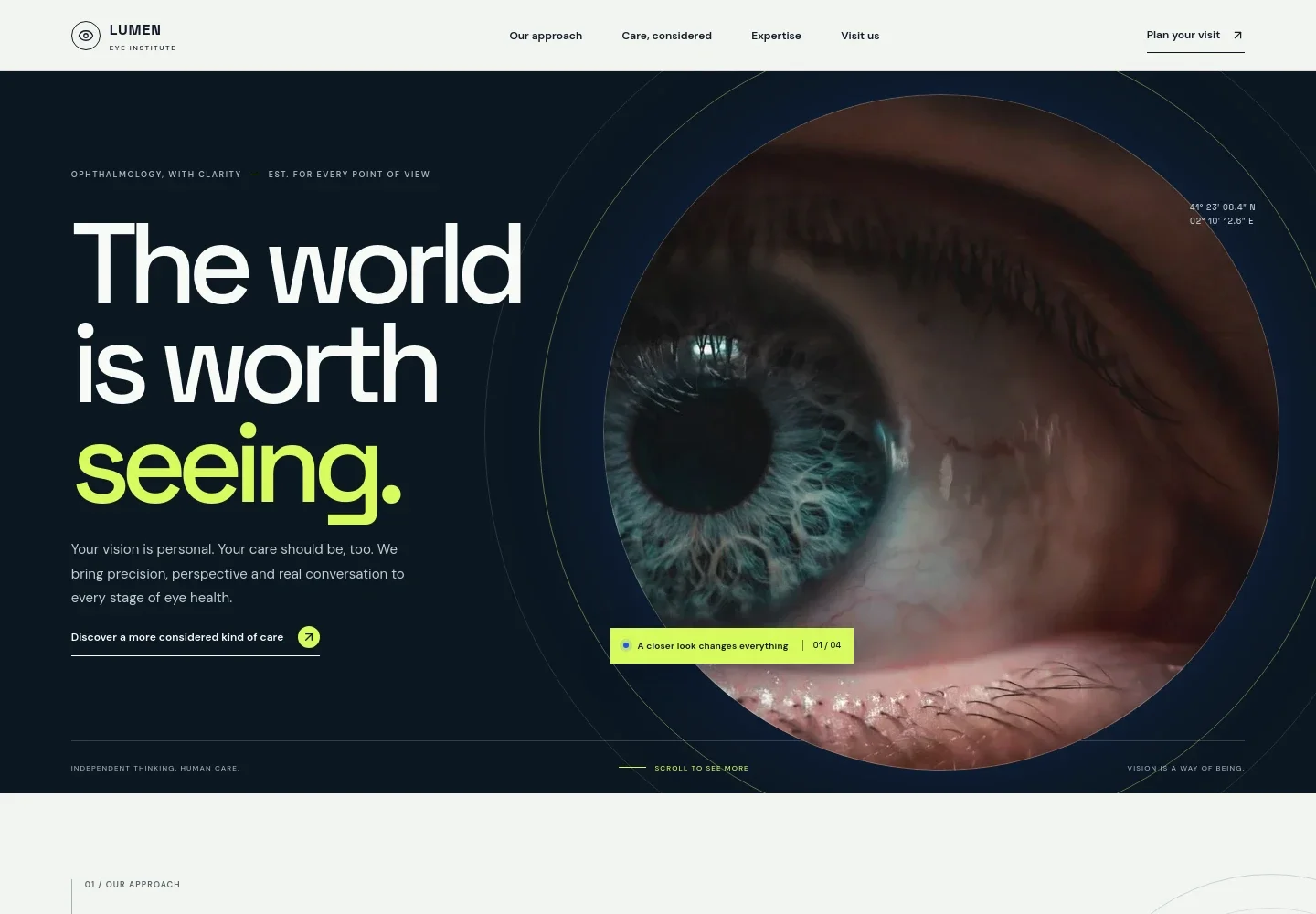
- Hero and practice introduction
- Opens with an ophthalmology-focused headline, a short statement about personalized eye care, and a prominent link into the approach section. A detailed iris photograph establishes the visual focus.
- Our approach
- Introduces the practice's care philosophy with space to explain how precise medicine and personal attention work together.
- Care, considered
- Pairs an eye examination image with copy about listening to patients, understanding concerns, and explaining findings in plain language.
- A clearer picture
- Presents eye care as four steps: Notice, Examine, Make sense, and Move forward. The sequence helps visitors understand the stages of an examination and shared planning.
- Begin with a conversation
- Closes with an invitation to get in touch, followed by clearly labeled areas for the practice address, phone number, and appointment hours.
- Navigation and footer
- Top navigation links directly to the approach, care, expertise, and visit sections. The footer repeats the practice identity and provides a back-to-top link.
How to use this template
Open in Revamp
Click Use this template and sign in or create an account. You’ll start with your own copy of the design, ready to personalize.
Bring your content
Replace the sample text, photos, and logo with your own. Share your content, a document, or an existing website, and ask Revamp to adapt the template to your business.
Refine and publish
Ask Revamp to adjust the colors, layout, or sections, or edit directly on the page. Review desktop and mobile, then publish. You can keep making changes after launch.
Put your website to work
Online scheduling and patient-management software can help patients request visits and help your team organize practice communications. Ask Revamp to add a tool that fits your clinic's workflow.
-

Simplify appointment requests
NexHealthLet patients choose a suitable time through an online booking flow. Ask Revamp to add appointment scheduling with NexHealth.
-

Coordinate patient communications
WeaveBring appointment reminders and patient communication into a practice-management workflow. Ask Revamp to connect your website with Weave.
-

Manage practice operations
ModMedOrganize scheduling, billing, and patient records in one practice-management system. Ask Revamp to connect your website with ModMed.
Frequently asked questions
Is this template free?
Yes. This premium template is free to use when you select Use this template. This applies to the template itself, not hosting or other services.
Can I use my own content?
Yes. Ask Revamp to personalize the page with your practice name, ophthalmology services, staff information, contact details, and patient guidance.
Do I need coding skills?
No. Ask Revamp to make content and design changes for you, without coding.
Can I change the design?
Yes. Ask Revamp to adjust the colors, typography, imagery, layout, and other design details to suit your practice.
Can I keep editing after publishing?
Yes. You can keep asking Revamp to update your content and design after launch.


