About this template
Help prospective clients see the kinds of gatherings you plan, from milestone birthdays and engagement celebrations to company events and relaxed dinners with friends. The design leads with an atmospheric party image and a clear point of view focused on bringing people together.
Dedicated sections introduce your event types, explain your creative approach, and invite visitors to start a conversation about their occasion. The editorial typography, event imagery, and warm visual details give party planners a way to present their style while making their services easy to understand.
Who it’s for
Independent party planners, event stylists, and small event-planning studios serving private celebrations and corporate gatherings.
What’s included
The page guides visitors from the feeling behind your events to the occasions you plan, how you work, and a direct way to get in touch.
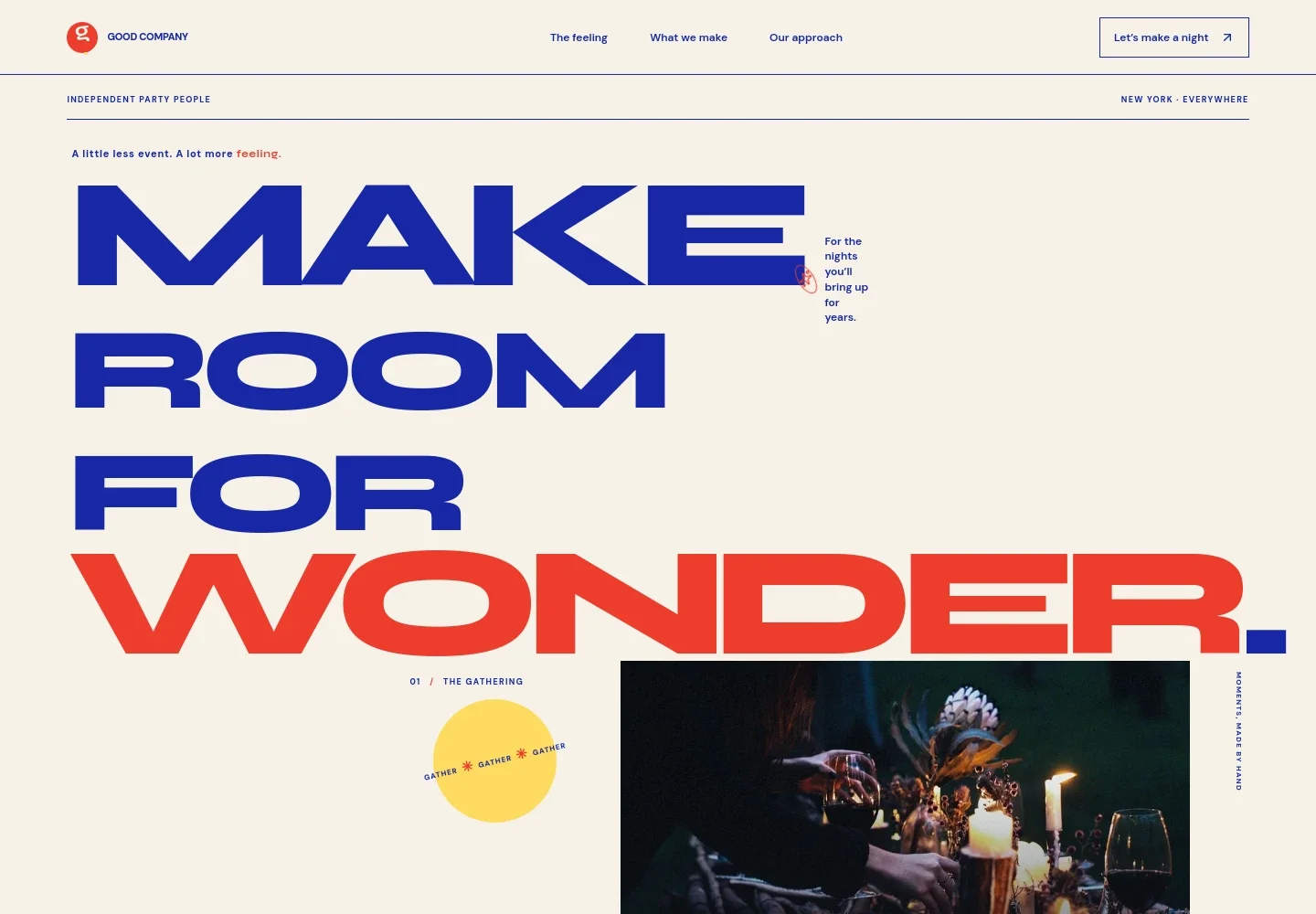
- Atmospheric hero
- A large candlelit dinner image, prominent headline, and concise supporting copy establish the planner’s style and set the mood for the page.
- Planning point of view
- A short editorial section explains the focus on atmosphere, thoughtful details, and helping guests feel part of the gathering.
- Event types
- Four service entries cover engagement parties and rehearsal dinners, milestone birthdays, informal gatherings, and company celebrations, each with a short description.
- Planning approach
- Three steps describe getting to know the client and guests, shaping the creative direction and details, and managing the event day so the host can enjoy it.
- Contact invitation
- A closing call to start a conversation invites visitors to share their occasion, guest count, or the feeling they want for the event.
- Brand footer
- A compact footer returns visitors to the top of the page and provides space for the planner’s brand and location details.
How to use this template
Open in Revamp
Click Use this template and sign in or create an account. You’ll start with your own copy of the design, ready to personalize.
Bring your content
Replace the sample text, photos, and logo with your own. Share your content, a document, or an existing website, and ask Revamp to adapt the template to your business.
Refine and publish
Ask Revamp to adjust the colors, layout, or sections, or edit directly on the page. Review desktop and mobile, then publish. You can keep making changes after launch.
Put your website to work
Make it easier to discuss inquiries, coordinate event details, and manage client relationships. Ask Revamp to add or connect tools that fit your planning process.
-

Schedule planning consultations
CalendlyGive prospective clients a convenient way to choose a time for an initial conversation. Ask Revamp to add consultation booking with Calendly.
-

Organize client inquiries and follow-ups
HubSpotKeep prospective clients and conversation notes organized as inquiries come in. Ask Revamp to connect HubSpot for contact management.
-

Track event details in shared spreadsheets
Google SheetsCollect and organize planning details such as guest lists, vendor notes, and event timelines. Ask Revamp to connect Google Sheets.
Frequently asked questions
Is this party planning template free?
Yes. This premium template is free to use through the Use this template option. The offer applies to the template, not hosting or other services.
Can I use my own party planning content?
Yes. Ask Revamp to personalize the page with your business name, event services, photos, planning approach, contact details, and other content.
Do I need coding skills to customize the template?
No coding skills are needed. Ask Revamp to make changes to the content and design in natural language.
Can I change the design?
Yes. Ask Revamp to adjust the colors, typography, imagery, layout, or other visual details to suit your party planning business.
Can I keep editing the website after publishing?
Yes. You can keep editing after launch. Ask Revamp to update your services, event details, imagery, or design as your business evolves.