About this template
Help film photographers understand how to send in a roll, what happens during development, and how they can choose prints from a private digital gallery.
The page pairs a step-by-step film process with a darkroom reveal feature, a dedicated section for fine art enlargements, and a visit section for contact details and lab hours. Its editorial typography, film-frame references, and image-led layouts give a photo lab a distinctive way to explain its services.
Who it’s for
Independent photo labs offering film development, scans, and prints, as well as darkrooms and analog photography studios that want to explain their process and welcome new customers.
What’s included
The visible sections guide visitors from learning about film services to understanding the process and getting in touch with the lab.
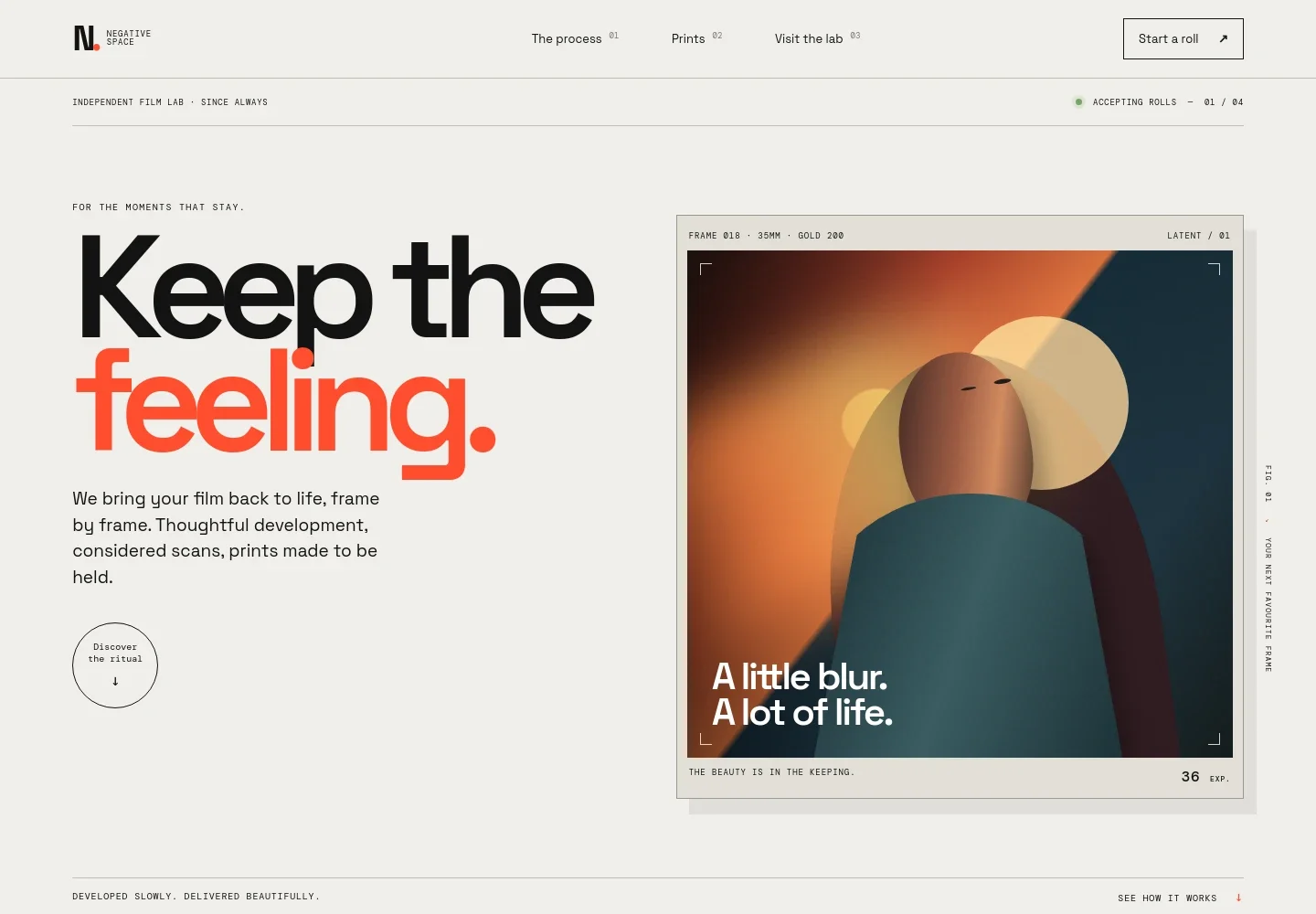
- Film lab introduction
- An editorial hero introduces the lab's film development, scans, and prints, with a prominent link to the process and a call to start a roll.
- How the process works
- Three numbered steps explain how customers can send or bring in film, how it is handled and checked, and how a private digital gallery lets them choose images for printing.
- Darkroom reveal
- A large visual section presents the change from latent image to visible photograph, giving the lab's development work a clear visual focus.
- Prints and enlargements
- Photography and supporting copy introduce fine art enlargements, archival papers, and print options, with a link to ask about prints.
- Darkroom note
- A brief manifesto-style section expresses the lab's appreciation for the character and imperfections of film photography.
- Visit and contact
- A closing contact area invites customers to ask about the right finish and provides space for the lab address, email, and opening hours.
How to use this template
Open in Revamp
Click Use this template and sign in or create an account. You’ll start with your own copy of the design, ready to personalize.
Bring your content
Replace the sample text, photos, and logo with your own. Share your content, a document, or an existing website, and ask Revamp to adapt the template to your business.
Refine and publish
Ask Revamp to adjust the colors, layout, or sections, or edit directly on the page. Review desktop and mobile, then publish. You can keep making changes after launch.
Put your website to work
Make it easier to manage lab orders and keep customers informed. Ask Revamp to add or connect tools such as these for your photo lab.
-

Organize customer orders
HubSpotKeep order details and customer conversations together as film rolls move through the lab. Ask Revamp to connect HubSpot for customer relationship management.
-

Coordinate customer pickups
CalendlyGive customers a way to request a pickup or consultation time. Ask Revamp to add appointment booking with Calendly.
-

Track lab orders and turnaround
Google SheetsOrganize incoming rolls, requested services, and order status in a shared spreadsheet. Ask Revamp to connect Google Sheets for order tracking.
Frequently asked questions
Is this template free?
Yes. The premium template is free to use when you select Use this template. This applies to the template itself.
Can I use my own content?
Yes. Ask Revamp to personalize the copy, images, contact details, lab hours, and service information with your own content.
Do I need coding skills?
No coding skills are needed. Ask Revamp to personalize the content and design for your photo lab.
Can I change the design?
Yes. Ask Revamp to adjust the layout, colors, typography, imagery, or sections to suit your lab.
Can I keep editing after publishing?
Yes. You can keep editing your website after launch. Ask Revamp whenever you want to update your content or design.


