About this template
Show photographers, art directors, and creative teams what you retouch and how you approach each image. The design highlights beauty and skin, fashion and portrait, and product and still life work, with a focus on preserving texture, light, and the character of the original photograph.
A clear, editorial layout leads visitors from your point of view and working process to your areas of expertise, then offers a direct way to start a conversation about an image or campaign.
Who it’s for
Independent photo retouchers and image-retouching studios working with photographers, art directors, and creative teams on beauty, fashion, portrait, and product photography.
What’s included
The page pairs an editorial portrait comparison with concise explanations of the studio’s approach, process, services, and contact details. Its sections help prospective clients understand both the visual sensibility and the kinds of images you work on.
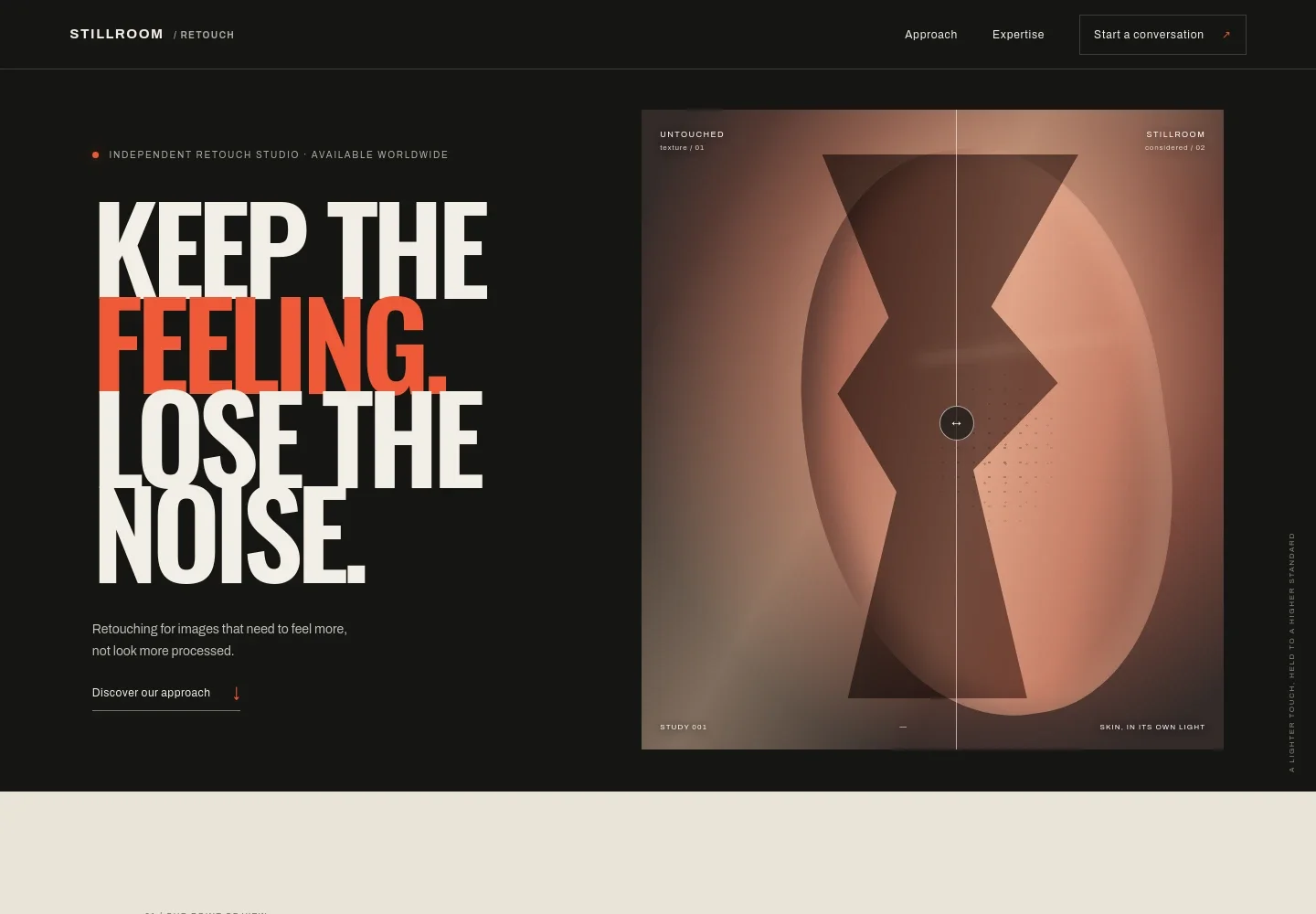
- Hero and retouch comparison
- A prominent statement introduces a considered retouching approach, alongside an interactive divider labeled Untouched and Stillroom. The portrait composition and comparison make the idea of subtle image refinement immediately clear.
- Approach
- Explains the studio’s point of view: preserve what makes an image feel human, respect the original light, and work collaboratively with photographers, art directors, and creative teams.
- Retouching process
- Three steps describe reading the light, respecting surface texture, and checking color and detail in context. This gives prospective clients a concrete sense of the care behind the work.
- Areas of expertise
- Service rows describe beauty and skin, fashion and portrait, and product and still life retouching, with examples of the image details each area can involve.
- Contact
- A closing invitation asks visitors to share a campaign, frame, or question and provides an email link. Replace the illustrative email address with your studio’s contact details.
- Footer navigation
- Repeats the studio wordmark, a short positioning line, and a back-to-top link.
How to use this template
Open in Revamp
Click Use this template and sign in or create an account. You’ll start with your own copy of the design, ready to personalize.
Bring your content
Replace the sample text, photos, and logo with your own. Share your content, a document, or an existing website, and ask Revamp to adapt the template to your business.
Refine and publish
Ask Revamp to adjust the colors, layout, or sections, or edit directly on the page. Review desktop and mobile, then publish. You can keep making changes after launch.
Put your website to work
Make it easier for clients to arrange an initial conversation and keep enquiries organized. Ask Revamp to add or connect tools that fit the way you manage your studio.
-

Offer convenient consultation times
CalendlyAsk Revamp to add consultation booking with Calendly so prospective clients can request a conversation at a suitable time.
-

Keep client enquiries in one place
HubSpotAsk Revamp to connect HubSpot to organize incoming enquiries and follow-ups with photographers and creative teams.
Frequently asked questions
Is this template free?
Yes. This premium template is free to use through Use this template. The template itself is free; hosting and other services are separate.
Can I use my own content?
Yes. Ask Revamp to personalize the page with your studio name, retouching approach, services, portfolio imagery, and contact details.
Do I need coding skills?
No. You can ask Revamp to personalize the content and design without coding.
Can I change the design?
Yes. Ask Revamp to adjust the visual style, layout, colors, typography, or sections to suit your studio.
Can I keep editing after publishing?
Yes. You can keep making changes after launch by asking Revamp to update your content or design.


