About this template
Show prospective clients the kind of image-making your studio offers, from portraits and brand campaigns to still life and product work. The design pairs a vivid editorial portrait with clear service descriptions so visitors can quickly see where your studio's work may fit.
A studio introduction, creative approach, selected photographic direction, and four-step process give clients useful context before they get in touch. The closing contact section invites them to share a brief or early idea.
Who it’s for
Independent photographers, photo studios, and image-making teams seeking portrait, editorial, campaign, product, or still life commissions.
What’s included
The page moves from a strong portrait-led opening to studio positioning, photography services, visual work, process, and a direct contact invitation. Its bold type, red-toned imagery, and editorial layout help a studio present its point of view while keeping its services and next step easy to find.
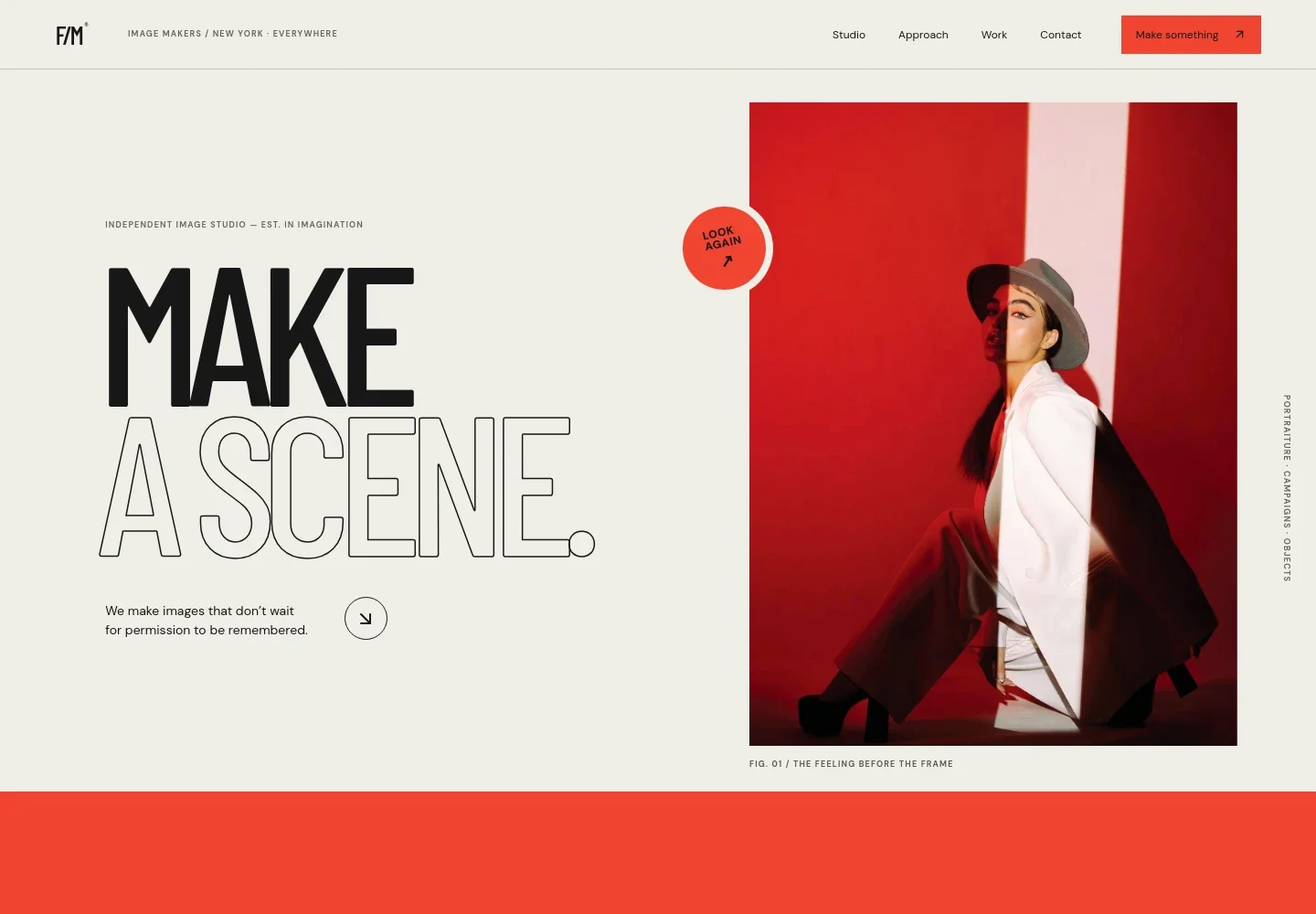
- Portrait-led hero
- A prominent editorial portrait, concise studio message, and links to the work and contact sections establish the visual character of the studio and direct visitors toward the portfolio.
- Studio point of view
- An introduction explains the independent studio's approach to making images, giving prospective clients a sense of its creative outlook before they review the services.
- Photography services
- Three focused service entries cover portraiture, brand campaigns, and still life. Each describes the type of work and helps visitors identify a relevant starting point.
- Selected photographic direction
- A large featured image and visual annotations create a portfolio-style showcase for the studio's image-making and demonstrate how its work can be presented.
- Creative process
- Four stages outline the approach from understanding the brief and planning a visual direction through the shoot and final image selection and finishing.
- Contact invitation
- A closing message encourages visitors to discuss a project, with a prominent email link that gives prospective clients a clear way to start a conversation.
How to use this template
Open in Revamp
Click Use this template and sign in or create an account. You’ll start with your own copy of the design, ready to personalize.
Bring your content
Replace the sample text, photos, and logo with your own. Share your content, a document, or an existing website, and ask Revamp to adapt the template to your business.
Refine and publish
Ask Revamp to adjust the colors, layout, or sections, or edit directly on the page. Review desktop and mobile, then publish. You can keep making changes after launch.
Put your website to work
Make it easier to manage inquiries, schedule shoots, and follow up with clients. Ask Revamp to add connections with tools your studio uses.
-

Schedule consultations
CalendlyGive prospective clients a convenient way to choose a time to discuss a brief. Ask Revamp to add consultation booking with Calendly.
-

Keep client inquiries organized
HubSpotTrack prospective clients and project conversations in one place. Ask Revamp to connect your site inquiries with HubSpot.
-

Coordinate shoot dates
Google CalendarKeep confirmed sessions and planning calls visible alongside your schedule. Ask Revamp to connect Google Calendar.
Frequently asked questions
Is this template free?
Yes. This premium template is free to use via Use this template. The template is free; hosting and other services are separate.
Can I use my own photos and content?
Yes. Ask Revamp to personalize the images, studio details, service descriptions, and contact information with your own content.
Do I need coding skills?
No. Ask Revamp to personalize the content and design for you, without coding.
Can I change the design?
Yes. Ask Revamp to adjust the colors, typography, imagery, layout, or other design details to suit your studio.
Can I keep editing after publishing?
Yes. You can keep editing after launch. Ask Revamp to update your content or design as your studio and portfolio develop.


