About this template
Help couples, event planners, and brand teams see how a photo booth can fit the mood and flow of their event. The design introduces classic booth, roaming flash, and custom setups, with photography and copy focused on candid moments and keepsake prints.
A bold, after-dark visual style pairs oversized headlines, direct-flash imagery, and clear numbered sections. Visitors can understand the experience, compare setup options, review practical event details, and find a direct way to start a conversation.
Who it’s for
Photobooth businesses serving weddings, private parties, corporate events, and brand nights, especially operators offering classic booths, roaming photography, or custom event details.
What’s included
The page guides prospective clients from the feeling of the experience to setup choices, event details, and an inquiry prompt. Its large images and concise service descriptions make the offer easy to scan.
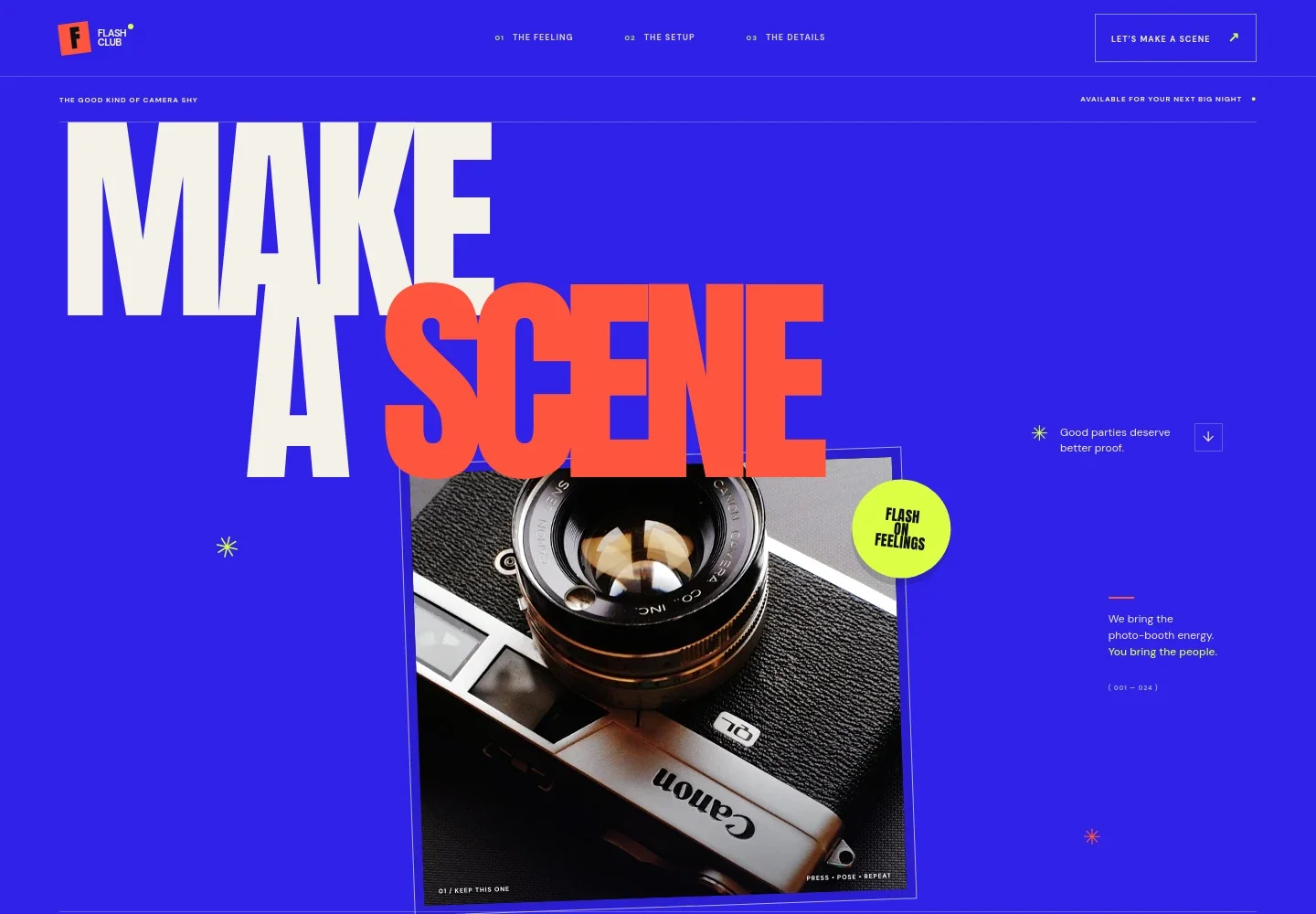
- Hero and event introduction
- A prominent headline, camera imagery, and a short introduction establish the photo-booth experience. The page names weddings and brand nights as occasions and points visitors toward the setup details.
- The feeling
- Explains the idea behind candid, playful photos rather than a formal line-up, helping visitors picture how a booth can invite guests to join in.
- The setup
- Presents three options: a classic booth with prints, roaming flash photography, and a custom moment with choices such as a backdrop or print design. Supporting copy notes that setup recommendations depend on the event, space, and guest flow.
- The details
- Describes choosing a suitable footprint and flow, arriving ready to set up, helping guests participate, and revisiting and sharing photos after the event.
- Contact prompt and footer
- Invites visitors to share what they are celebrating, where it is happening, and the atmosphere they want. The footer includes the brand mark and a return-to-top link.
How to use this template
Open in Revamp
Click Use this template and sign in or create an account. You’ll start with your own copy of the design, ready to personalize.
Bring your content
Replace the sample text, photos, and logo with your own. Share your content, a document, or an existing website, and ask Revamp to adapt the template to your business.
Refine and publish
Ask Revamp to adjust the colors, layout, or sections, or edit directly on the page. Review desktop and mobile, then publish. You can keep making changes after launch.
Put your website to work
Booking and client-management tools can help organize event inquiries and keep planning details in one place. Ask Revamp to add or connect tools that suit your booking process.
-

Schedule event consultations
CalendlyMake it easier for prospective clients to choose a time to discuss their event. Ask Revamp to add consultation booking with Calendly.
-

Track event inquiries
HubSpotKeep prospective client conversations and event details organized in one place. Ask Revamp to connect HubSpot for managing inquiries.
-

Coordinate event dates
Google CalendarKeep consultation times and event dates visible on your calendar. Ask Revamp to connect Google Calendar to support scheduling.
Frequently asked questions
Is this template free?
Yes. This premium template is free to use when you select Use this template. This applies to the template itself, not hosting or other services.
Can I use my own content?
Yes. Ask Revamp to personalize the text, photos, brand details, event options, and contact information for your photobooth business.
Do I need coding skills?
No. Ask Revamp to personalize the content and design without coding.
Can I change the design?
Yes. Ask Revamp to adjust the colors, typography, imagery, layout, and other design details to suit your brand.
Can I keep editing after publishing?
Yes. You can keep editing your site after launch. Ask Revamp to update your content or design as your services and business change.


