About this template
Present a photography gallery through large-format imagery, a curated collection, and editorial copy that explains the gallery’s point of view. The page gives visitors a clear route from viewing the work to learning about its approach.
Separate sections introduce the collection, describe how the gallery brings photographers together, and invite artists and collectors to start a conversation. The restrained typography, image captions, and numbered navigation keep attention on the photographs.
Who it’s for
Independent photography galleries, fine-art photography spaces, and curators presenting selected photographic work to artists and collectors.
What’s included
The design pairs prominent photographic imagery with concise editorial context, helping visitors understand the gallery’s collection and find the right way to make contact.
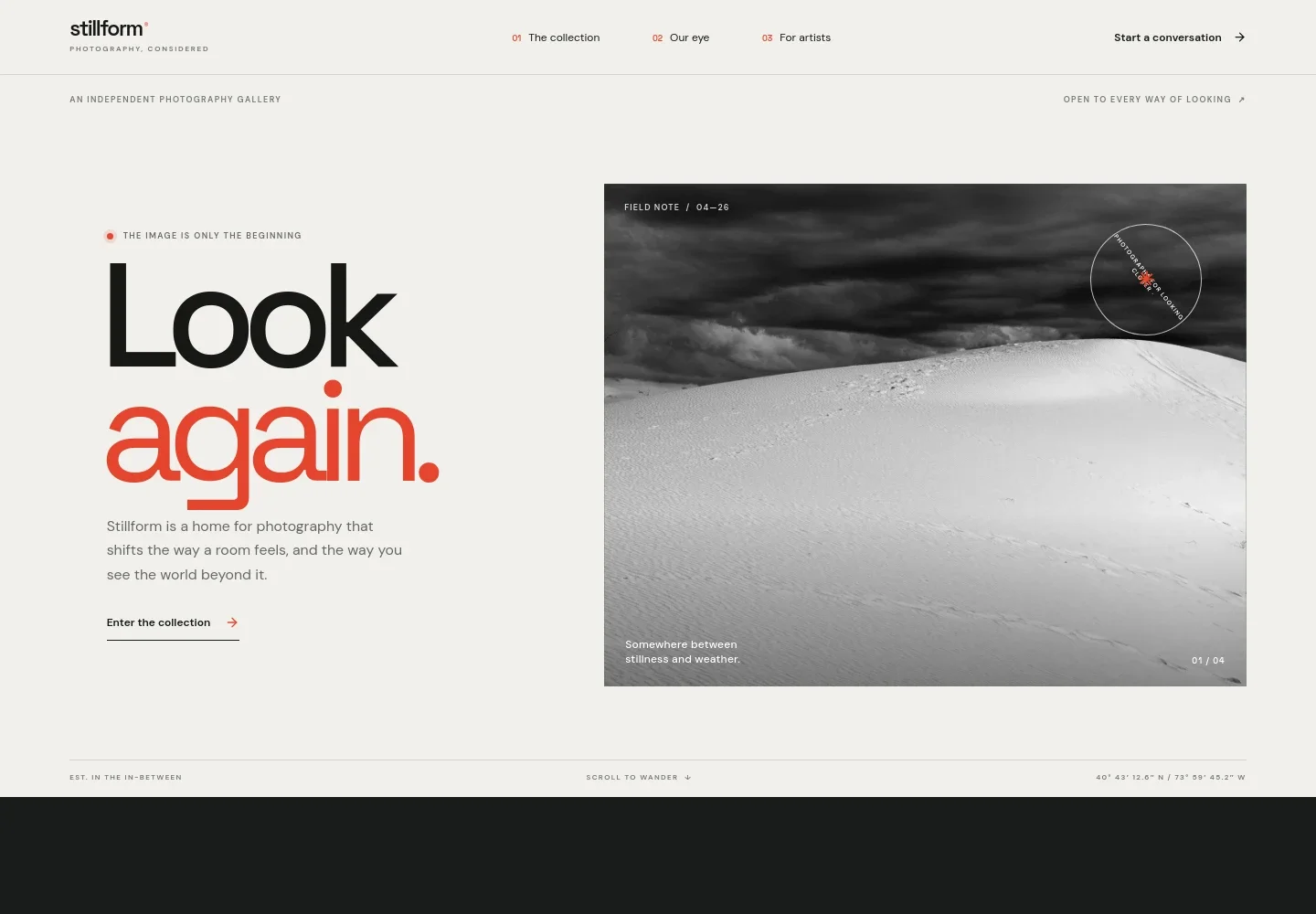
- Gallery introduction
- A large featured photograph, a short statement about the gallery, and a link into the collection introduce the visual identity and guide visitors into the work.
- The collection
- A featured image is presented with a plate number, title, and curatorial text, giving the work room to be seen while explaining the collection’s perspective.
- Gallery approach
- Editorial copy describes the gallery’s approach to bringing emerging and established image-makers into conversation, alongside a portrait photograph.
- For artists and collectors
- Two distinct contact paths invite photographers to submit portfolios and collectors to ask for help finding a photograph. Each path explains who it is for before visitors get in touch.
- Footer navigation
- A compact closing area repeats the gallery name and offers a back-to-top link.
How to use this template
Open in Revamp
Click Use this template and sign in or create an account. You’ll start with your own copy of the design, ready to personalize.
Bring your content
Replace the sample text, photos, and logo with your own. Share your content, a document, or an existing website, and ask Revamp to adapt the template to your business.
Refine and publish
Ask Revamp to adjust the colors, layout, or sections, or edit directly on the page. Review desktop and mobile, then publish. You can keep making changes after launch.
Put your website to work
Make it easier to discuss artwork, manage inquiries, and keep interested visitors informed. Ask Revamp to add a connection that fits the way your gallery works.
-

Book gallery consultations
CalendlyHelp collectors arrange a conversation about a work or their space. Ask Revamp to add consultation booking with Calendly.
-

Organize collector inquiries
HubSpotKeep prospective collectors and follow-up conversations organized in one place. Ask Revamp to connect HubSpot for contact management.
-

Share gallery updates
MailchimpKeep subscribers informed about new collections and exhibitions. Ask Revamp to connect Mailchimp for email campaigns.
Frequently asked questions
Is this template free?
Yes. This premium template is free to use through Use this template. The template itself is free; hosting or other services may have separate costs.
Can I use my own content?
Yes. Ask Revamp to personalize the page with your gallery name, photographs, collection descriptions, approach, and contact details.
Do I need coding skills?
No coding skills are needed. Ask Revamp to make changes to the content and design in natural language.
Can I change the design?
Yes. Ask Revamp to adjust the layout, colors, typography, imagery, or other visual details to suit your gallery.
Can I keep editing after publishing?
Yes. You can keep editing after launch. Ask Revamp to update your content or design as your collection and gallery evolve.


