About this template
Show visitors the kind of images and films your studio makes, how you approach a project, and what services you offer. The design pairs a large cinematic hero image with selected work, a clear approach statement, and service descriptions for photography, moving image, and art direction.
A considered portfolio layout gives visual work room to lead while helping prospective clients understand your creative point of view and how to start a conversation. The project process section also explains the studio's steps from listening and making through to editing and delivery.
Who it’s for
Independent photographers, filmmakers, image studios, and creative teams presenting campaign, editorial, portrait, product, brand film, documentary, or art direction services.
What’s included
The page is structured to move from an atmospheric visual introduction to work, approach, services, process, and a direct contact invitation. Large images and editorial typography make the portfolio central, while concise section copy helps prospective clients assess fit.
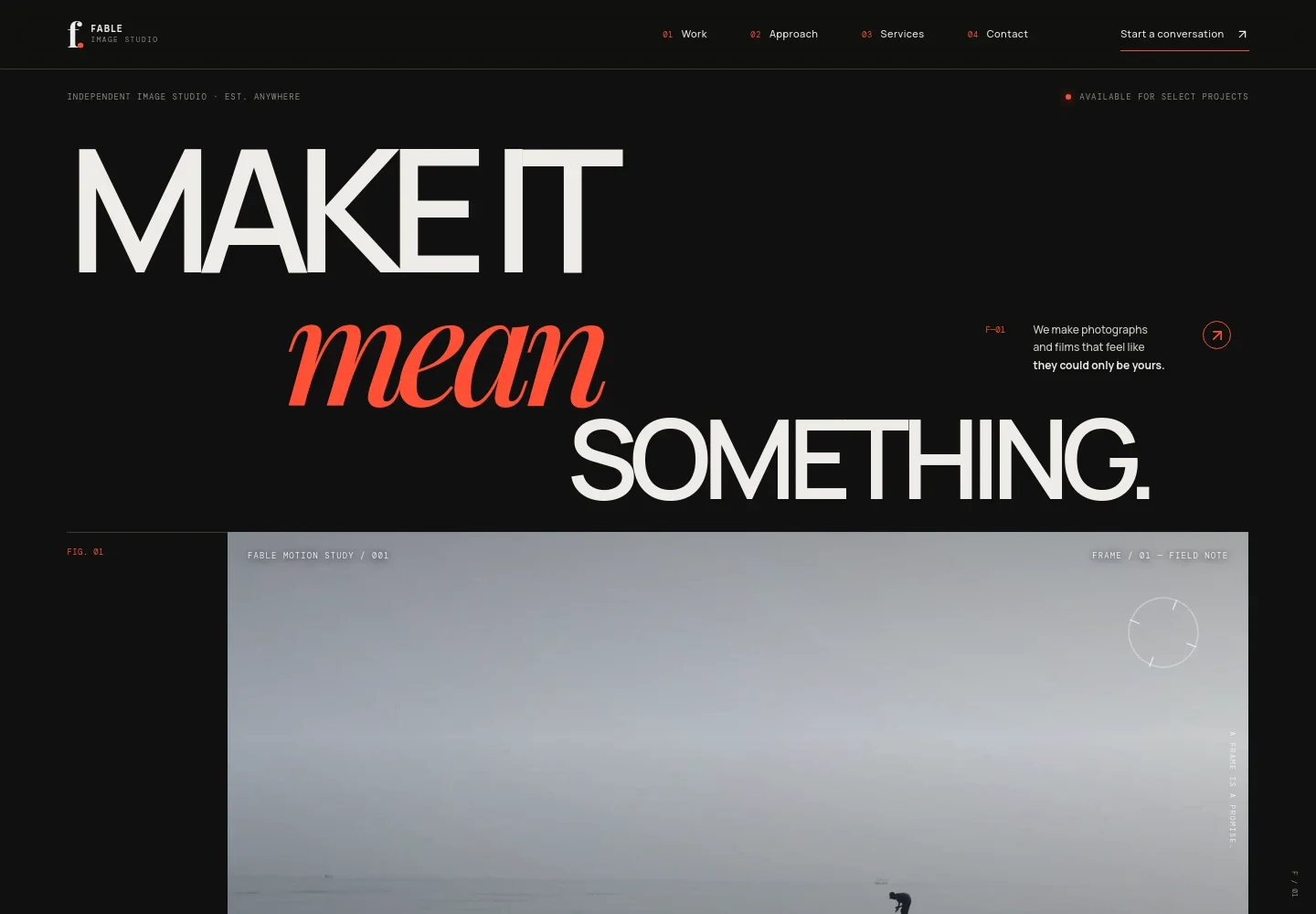
- Image-led hero
- A large cinematic image, studio introduction, and photography, film, and visual worlds positioning establish the creative focus immediately. Navigation leads visitors to work, approach, services, and contact.
- Selected work
- A featured visual study combines an image, project framing, and a short point-of-view statement. Use this area to introduce selected photography or film work.
- Creative approach
- An editorial section describes listening for what makes a story distinctive, working with a small crew, and paying attention to moments that feel natural and specific.
- Services
- Three service rows explain photography, moving image, and art direction, with examples such as campaigns, portraits, product imagery, brand films, social films, documentary, concepts, and visual identity.
- Project process
- A three-step timeline outlines listening, making, and shaping, including a project conversation, a right-sized crew, and considered editing and delivery.
- Contact invitation
- A closing contact section invites visitors to share an early project idea by email, giving prospective clients a clear next step after reviewing the work and services.
How to use this template
Open in Revamp
Click Use this template and sign in or create an account. You’ll start with your own copy of the design, ready to personalize.
Bring your content
Replace the sample text, photos, and logo with your own. Share your content, a document, or an existing website, and ask Revamp to adapt the template to your business.
Refine and publish
Ask Revamp to adjust the colors, layout, or sections, or edit directly on the page. Review desktop and mobile, then publish. You can keep making changes after launch.
Put your website to work
A few useful tools can help manage inquiries, schedule project conversations, and keep prospective client details organized. Ask Revamp to add or connect the tools that suit your studio's workflow.
-

Schedule project conversations
CalendlyMake it easier for prospective clients to choose a time to discuss a project. Ask Revamp to add consultation booking with Calendly.
-

Organize client inquiries
HubSpotKeep prospective client details and follow-ups together as inquiries come in. Ask Revamp to connect HubSpot for contact management.
-

Track project leads
Google SheetsKeep an organized record of new inquiries and project conversations. Ask Revamp to add a lead-tracking workflow with Google Sheets.
Frequently asked questions
Is this template free?
Yes. This premium template is free to use when you select Use this template. This applies to the template itself.
Can I use my own content?
Yes. You can personalize the text, images, services, and project details for your photography or video business. Ask Revamp to make the changes you need.
Do I need coding skills?
No. Ask Revamp to personalize the content and design for your business without coding.
Can I change the design?
Yes. Ask Revamp to adjust the layout, colors, typography, imagery, or other design details to fit your studio.
Can I keep editing after publishing?
Yes. You can continue editing after launch. Ask Revamp to update your content or design as your portfolio and services change.


