About this template
Present your photography practice through a focused visual story, from the opening image and creative point of view to the services you offer. The design is suited to photographers working with people, brands, publications, architecture, and interiors.
A process section explains an approach built around observation, collaboration, and attention to detail. Service rows make it easy for prospective clients to find the work relevant to their brief, while the closing contact section gives them a clear next step.
Who it’s for
Independent photographers and image studios seeking to introduce their approach, show the kinds of commissions they take on, and invite prospective clients to start a conversation.
What’s included
The layout pairs expressive photography and editorial typography with clear explanations of the studio's approach and services. Its sections help visitors understand both the visual work and the thinking behind it.
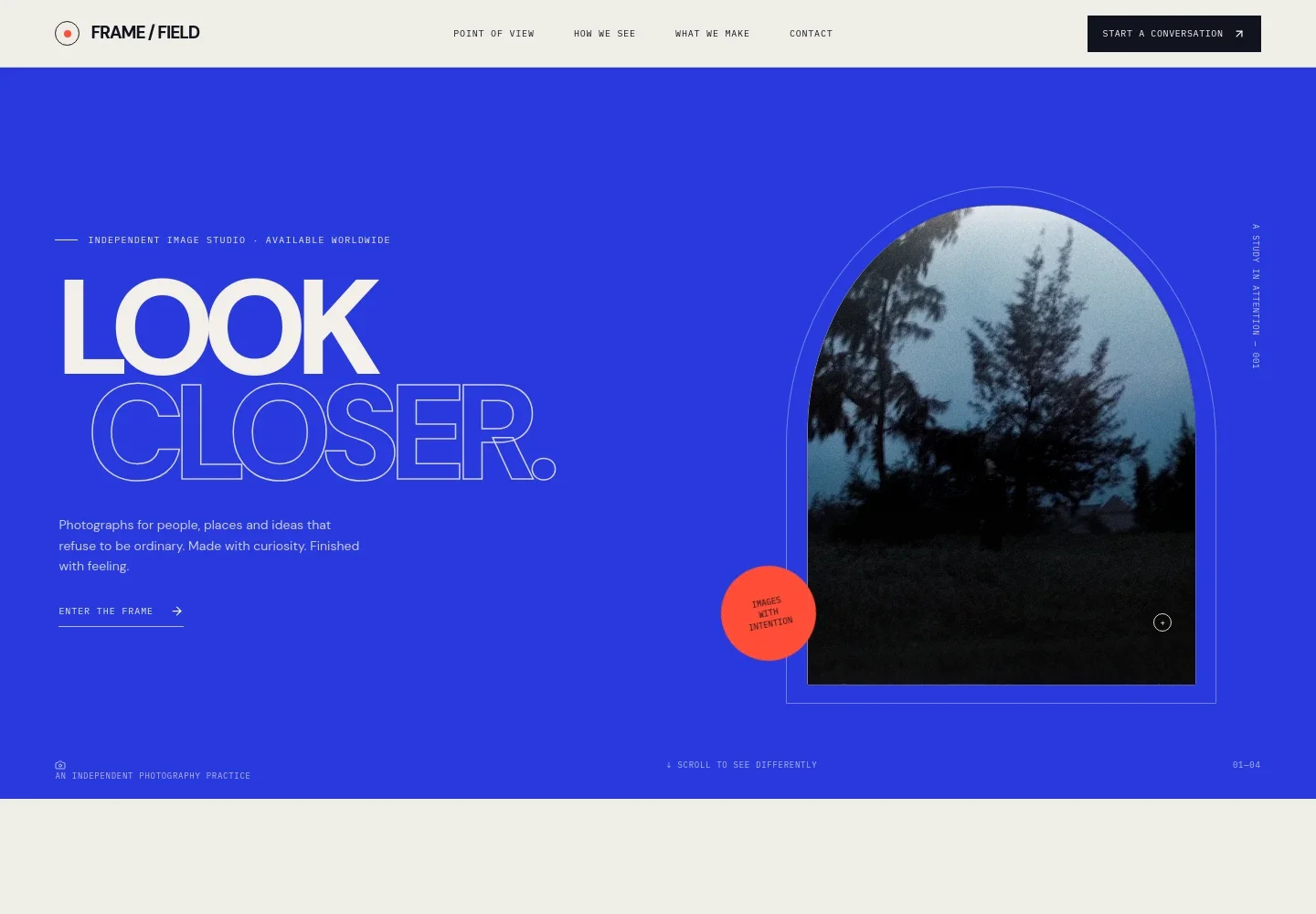
- Image-led opening
- A bold headline, introductory copy, and framed photograph establish the studio's visual identity and invite visitors into the work.
- Point of view
- A short statement explains the studio's belief in photographs that do more than describe, giving prospective clients context for its creative approach.
- How the studio works
- Three steps, Notice, Make space, and Hold the frame, describe an attentive process for working with people and places.
- Photography services
- Four service descriptions cover portraits and people, campaign and editorial work, places and spaces, and art direction, helping clients identify a relevant starting point.
- Field note
- A large photograph sits beside a brief reflection on slowing down and noticing details, reinforcing the studio's approach through image and text.
- Contact invitation
- A closing call to discuss a story, feeling, or brief leads into an email contact link. Ask Revamp to personalize the contact details for your studio.
How to use this template
Open in Revamp
Click Use this template and sign in or create an account. You’ll start with your own copy of the design, ready to personalize.
Bring your content
Replace the sample text, photos, and logo with your own. Share your content, a document, or an existing website, and ask Revamp to adapt the template to your business.
Refine and publish
Ask Revamp to adjust the colors, layout, or sections, or edit directly on the page. Review desktop and mobile, then publish. You can keep making changes after launch.
Put your website to work
Make it easier to arrange shoots and manage client inquiries by asking Revamp to add a scheduling or client-management tool that suits your practice.
-

Simplify consultation scheduling
CalendlyAsk Revamp to add consultation booking with Calendly so prospective clients can request a time to discuss a photography brief.
-

Keep shoot dates organized
Google CalendarAsk Revamp to connect Google Calendar so you can manage photography consultations and shoot dates alongside your schedule.
-

Track client inquiries and projects
Studio NinjaAsk Revamp to connect Studio Ninja to help organize photography leads, client details, and project communication.
Frequently asked questions
Is this photography template free?
Yes. This premium template is free to use when you select Use this template. Free refers to the template itself.
Can I use my own photography and content?
Yes. Ask Revamp to personalize the images, copy, services, and contact details for your photography practice.
Do I need coding skills to customize it?
No coding skills are needed. Ask Revamp to make changes to the content and design in plain language.
Can I change the design?
Yes. Ask Revamp to adjust the layout, colors, typography, imagery, or other design details to fit your studio.
Can I keep editing the site after publishing?
Yes. You can continue asking Revamp to update your content and design after launch.


