About this template
Help potential clients understand your portrait approach before they get in front of the camera. The design introduces a thoughtful, unhurried session style and frames portraits as a collaboration, with gentle direction and room for people to feel at ease.
Visitors can compare personal portraits, creative work portraits, and sessions for partners, siblings, or chosen family. A dedicated session section walks through the conversation, planning, and photography, while the contact section gives prospective clients a straightforward way to start talking.
Who it’s for
Portrait photographers and independent portrait studios offering personal, professional, creative, couples, or family portraits.
What’s included
The page pairs expressive portrait imagery and editorial typography with clear explanations of the studio's approach, portrait offerings, session experience, and how to make contact.
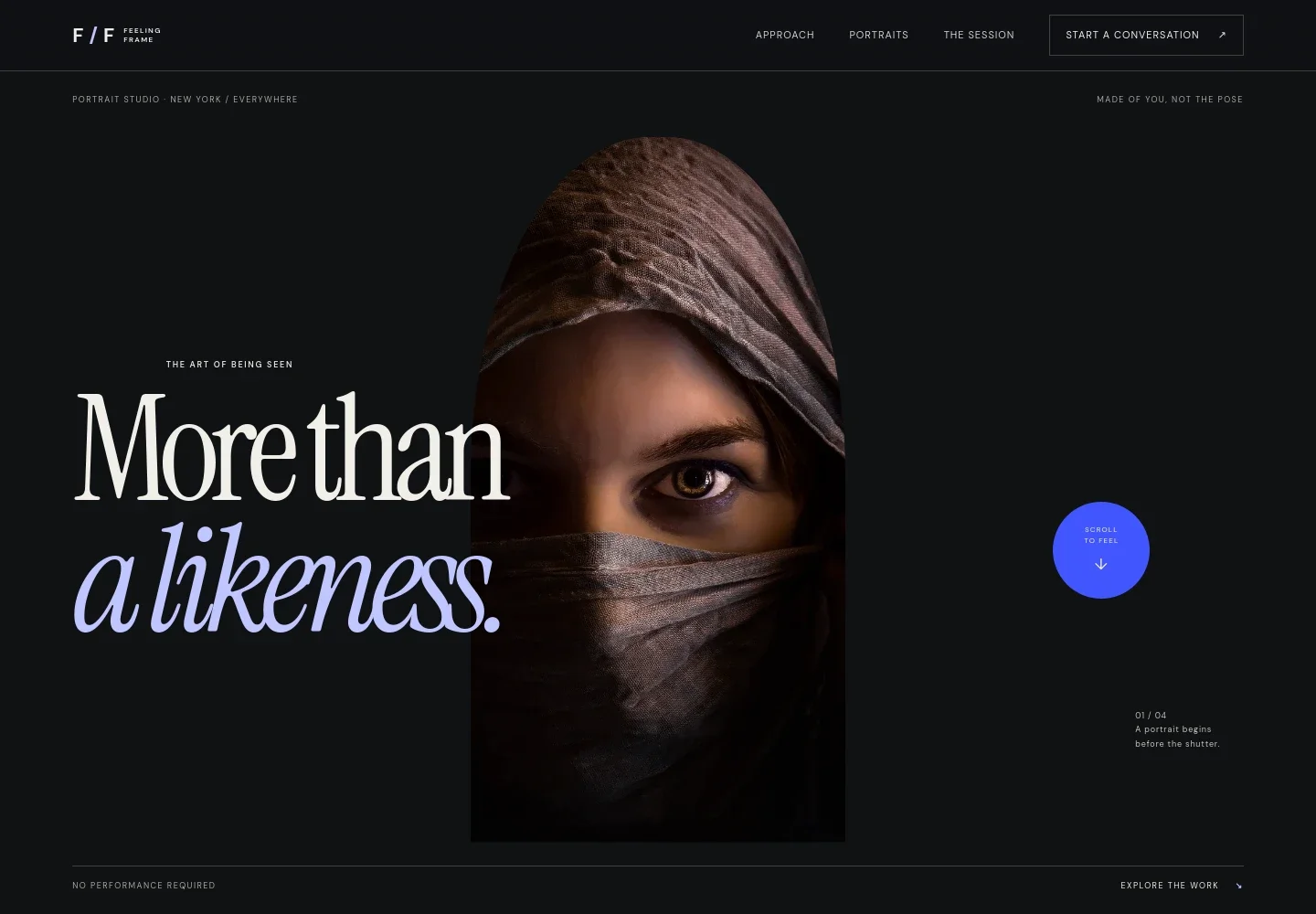
- Portrait-focused hero
- A prominent portrait image and headline establish the studio's point of view, with links leading visitors to the approach and portfolio sections.
- Photographer's approach
- Describe how you guide a session, helping visitors understand that they do not need to arrive knowing how to pose.
- Portrait services
- Present personal portraits, creative work portraits, and portraits of people together, with a short description of who each is for.
- Studio and session atmosphere
- A studio image and supporting copy convey a considerate working space and the gentle direction or quiet a client may prefer.
- How a session unfolds
- Three steps explain the conversation, discussion of setting and mood, and the portrait-making itself.
- Contact invitation
- Close with a direct email link and an invitation for prospective clients to share what they have in mind.
How to use this template
Open in Revamp
Click Use this template and sign in or create an account. You’ll start with your own copy of the design, ready to personalize.
Bring your content
Replace the sample text, photos, and logo with your own. Share your content, a document, or an existing website, and ask Revamp to adapt the template to your business.
Refine and publish
Ask Revamp to adjust the colors, layout, or sections, or edit directly on the page. Review desktop and mobile, then publish. You can keep making changes after launch.
Put your website to work
Make it easier to turn interest into a scheduled session or keep track of client conversations. Ask Revamp to add a booking or client-management tool that fits your studio.
-

Schedule portrait consultations
CalendlyLet prospective clients choose a time to discuss their portrait session. Ask Revamp to add consultation booking with Calendly.
-

Manage inquiries and client details
HoneyBookKeep track of prospective clients and follow-ups in one place. Ask Revamp to connect your contact workflow with HoneyBook.
-

Coordinate session dates
Acuity SchedulingHelp clients find an available time for a shoot. Ask Revamp to add session scheduling with Acuity Scheduling.
Frequently asked questions
Is this portrait photography template free?
Yes. This premium template is free to use when you select Use this template. The offer applies to the template, not hosting or other services.
Can I use my own photography and business details?
Yes. Ask Revamp to personalize the page with your images, studio name, portrait services, approach, contact details, and other content.
Do I need coding skills to customize the template?
No coding skills are needed. Ask Revamp to personalize the content and design for your photography business.
Can I change the design?
Yes. Ask Revamp to adjust the visual style, layout, colors, or typography to better reflect your studio.
Can I keep editing my website after publishing?
Yes. You can keep editing after launch. Ask Revamp to make updates as your photography, services, or business details change.


