About this template
Help prospective clients understand who your practice is for and what therapy together may feel like. The design introduces support for anxiety and overthinking, relationship patterns and boundaries, and life transitions.
A gentle, editorial layout balances clear service details with reflective language and generous visual space. Visitors can learn about the practice's approach before reaching a first-conversation invitation.
Who it’s for
Independent psychologists, therapists, and counselling professionals who want to introduce their approach, describe areas of support, and encourage prospective clients to make an initial enquiry.
What’s included
The page guides visitors from recognizing what may bring them to therapy, through the practice's collaborative approach, to a low-pressure invitation to begin a conversation.
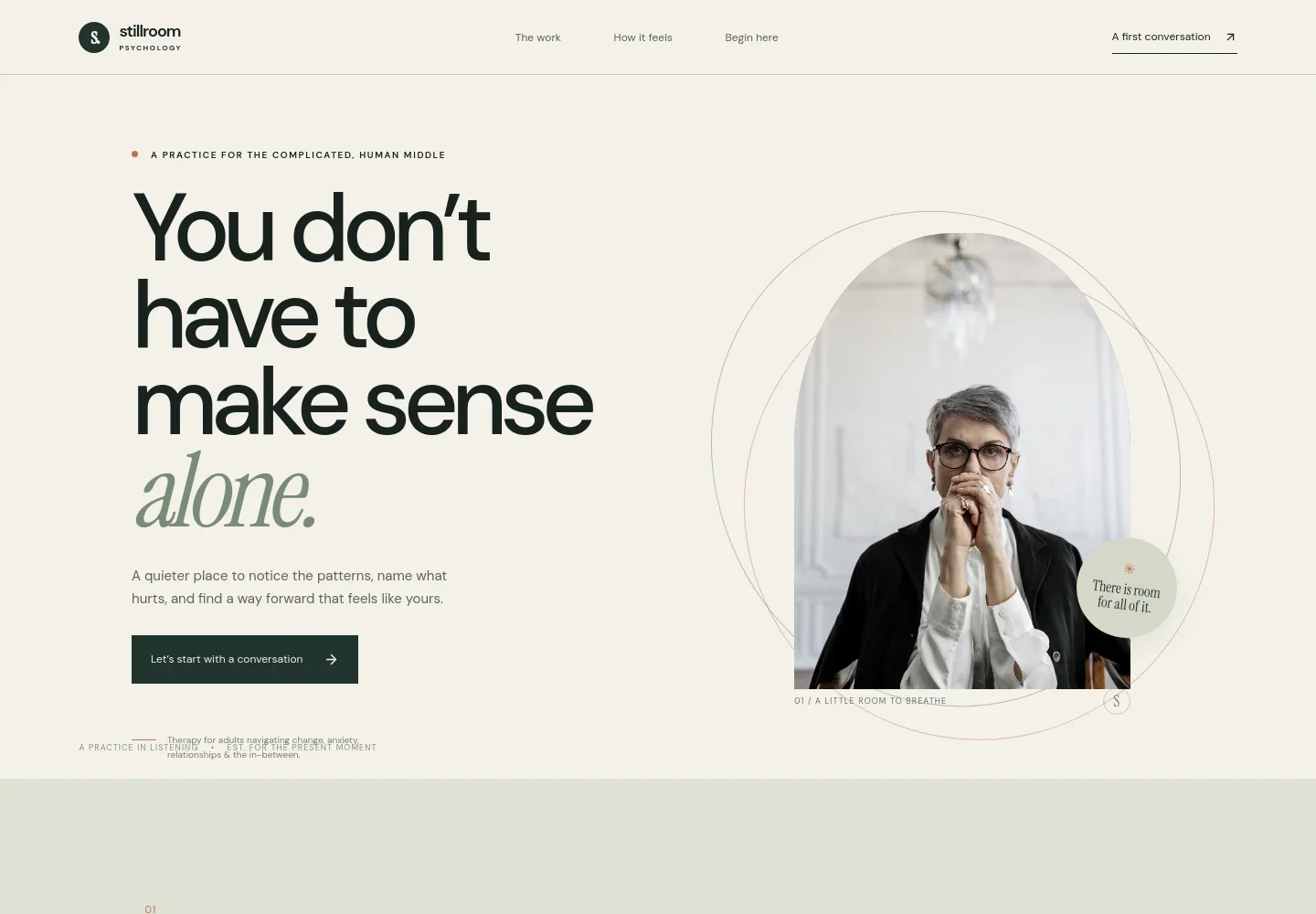
- Practice introduction
- A prominent opening pairs a concise message about not navigating things alone with an image and a clear invitation to start with a conversation. Supporting text identifies adults navigating change, anxiety, relationships, and uncertainty as the intended audience.
- What brings you here
- A reflective section acknowledges that familiar ways of coping can stop working and frames therapy as a place to get curious about that experience without rushing to fix it.
- Areas of support
- Three clearly separated topics describe support for anxiety and overthinking, relationships and boundaries, and life transitions, helping visitors quickly see whether the practice speaks to their concerns.
- Therapeutic approach
- A slower-paced, image-led section presents therapy as collaborative attention to a person's whole story, with understanding before change.
- Reflection on therapy
- A spacious visual interlude reassures visitors that they can arrive at their own pace and frames therapy as a relationship rather than a test.
- First conversation invitation
- The closing section explains that an initial conversation is a chance to ask questions, share hopes, and consider whether working together feels right. It offers an email contact link.
- Footer
- A simple closing area repeats the practice identity and includes a brief practice statement and a link back to the beginning.
How to use this template
Open in Revamp
Click Use this template and sign in or create an account. You’ll start with your own copy of the design, ready to personalize.
Bring your content
Replace the sample text, photos, and logo with your own. Share your content, a document, or an existing website, and ask Revamp to adapt the template to your business.
Refine and publish
Ask Revamp to adjust the colors, layout, or sections, or edit directly on the page. Review desktop and mobile, then publish. You can keep making changes after launch.
Put your website to work
Make it easier to manage new enquiries, schedule initial consultations, and keep practice administration organized. Ask Revamp to add or connect tools such as these.
-

Consultation scheduling
CalendlyGive prospective clients a straightforward way to request an available time. Ask Revamp to add consultation booking with Calendly.
-

Practice management
SimplePracticeKeep appointments, client records, and practice administration organized in one system. Ask Revamp to connect your practice workflow with SimplePractice.
-

Secure client communication
TherapyNotesOffer clients a dedicated place to communicate and manage appointments. Ask Revamp to connect your practice site with TherapyNotes.
Frequently asked questions
Is this template free?
Yes. This premium template is free to use when you select Use this template. Free refers to the template itself.
Can I use my own practice content?
Yes. Ask Revamp to personalize the page with your practice name, therapeutic approach, areas of support, images, and contact details.
Do I need coding skills?
No. Ask Revamp to make content and design changes in plain language, without coding.
Can I change the design?
Yes. Ask Revamp to adjust the colors, typography, imagery, layout, and other design details to suit your practice.
Can I keep editing after publishing?
Yes. You can continue asking Revamp to update your content and design after your site launches.


