About this template
Help prospective clients understand your psychology practice, your therapeutic approach, and the kinds of support you offer. The page introduces care as collaborative and shaped around the person, rather than centered on labels.
Visitors can review individual therapy for adults, support for anxiety, burnout and life transitions, and sessions focused on relationships. A dedicated first-session section explains how to begin a conversation and consider whether working together feels right.
The design pairs editorial typography and a calm, abstract orbit graphic with clear service descriptions and a direct email invitation. Replace the illustrative practice name, contact details and location with your own.
Who it’s for
Independent psychologists, therapists and counselling professionals who want to explain their approach, outline services and make it easier for prospective clients to take a first step.
What’s included
The page guides visitors from the practice’s point of view to its services and a simple way to start a conversation. Its clear navigation and distinct content sections help people find the information they need without making the first contact feel like a commitment.
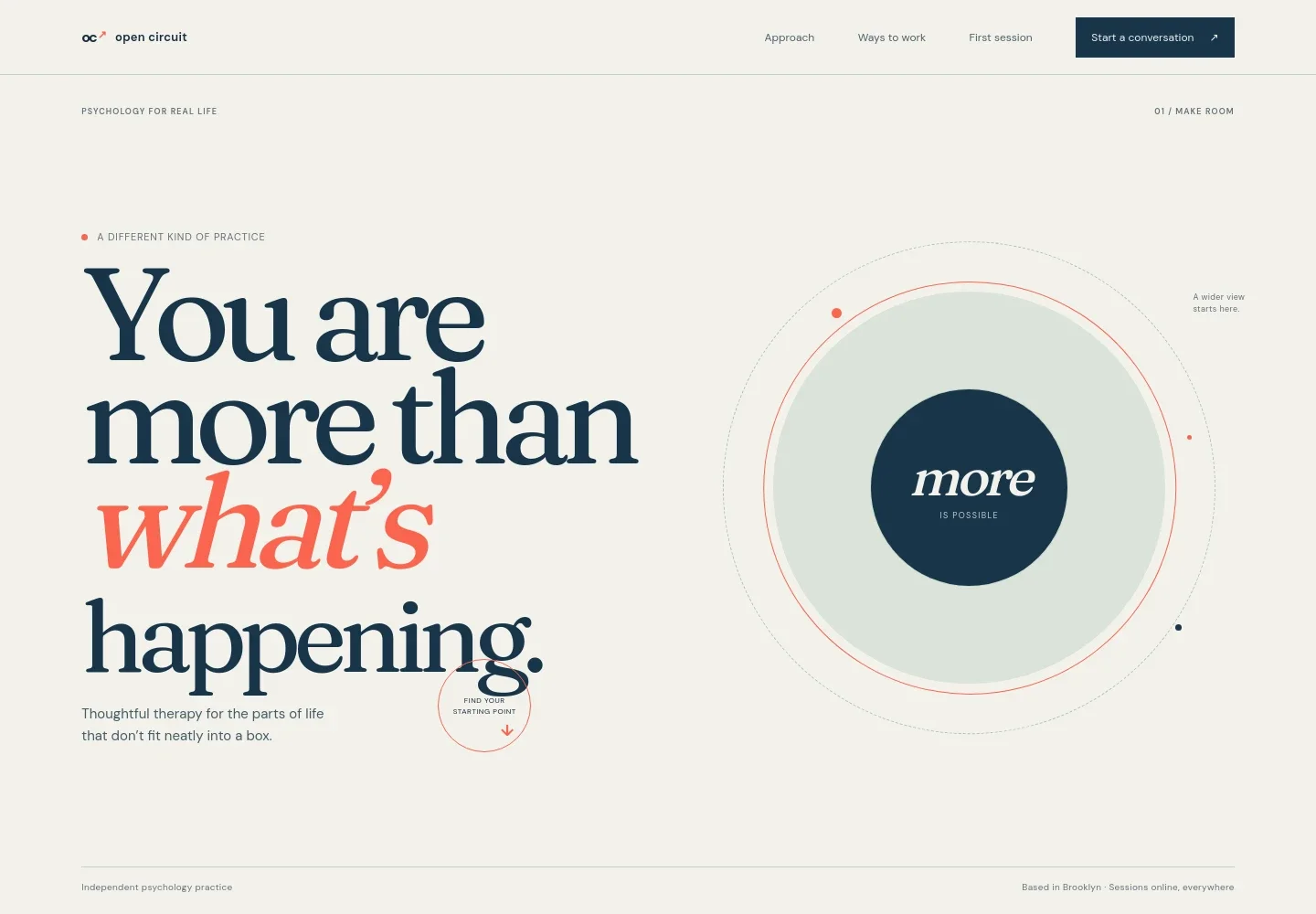
- Practice introduction
- An oversized headline, brief therapy-focused introduction and abstract orbit illustration establish a thoughtful, person-centered tone. The hero also identifies the page as an independent psychology practice and shows a sample service location and online availability.
- Therapeutic approach
- A dedicated section describes collaborative care, curiosity and understanding the whole person. A simple three-part visual, Notice, Make sense, Choose, gives visitors a concise way to follow the approach.
- Ways to work together
- Three service entries introduce individual therapy for adults, support for anxiety, burnout and life transitions, and relationship-focused sessions. Each includes a short description and a link toward the first-session information.
- First-session information
- This section explains that visitors can share what brings them to therapy or ask questions, and that an initial conversation can help assess fit. A prominent email link offers a clear starting point.
- Practice footer
- The footer repeats the practice identity, a short care-focused line and a back-to-top link.
How to use this template
Open in Revamp
Click Use this template and sign in or create an account. You’ll start with your own copy of the design, ready to personalize.
Bring your content
Replace the sample text, photos, and logo with your own. Share your content, a document, or an existing website, and ask Revamp to adapt the template to your business.
Refine and publish
Ask Revamp to adjust the colors, layout, or sections, or edit directly on the page. Review desktop and mobile, then publish. You can keep making changes after launch.
Put your website to work
Make it easier to coordinate inquiries and appointments as your practice grows. Ask Revamp to add or connect tools that fit how you handle scheduling and client communication.
-

Offer convenient appointment booking
CalendlyGive prospective clients a way to request an available consultation time. Ask Revamp to add appointment booking with Calendly.
-

Keep practice appointments organized
Google CalendarCoordinate appointment availability with your calendar. Ask Revamp to connect Google Calendar for scheduling.
-

Manage therapy practice administration
SimplePracticeBring scheduling, client records and practice administration into a dedicated workflow. Ask Revamp to connect SimplePractice for your practice-management needs.
Frequently asked questions
Is this template free?
Yes. This premium template is free to use through Use this template. This applies to the template itself.
Can I use my own content?
Yes. Ask Revamp to personalize the page with your practice name, therapeutic approach, services, location, contact details and other content.
Do I need coding skills?
No coding skills are needed. Ask Revamp to personalize the content and design for your practice.
Can I change the design?
Yes. Ask Revamp to adjust the layout, colors, typography and other design details to suit your practice.
Can I keep editing after publishing?
Yes. You can keep editing after launch. Ask Revamp to update your content or make further design changes whenever your needs change.


