About this template
Help travelers understand the character of your rail journeys, from the route and stops to the onboard experience. The Northline design pairs mountain imagery with a clear, editorial story about travel that makes the journey part of the destination.
An interactive route illustration lets visitors select stops between the city, open country, and coast. Onboard imagery, concise experience details, and a closing enquiry link give prospective passengers a natural path from inspiration to getting in touch.
Who it’s for
Railway operators, passenger rail services, and rail travel brands that want to present a route, describe the onboard experience, and invite travelers to enquire about a journey.
What’s included
The page moves from the feeling of a rail journey to route details, onboard highlights, and a final enquiry invitation. Its large landscape imagery, restrained typography, and clearly separated sections suit a travel business whose offer depends on both where passengers go and what the journey feels like.
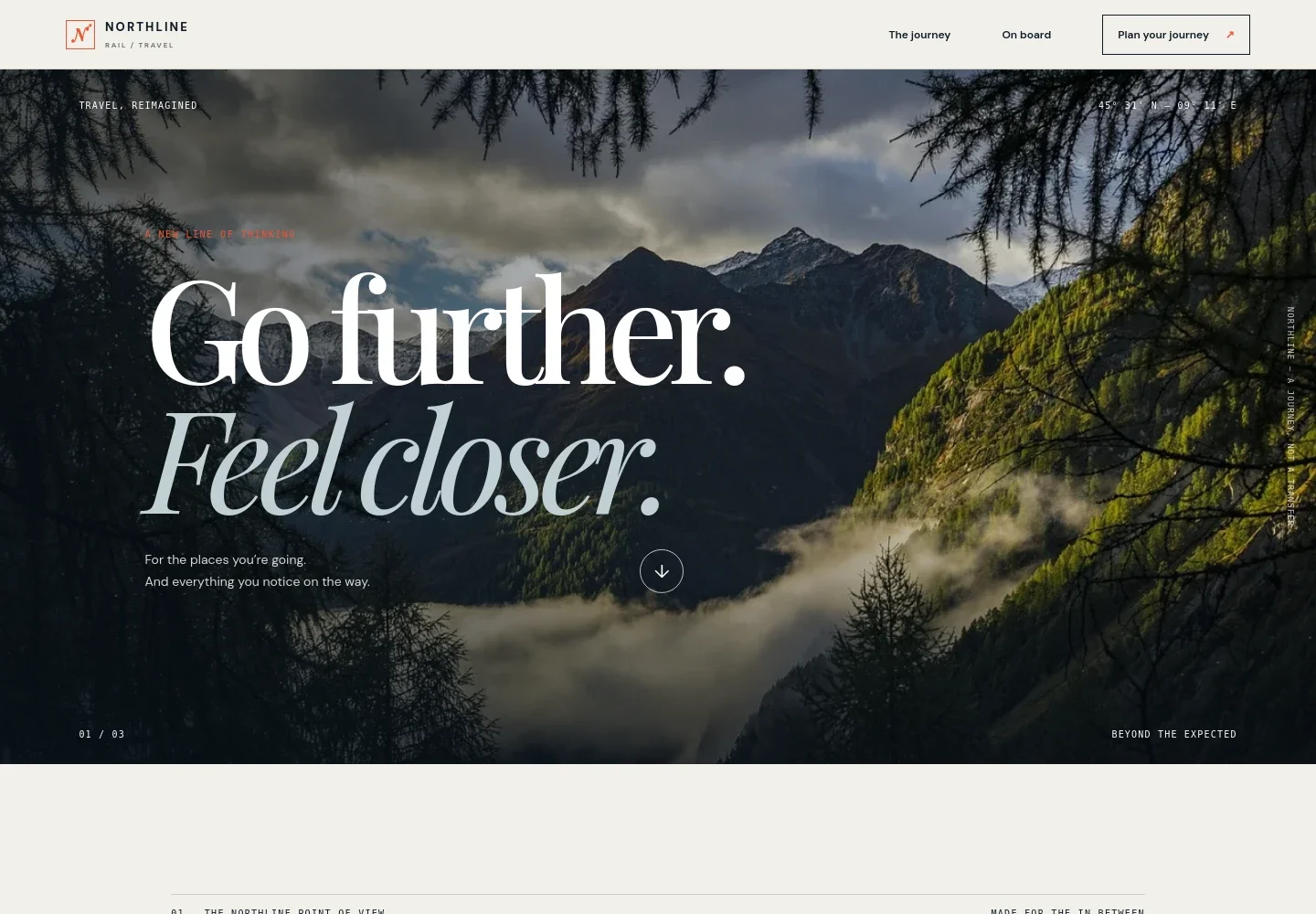
- Journey-led hero
- A dramatic mountain backdrop, prominent travel message, and link into the route section introduce the brand through the experience of going somewhere.
- Railway point of view
- A short editorial section explains the idea of treating train travel as more than transport, with a link to the onboard experience.
- Interactive route illustration
- A scenic route graphic shows three stops labeled The City, Open Country, and The Coast, with times and selectable stop markers.
- Onboard experience
- An illustrative cabin image, a short description, and three concise highlights give visitors a quick sense of the journey experience.
- Journey enquiry call to action
- A closing section invites visitors to start planning and provides an enquiry link. The displayed contact address is illustrative and can be personalized for the business.
- Brand navigation and footer
- The branded header links to the journey, onboard, and planning sections. The footer repeats the brand and offers a link back to the beginning.
How to use this template
Open in Revamp
Click Use this template and sign in or create an account. You’ll start with your own copy of the design, ready to personalize.
Bring your content
Replace the sample text, photos, and logo with your own. Share your content, a document, or an existing website, and ask Revamp to adapt the template to your business.
Refine and publish
Ask Revamp to adjust the colors, layout, or sections, or edit directly on the page. Review desktop and mobile, then publish. You can keep making changes after launch.
Put your website to work
Make it easier for travelers to plan and stay informed. Ask Revamp to add booking, customer enquiry, or travel update tools that suit your railway service.
-

Sell rail journeys online
Trainline Partner SolutionsGive travelers a direct way to find and book journeys. Ask Revamp to connect ticket sales with Trainline Partner Solutions.
-

Manage customer enquiries
HubSpotKeep prospective passenger conversations organized in one place. Ask Revamp to connect enquiry forms with HubSpot.
-

Share service updates
MailchimpKeep passengers informed with email updates about routes and travel information. Ask Revamp to connect a mailing list with Mailchimp.
Frequently asked questions
Is this template free?
Yes. This premium template is free to use through Use this template. The offer is for the template itself.
Can I use my own content?
Yes. Ask Revamp to personalize the copy, images, railway details, route stops, and enquiry information for your business.
Do I need coding skills?
No. Ask Revamp to make content and design changes in plain language, without coding.
Can I change the design?
Yes. Ask Revamp to adjust the colors, typography, imagery, layout, or other design details to suit your rail brand.
Can I keep editing after publishing?
Yes. You can keep asking Revamp to update your site after launch as your routes, information, and business needs change.


