About this template
Help visitors understand your Reiki approach and what a session can feel like. The page introduces the practice as a quiet space for pausing and reconnecting, with a clear sequence explaining how a session begins, unfolds, and uses gentle hand placements.
Separate descriptions for a first session, a return visit, and a shorter reset give prospective clients useful starting points. The closing section invites visitors to begin with a conversation, making it easy to ask questions before deciding what feels right.
Who it’s for
Independent Reiki practitioners and Reiki studios looking to explain their approach, outline session options, and encourage prospective clients to make an initial enquiry.
What’s included
The design pairs calm, spacious typography with soft-toned illustrative imagery, orbit motifs, and a measured progression from practice overview to session details and enquiry. Its focused sections help Reiki visitors learn what to expect without making claims about outcomes.
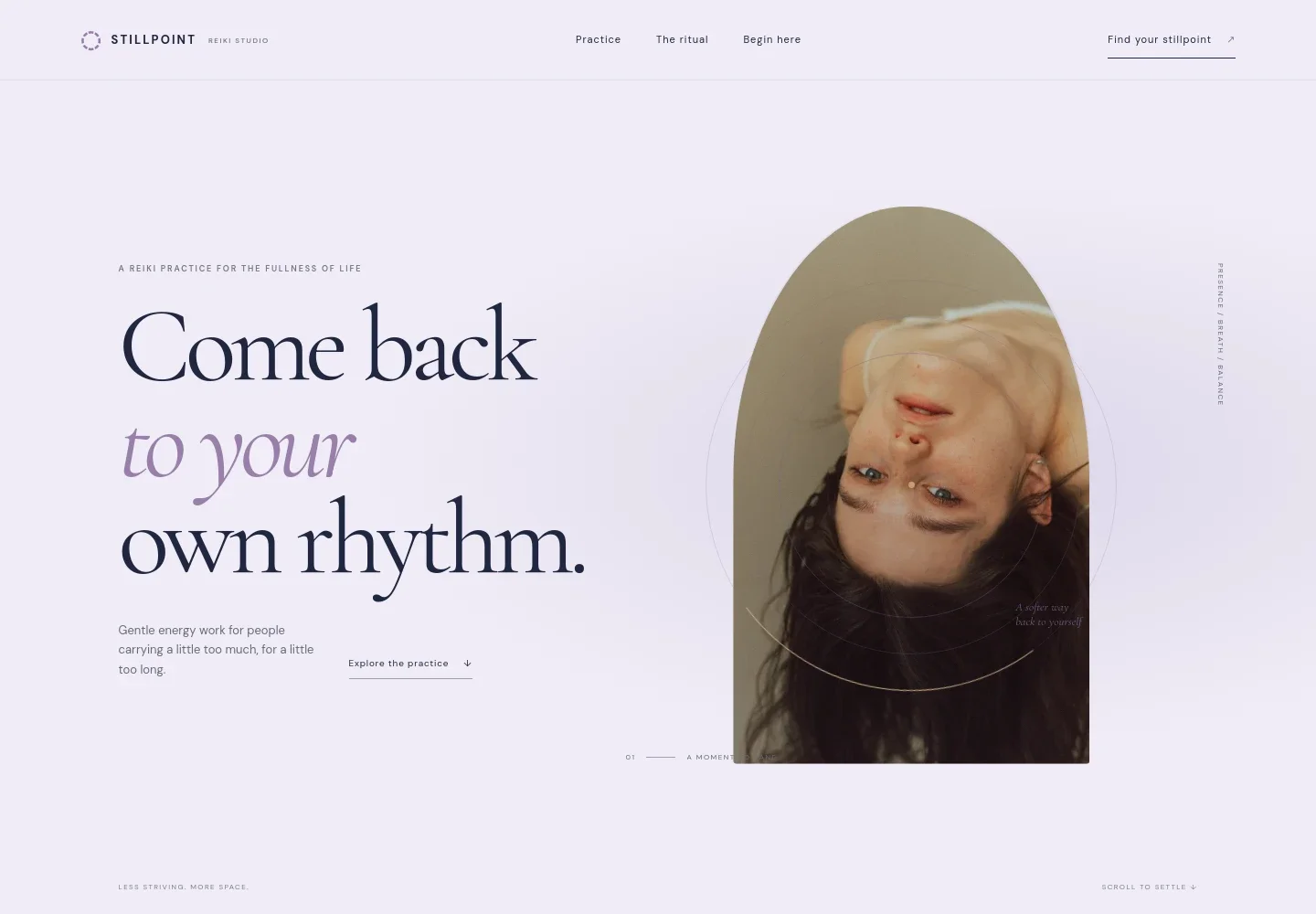
- Reiki introduction
- A prominent welcome explains the practice as gentle energy work for people carrying a lot, with a clear link to learn about the approach.
- Practice approach
- A concise statement presents Reiki as a place to pause and reconnect, and describes the practice as attention offered with care rather than a promise.
- What a session involves
- A three-step outline covers an opening conversation, settling fully clothed on the treatment table, and gentle hand placements. Supporting copy sets a quiet, welcoming tone.
- Session options
- Three sample formats describe a first session, a return visit, and a shorter reset, each with an illustrative duration and a note to discuss what may suit the visitor.
- First enquiry
- A closing invitation frames the first contact as a conversation where visitors can bring questions or curiosity, with an email link for getting in touch.
- Navigation and footer
- The header links to the practice, session ritual, and enquiry sections. The footer repeats the studio identity and includes a back-to-top link.
How to use this template
Open in Revamp
Click Use this template and sign in or create an account. You’ll start with your own copy of the design, ready to personalize.
Bring your content
Replace the sample text, photos, and logo with your own. Share your content, a document, or an existing website, and ask Revamp to adapt the template to your business.
Refine and publish
Ask Revamp to adjust the colors, layout, or sections, or edit directly on the page. Review desktop and mobile, then publish. You can keep making changes after launch.
Put your website to work
Make it easier for prospective clients to arrange a first conversation, coordinate session times, and hear about studio updates. Ask Revamp to add or connect tools such as:
-

Offer a simple way to schedule
CalendlyAsk Revamp to add consultation or session booking with Calendly, so visitors can choose an available time.
-

Keep appointments organized
Google CalendarAsk Revamp to connect Google Calendar so scheduled client sessions can fit into your calendar.
-

Stay in touch with clients
MailchimpAsk Revamp to add an email signup connected to Mailchimp for sharing studio news and practice updates.
Frequently asked questions
Is this Reiki website template free?
Yes. This premium template is free to use when you select Use this template. This applies to the template itself, not hosting or other services.
Can I use my own content?
Yes. Ask Revamp to personalize the page with your practice name, Reiki approach, session descriptions, contact details, and imagery.
Do I need coding skills?
No. Ask Revamp to make content and design changes in natural language, without coding.
Can I change the design?
Yes. Ask Revamp to adjust the colors, typography, imagery, layout, or other visual details to suit your studio.
Can I keep editing after publishing?
Yes. You can continue asking Revamp to update your content and design after launch.


