About this template
Help equipment owners understand your repair approach, the kinds of faults you address, and what to share when they get in touch. The page covers mechanical repair, electrical and control faults, diagnostic work, and planned maintenance.
The design pairs workshop imagery and clear service descriptions with a four-step process from listening and tracing a fault to restoring equipment and sharing care notes. A question-and-answer section helps visitors prepare for an initial conversation about equipment type, symptoms, and inspection.
Who it’s for
Independent equipment repair businesses, industrial maintenance providers, and technicians serving owners and operators of mechanical or electromechanical equipment.
What’s included
The layout helps visitors see what repair work you handle, how you approach diagnosis, and what information can make an initial enquiry more useful.
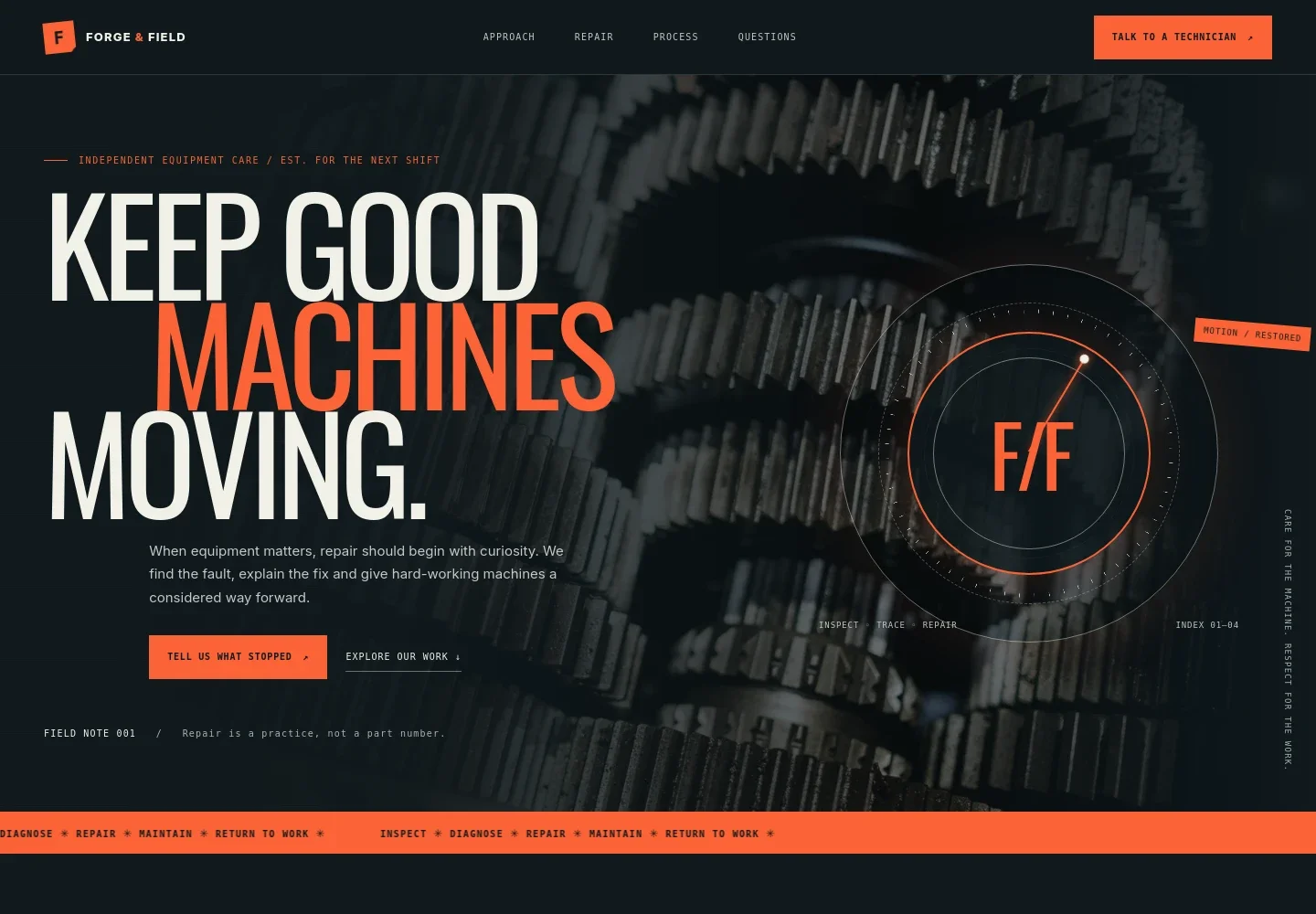
- Repair-focused hero
- A direct headline, short explanation, and contact prompt introduce the goal of getting equipment moving again. An illustrated precision dial and inspection-themed details establish a workshop-focused visual direction.
- Repair approach
- A short point-of-view section explains why careful diagnosis can help owners consider repair options before replacing equipment.
- Services
- Four service entries describe diagnostic and fault finding, mechanical repair, electrical and control work, and planned maintenance. A close-up image of machine gears supports the section.
- Repair process
- A four-step sequence explains how the conversation and work can progress: listen, trace the fault, restore the equipment, and share practical care notes.
- Workshop note
- A prominent statement and supporting text emphasize explaining findings, uncertainties, and options clearly.
- Questions and answers
- Answers common first-contact questions about equipment types, information to share, and when a cost can be discussed.
- Contact
- A closing enquiry prompt provides example email, phone, and address details marked as illustrative, ready for replacement with the business's own contact information.
How to use this template
Open in Revamp
Click Use this template and sign in or create an account. You’ll start with your own copy of the design, ready to personalize.
Bring your content
Replace the sample text, photos, and logo with your own. Share your content, a document, or an existing website, and ask Revamp to adapt the template to your business.
Refine and publish
Ask Revamp to adjust the colors, layout, or sections, or edit directly on the page. Review desktop and mobile, then publish. You can keep making changes after launch.
Put your website to work
Service-management tools can help organize repair enquiries, job details, and follow-up. Ask Revamp to add a tool that suits your service workflow.
-

Organize service jobs
MaintainXKeep customer details, work orders, and service history together. Ask Revamp to add field service management with MaintainX.
-

Coordinate field work
ServiceTitanManage work orders and technician schedules in one place. Ask Revamp to add field service management with ServiceTitan.
-

Track maintenance and assets
UpKeepKeep equipment records and maintenance tasks organized. Ask Revamp to add maintenance management with UpKeep.
Frequently asked questions
What equipment does this template suit?
It is designed for businesses repairing and maintaining mechanical or electromechanical equipment. The service section has space to explain diagnostic work, mechanical repairs, electrical and control faults, and planned maintenance.
What should a customer share when requesting a repair?
The page prompts customers to share the equipment type, any make, model, or serial details they have, what changed, and whether the equipment is safe to inspect. It notes that photos can help start a conversation but are not a diagnosis.
Is this template free?
Yes. This premium template is free to use through Use this template. This applies to the template, not to hosting or other services.
Can I use my own content?
Yes. Ask Revamp to personalize the text, images, business details, and contact information for your repair service.
Do I need coding skills?
No. Ask Revamp to personalize the content and design without coding.
Can I change the design?
Yes. Ask Revamp to adjust the layout, colors, imagery, and other design details to suit your business.
Can I keep editing after publishing?
Yes. You can keep editing after launch. Ask Revamp to update your content or design as your repair services change.


