About this template
Help drivers quickly understand which roadside services you offer and how to reach you. This design presents flat tire assistance, battery jump starts, vehicle lockouts, fuel delivery and towing support, with prominent call links for visitors who need help.
A clear service list, a simple three-step response overview and sections about your approach help explain what callers can expect. The dark road photography and bold, high-contrast headings give the page a distinctive roadside assistance identity.
Who it’s for
Roadside assistance providers, towing businesses and vehicle recovery operators who want a direct, service-focused website for drivers and vehicle owners.
What’s included
The layout puts the call-to-action and roadside services front and center, then explains the support process and customer approach before offering another way to call.
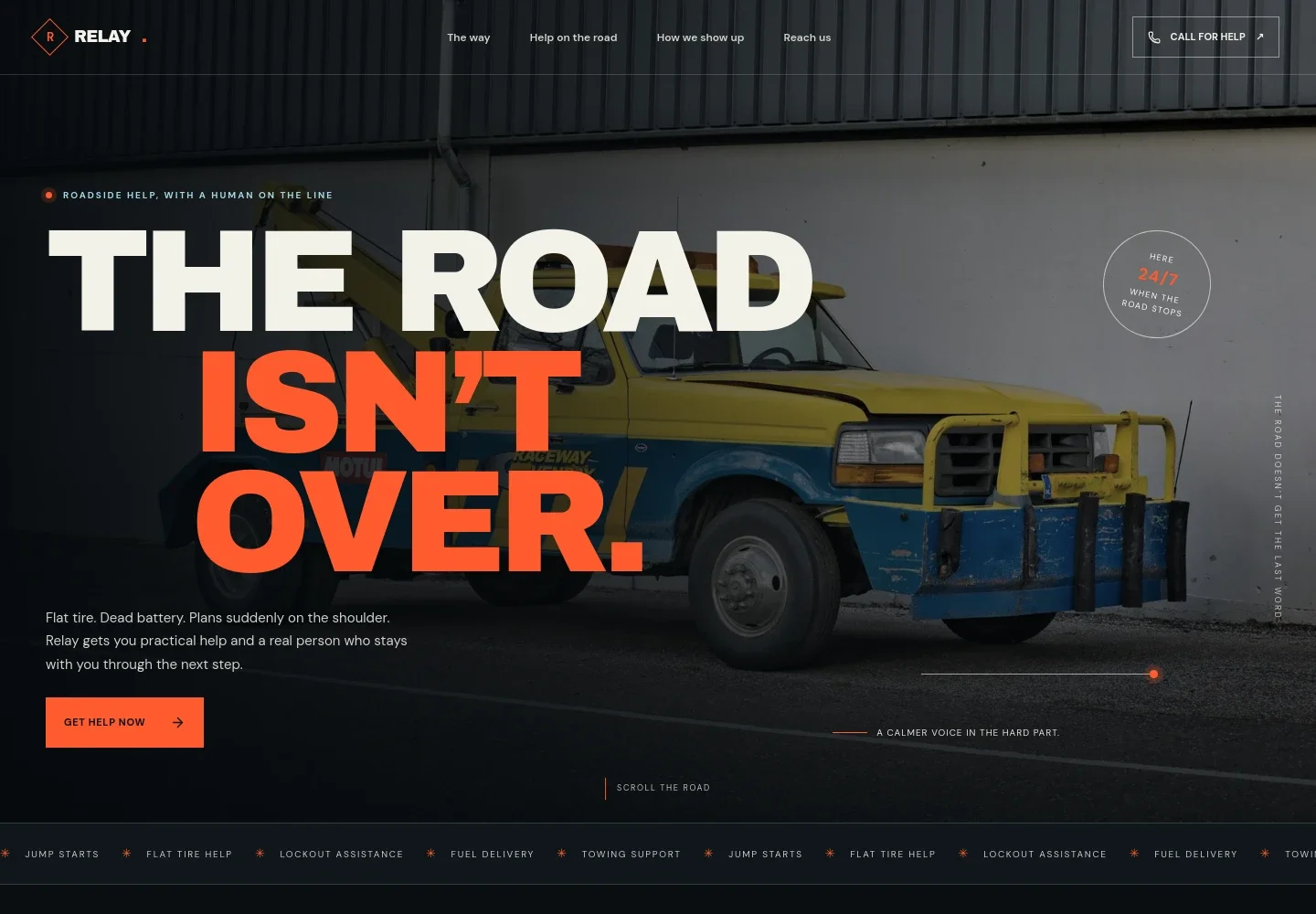
- Roadside assistance hero
- A full-width nighttime tow-truck image, concise message and prominent call link help visitors recognize the service and find a direct way to request assistance.
- Service overview
- A numbered list describes flat tire assistance, battery jump starts, vehicle lockouts, fuel delivery and towing support, so drivers can quickly identify the type of help they need.
- How the response works
- A road-image feature presents three steps: tell the provider where you are, get a clear plan and get back on your way. It gives visitors a straightforward view of the proposed call experience.
- Customer approach
- Three short notes focus on listening first, explaining the next step and supporting the caller through the handoff. This section helps communicate how your team aims to handle a stressful roadside situation.
- Contact and call links
- The closing contact section repeats the invitation to call and provides space for service availability details, followed by footer links to services, approach and contact.
How to use this template
Open in Revamp
Click Use this template and sign in or create an account. You’ll start with your own copy of the design, ready to personalize.
Bring your content
Replace the sample text, photos, and logo with your own. Share your content, a document, or an existing website, and ask Revamp to adapt the template to your business.
Refine and publish
Ask Revamp to adjust the colors, layout, or sections, or edit directly on the page. Review desktop and mobile, then publish. You can keep making changes after launch.
Put your website to work
Ask Revamp to add tools that help organize incoming calls, dispatch work and keep roadside jobs visible to your team.
-

Organize dispatch and roadside jobs
TowbookKeep service requests, assigned drivers and job updates together. Ask Revamp to add job and dispatch management with Towbook.
-

Coordinate field service calls
Salesforce Field ServiceManage service locations, assignments and updates for your mobile team. Ask Revamp to connect field service workflows with Salesforce Field Service.
-

Track customer calls and follow-up
HubSpotKeep caller details and service conversations organized for your team. Ask Revamp to add customer relationship management with HubSpot.
Frequently asked questions
Is this template free?
Yes. This premium template is free to use when you select Use this template. The offer is for the template itself.
Can I use my own content?
Yes. Ask Revamp to personalize the text, contact details, service descriptions and images to match your roadside assistance business.
Do I need coding skills?
No. You can ask Revamp to make changes to the content and design without coding.
Can I change the design?
Yes. Ask Revamp to adjust the colors, imagery, layout and other design details to suit your business.
Can I keep editing after publishing?
Yes. You can keep asking Revamp to update the site after launch as your services, contact details or business needs change.


