About this template
Help shoppers understand which kind of RV might fit their travel plans. The design introduces travel trailers, fifth wheels, and motorhomes, with concise descriptions that give visitors a starting point for comparing them.
A story-led hero and outdoor photography set the scene, while a section about choosing an RV brings practical considerations such as tow capacity, sleeping space, and storage into view. Visitors can then find the dealership’s contact details and plan a visit.
Who it’s for
RV dealerships selling travel trailers, fifth wheels, and motorhomes, especially business owners who want to explain vehicle types, guide early-stage shoppers, and make it easy to call or visit.
What’s included
The page combines an outdoor-focused brand introduction with vehicle-type descriptions, practical buying guidance, and clear contact information. Its sections help shoppers move from imagining a trip to starting a conversation about the right RV.
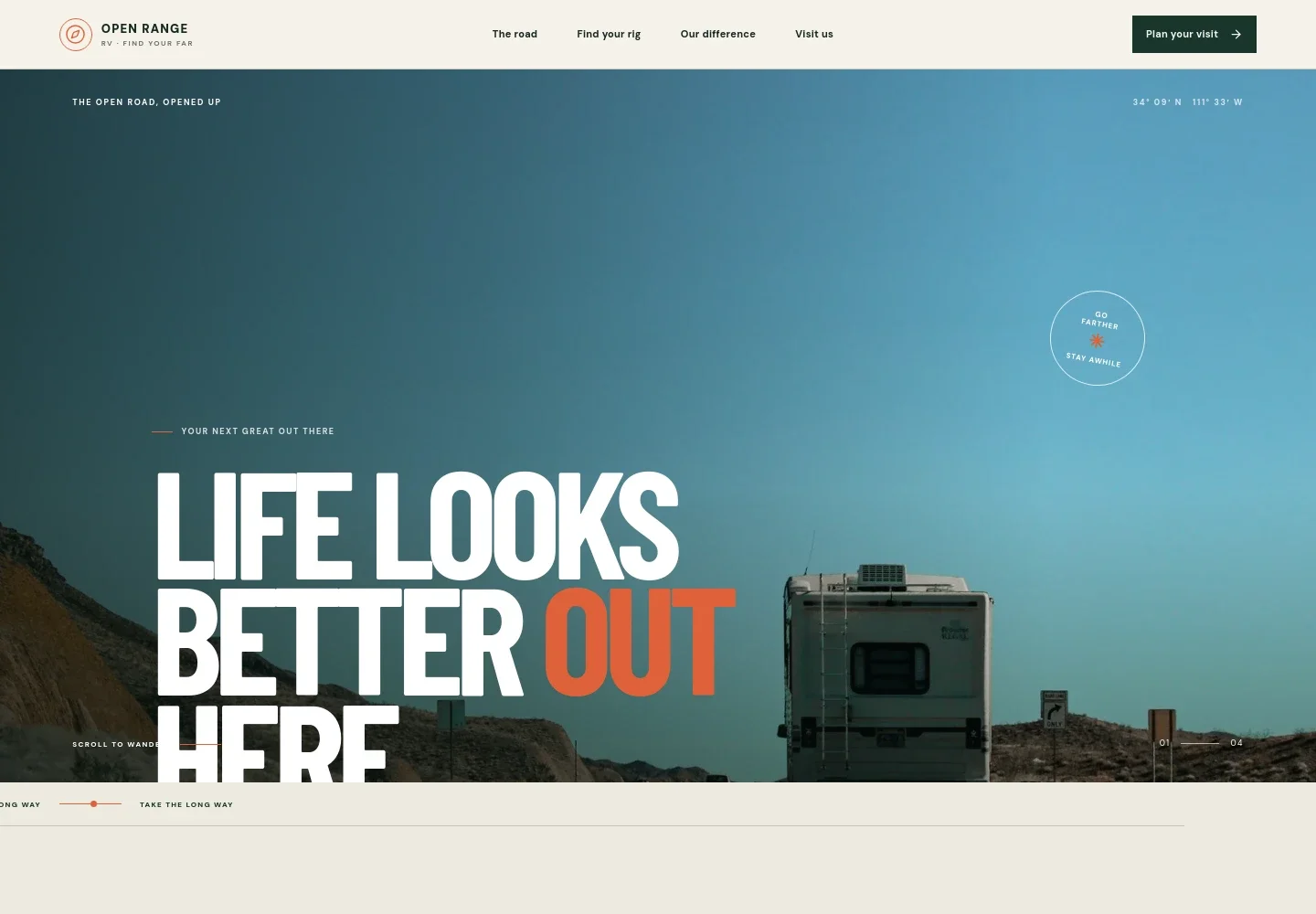
- Outdoor-focused hero
- A full-width highway image, prominent headline, and short supporting line introduce the idea of finding an RV for future travels.
- Travel inspiration
- A section about the role of the journey pairs editorial copy with landscape photography and leads visitors toward the vehicle categories.
- RV types
- Separate rows describe travel trailers, fifth wheels, and motorhomes, giving shoppers a quick overview of the different options.
- Buying guidance
- A dedicated section names practical buying considerations, including travel style, tow capacity, sleeping space, storage, and service, and presents a measured three-step approach to discussing fit.
- Plan a visit
- The closing contact section presents a phone number and street address with an invitation to see available options. The displayed contact details are illustrative and can be personalized.
- Navigation and calls to action
- The navigation links visitors to the travel story, RV types, dealership approach, and visit details. Repeated links make it straightforward to continue to the contact section.
How to use this template
Open in Revamp
Click Use this template and sign in or create an account. You’ll start with your own copy of the design, ready to personalize.
Bring your content
Replace the sample text, photos, and logo with your own. Share your content, a document, or an existing website, and ask Revamp to adapt the template to your business.
Refine and publish
Ask Revamp to adjust the colors, layout, or sections, or edit directly on the page. Review desktop and mobile, then publish. You can keep making changes after launch.
Put your website to work
Make it easier to manage shopper inquiries, vehicle listings, and dealership follow-up. Ask Revamp to add or connect tools that fit your sales process.
-

Organize leads and follow-up
HubSpotKeep prospective buyers and sales conversations organized. Ask Revamp to connect HubSpot for lead management and customer follow-up.
-

Let shoppers request a visit
CalendlyGive visitors a convenient way to request a time to meet with your team. Ask Revamp to add appointment booking with Calendly.
-

Track inventory and inquiries
Google SheetsKeep vehicle details and incoming buyer requests organized. Ask Revamp to connect Google Sheets for a simple inventory and inquiry workflow.
Frequently asked questions
Is this template free?
Yes. This premium template is free to use when you select Use this template. Free refers to the template itself.
Can I use my own content?
Yes. Ask Revamp to personalize the copy, vehicle information, contact details, and images with your own dealership content.
Do I need coding skills?
No. You can ask Revamp to personalize the content and design without coding.
Can I change the design?
Yes. Ask Revamp to adjust the visual style, layout, colors, or imagery to suit your dealership.
Can I keep editing after publishing?
Yes. You can keep asking Revamp to make updates after your site launches.


