About this template
Help visitors understand what your sawmill produces and how timber moves from log to finished material. The design introduces a forest-to-finish approach, explains the milling process, and presents live-edge slabs, dimensional lumber, and custom milling.
Forest photography, close-up timber imagery, and clear process steps give builders, makers, and other prospective customers useful context before they get in touch. A regional focus section and a direct contact prompt bring the story from sourcing to a project conversation.
Who it’s for
Independent sawmills, small-batch timber processors, and wood businesses serving builders, makers, and customers with custom cutting needs.
What’s included
The page pairs a strong forest-led opening with practical information about how the mill works and what it can make. Its focused sections help visitors follow the timber story, understand available materials, and find a clear route to start a conversation.
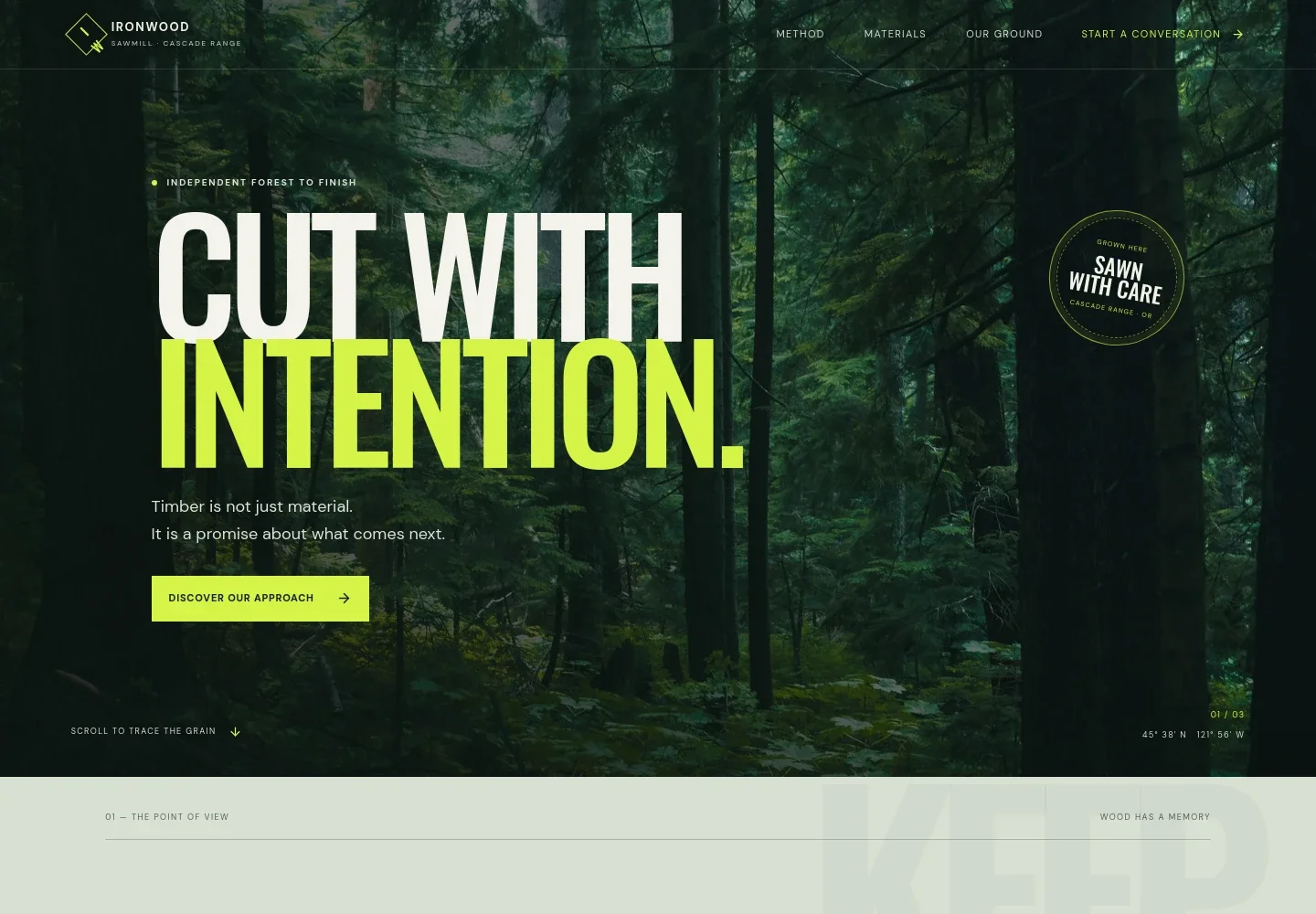
- Forest-led hero
- A full-width evergreen forest image, concise positioning, and a prominent link to the milling approach set the scene and guide visitors into the page.
- Point of view
- An introductory statement connects forest stewardship, local logs, thoughtful cuts, and reducing waste, with a link to the regional focus section.
- How the mill works
- A sawdust and timber image accompanies an explanation of small-batch milling, followed by three steps: reading the log, cutting for use, and using the whole tree.
- Forest to form
- A visual transition section presents the journey from forest to useful material, reinforcing the page's focus on carrying timber's value forward.
- Materials and services
- A scannable list introduces live-edge slabs, dimensional lumber, and custom milling, with concise descriptions and a photograph of stacked boards.
- Regional focus
- A dedicated section describes working with regional logs and local trades, helping the mill explain its connection to place and local customers.
- Project contact
- A closing prompt invites visitors with a project in mind to start a conversation about the right cut.
How to use this template
Open in Revamp
Click Use this template and sign in or create an account. You’ll start with your own copy of the design, ready to personalize.
Bring your content
Replace the sample text, photos, and logo with your own. Share your content, a document, or an existing website, and ask Revamp to adapt the template to your business.
Refine and publish
Ask Revamp to adjust the colors, layout, or sections, or edit directly on the page. Review desktop and mobile, then publish. You can keep making changes after launch.
Put your website to work
Make project inquiries easier to organize and keep customer follow-up moving. Ask Revamp to add or connect business tools that fit the way your mill handles inquiries and orders.
-

Organize project inquiries
HubSpotKeep prospective customer details and follow-ups together. Ask Revamp to connect HubSpot for managing sawmill inquiries and customer conversations.
-

Coordinate project conversations
CalendlyGive customers a way to request a time to discuss logs, cut lists, or material needs. Ask Revamp to add consultation booking with Calendly.
-

Track inquiry details
Google SheetsKeep project requests and customer details organized in a shared spreadsheet. Ask Revamp to connect Google Sheets for inquiry tracking.
Frequently asked questions
Is this template free?
Yes. This premium template is free to use when you select Use this template. The offer applies to the template itself.
Can I use my own content?
Yes. Ask Revamp to personalize the copy, images, materials, service details, and contact information for your sawmill.
Do I need coding skills?
No. Ask Revamp to personalize the content and design in plain language, without coding.
Can I change the design?
Yes. Ask Revamp to adjust the colors, imagery, layout, and other design details to suit your business.
Can I keep editing after publishing?
Yes. You can keep asking Revamp to update your content and design after your site launches.


