About this template
Help homeowners and business decision-makers understand how your security camera planning works, from choosing coverage to considering camera placement, access, and privacy. The page clearly distinguishes residential and commercial services, with a separate section for system care.
A strong visual field-of-view illustration introduces the idea of purposeful coverage. Further sections explain a people-first approach, privacy and control considerations, and how visitors can start a conversation about their property or site.
Who it’s for
Security camera consultants, installers, and system specialists serving homes, storefronts, offices, and light industrial spaces.
What’s included
The layout guides visitors from a clear overview of your approach to service details, privacy principles, and a direct contact invitation. Distinct sections make it easier for residential and commercial prospects to find the information relevant to their needs.
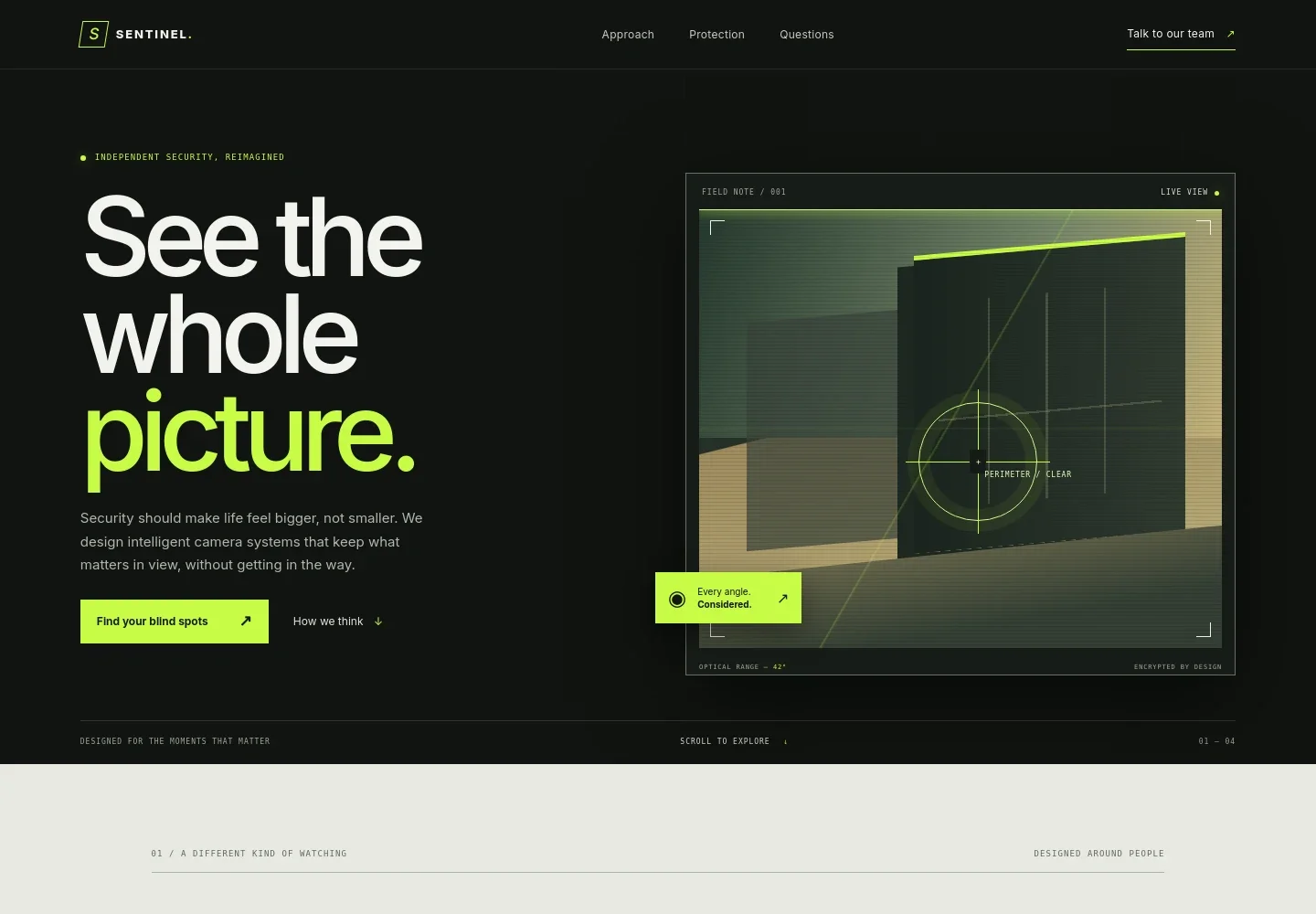
- Hero and field-of-view visual
- Opens with a security-focused headline, a concise explanation of camera planning, and a graphic illustrating a camera view. Calls to action lead visitors toward the contact section or the approach overview.
- Approach
- Explains the distinction between useful coverage and simply seeing everything. The accompanying visual emphasizes bringing relevant areas into focus while filtering out noise.
- Protection services
- Separates residential coverage, commercial camera planning, and system care into clear service rows. Descriptions address property edges and shared spaces, business access and movement, and help selecting and configuring a system.
- Privacy and control principles
- Covers intentional camera placement, access controls, and the value of a carefully planned view. This gives visitors useful context for discussing privacy and system choices.
- Contact invitation
- Closes with a direct prompt to discuss coverage, camera placement, and next steps, supported by a conversation call to action.
How to use this template
Open in Revamp
Click Use this template and sign in or create an account. You’ll start with your own copy of the design, ready to personalize.
Bring your content
Replace the sample text, photos, and logo with your own. Share your content, a document, or an existing website, and ask Revamp to adapt the template to your business.
Refine and publish
Ask Revamp to adjust the colors, layout, or sections, or edit directly on the page. Review desktop and mobile, then publish. You can keep making changes after launch.
Put your website to work
Streamline consultation requests and follow-up by asking Revamp to add scheduling or customer-management tools suited to your security business.
-

Schedule consultations
CalendlyMake it easier for prospective clients to choose a time to discuss site coverage. Ask Revamp to add consultation booking with Calendly.
-

Organize customer inquiries
HubSpotKeep prospect details and follow-up activity organized as inquiries come in. Ask Revamp to connect HubSpot for customer relationship management.
Frequently asked questions
Is this template free?
Yes. This premium template is free to use via Use this template. This applies to the template itself, not hosting or other services.
Can I use my own content?
Yes. Ask Revamp to personalize the copy, contact details, service descriptions, and other content for your security camera business.
Do I need coding skills?
No. You can ask Revamp to personalize the content and design without coding.
Can I change the design?
Yes. Ask Revamp to adjust the design, layout, colors, and other visual details to suit your business.
Can I keep editing after publishing?
Yes. You can keep asking Revamp to make changes after your website is published.


