About this template
Help visitors browse a curated stock photography collection by subject, with a gallery for people, places, still life, and ideas. Featured images and short captions give each photograph room to make an impression.
The page also explains the collection’s point of view and presents three licensing approaches, from using an image for one project to discussing a larger creative brief. The editorial layout pairs large photography with clear paths to the collection, licensing information, and a conversation.
Who it’s for
Stock photography libraries, independent image collections, and photo licensing businesses that want to present their images and explain how customers can discuss usage.
What’s included
The design brings image discovery and licensing guidance together, helping visitors find work that fits and understand where to go next.
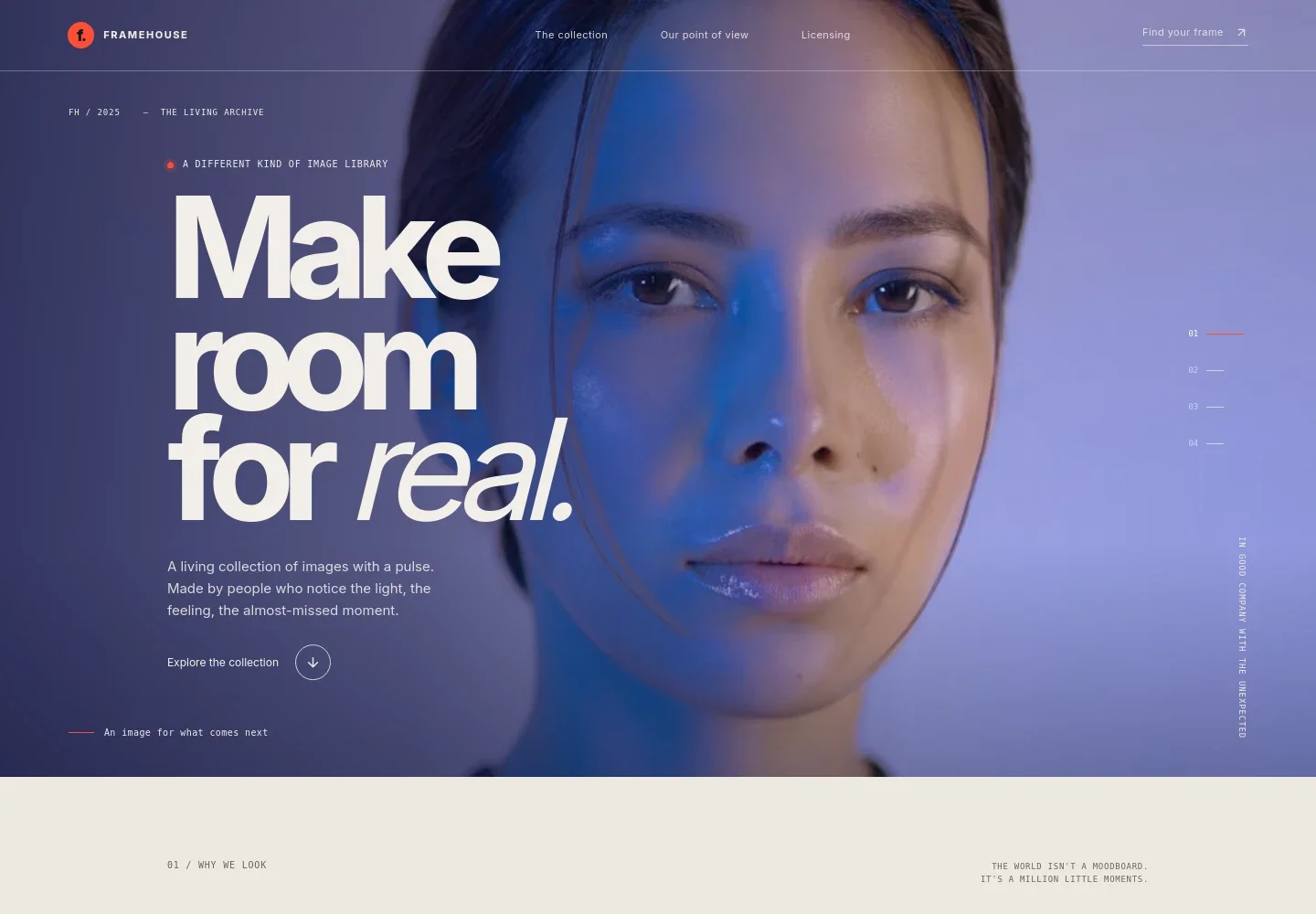
- Featured image hero
- A large image, brief introduction, and featured-image switcher establish the collection’s visual character and direct visitors to browse.
- Collection point of view
- A statement and supporting note explain the collection’s editorial perspective, giving visitors context beyond the images themselves.
- Browsable image collection
- A four-image gallery pairs photography with captions and subject labels. Tabs organize the collection into All frames, People, Places, Still life, and Ideas.
- Licensing approaches
- Three rows outline image use for a single project, an ongoing brand or channel, and a larger or new project. Supporting copy invites visitors to discuss permissions for their intended use.
- Contact and closing section
- A prominent closing invitation and repeated email contact give prospective customers a direct way to start a conversation.
How to use this template
Open in Revamp
Click Use this template and sign in or create an account. You’ll start with your own copy of the design, ready to personalize.
Bring your content
Replace the sample text, photos, and logo with your own. Share your content, a document, or an existing website, and ask Revamp to adapt the template to your business.
Refine and publish
Ask Revamp to adjust the colors, layout, or sections, or edit directly on the page. Review desktop and mobile, then publish. You can keep making changes after launch.
Put your website to work
Make it easier to manage image licensing inquiries, share new work, and organize customer relationships. Ask Revamp to add or connect tools that fit your sales process.
-

Organize licensing inquiries
HubSpotKeep track of prospective customers and follow-up conversations. Ask Revamp to connect HubSpot for managing licensing inquiries.
-

Share new collection updates
MailchimpSend collection news and campaign updates to subscribers. Ask Revamp to connect Mailchimp for email marketing.
-

Schedule licensing conversations
CalendlyLet prospective customers request a time to discuss image use. Ask Revamp to add consultation booking with Calendly.
Frequently asked questions
Is this template free?
Yes. This premium template is free to use when you select Use this template. The offer is for the template itself, not hosting or other services.
Can I use my own content?
Yes. Ask Revamp to personalize the template with your photography, collection categories, licensing details, and contact information.
Do I need coding skills?
No. You can ask Revamp to make content and design changes without coding.
Can I change the design?
Yes. Ask Revamp to adjust the visual style, page sections, or layout to suit your image library and brand.
Can I keep editing after publishing?
Yes. You can keep asking Revamp to update your content and design after your site launches.


