About this template
Help prospective patients and families understand your surgical approach, areas of care, and what to expect before, during, and after surgery. The page pairs clear explanations with a prominent invitation to start a conversation.
The design gives your approach and specialties distinct places on the page, then outlines the patient journey from diagnosis and choices through care and recovery. Its calm editorial style and operating-room photography support a serious clinical subject without crowding the information.
Who it’s for
For surgeons, surgical practices, and clinics that want to explain their care approach, present specialties, and make it easier for patients and families to begin a conversation.
What’s included
A complete single-page surgical practice layout that guides visitors from your approach and areas of care to patient information and a clear contact prompt.
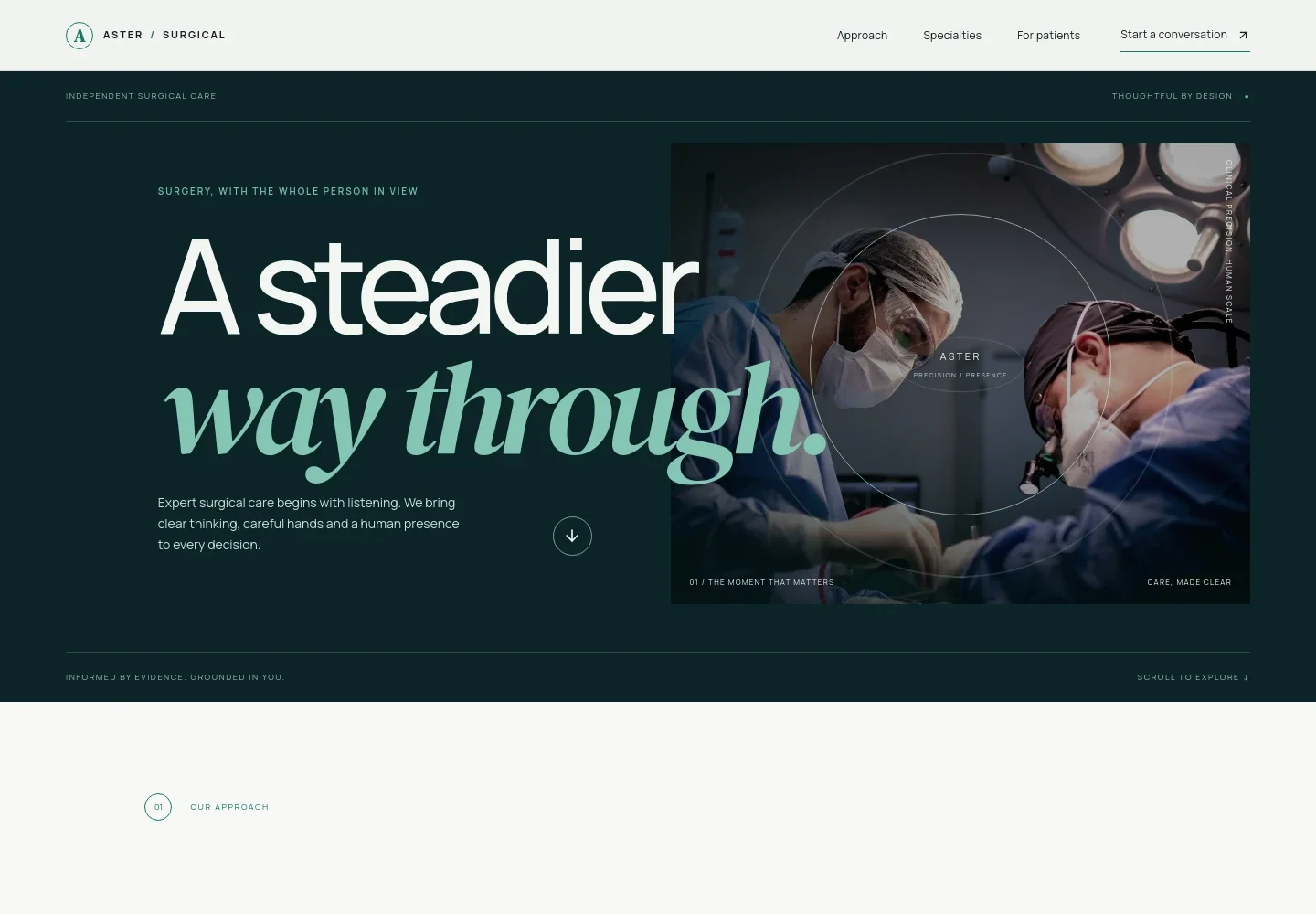
- Practice introduction
- A prominent headline, brief statement about attentive surgical care, operating-room photography, and a navigation link to start a conversation introduce the practice.
- Approach and care principles
- Explain how you listen to patients, make choices clear, and support them through care, with three concise principles that make your approach easy to scan.
- Areas of care
- List general and digestive, breast and endocrine, orthopaedic, and vascular surgery, with links inviting visitors to explore care and a note that options depend on individual needs.
- Information for patients and families
- A three-stage overview covers what patients can expect before, during, and after surgery, including understanding choices, knowing the care team, and planning recovery and follow-up.
- Contact invitation
- A closing message encourages visitors to bring their questions and start a conversation, with a contact link that can be personalized for the practice.
- Editorial visual design
- Large expressive headings, numbered section markers, clear specialty rows, and surgical team photography create a considered page structure that keeps clinical information approachable and easy to follow.
How to use this template
Open in Revamp
Click Use this template and sign in or create an account. You’ll start with your own copy of the design, ready to personalize.
Bring your content
Replace the sample text, photos, and logo with your own. Share your content, a document, or an existing website, and ask Revamp to adapt the template to your business.
Refine and publish
Ask Revamp to adjust the colors, layout, or sections, or edit directly on the page. Review desktop and mobile, then publish. You can keep making changes after launch.
Put your website to work
Make it easier to coordinate inquiries and appointments by asking Revamp to add connections with tools your practice already uses.
-

Support online appointment requests
CalendlyGive prospective patients a convenient way to request a consultation. Ask Revamp to add appointment booking with Calendly.
-

Keep consultation availability organized
Google CalendarHelp patients find an available time while keeping schedules visible to your team. Ask Revamp to add scheduling with Google Calendar.
-

Manage patient inquiries
HubSpotKeep prospective patient conversations and follow-ups organized in one place. Ask Revamp to connect HubSpot for contact management.
Frequently asked questions
Is this template free?
Yes. This premium template is free to use when you select Use this template. The offer applies to the template itself.
Can I use my own content?
Yes. Ask Revamp to personalize the page with your practice name, specialties, care information, images, and contact details.
Do I need coding skills?
No. You can ask Revamp to personalize the content and design without coding.
Can I change the design?
Yes. Ask Revamp to adjust the visual style, layout, colors, or imagery to better suit your practice.
Can I keep editing after publishing?
Yes. You can continue asking Revamp to update your website after it launches.


