About this template
Help visitors understand the purpose of your symposium, how its conversations work, and how they can take part. The page introduces Common Ground as an open gathering for unfinished ideas, centered on questions, listening, and exchange across different perspectives.
A clear sequence moves from the event premise to its approach and audience, then invites visitors to start a conversation about joining. Bold typography, editorial section markers, and abstract artwork give the page a distinctive identity without relying on a schedule or speaker list.
Who it’s for
For symposium organizers, conference hosts, discussion groups, and professional or civic communities bringing people together to consider complex ideas.
What’s included
The design explains the gathering’s point of view and gives prospective participants a direct path to express interest. Its sections make the format and intended audience easy to understand before visitors reach the invitation.
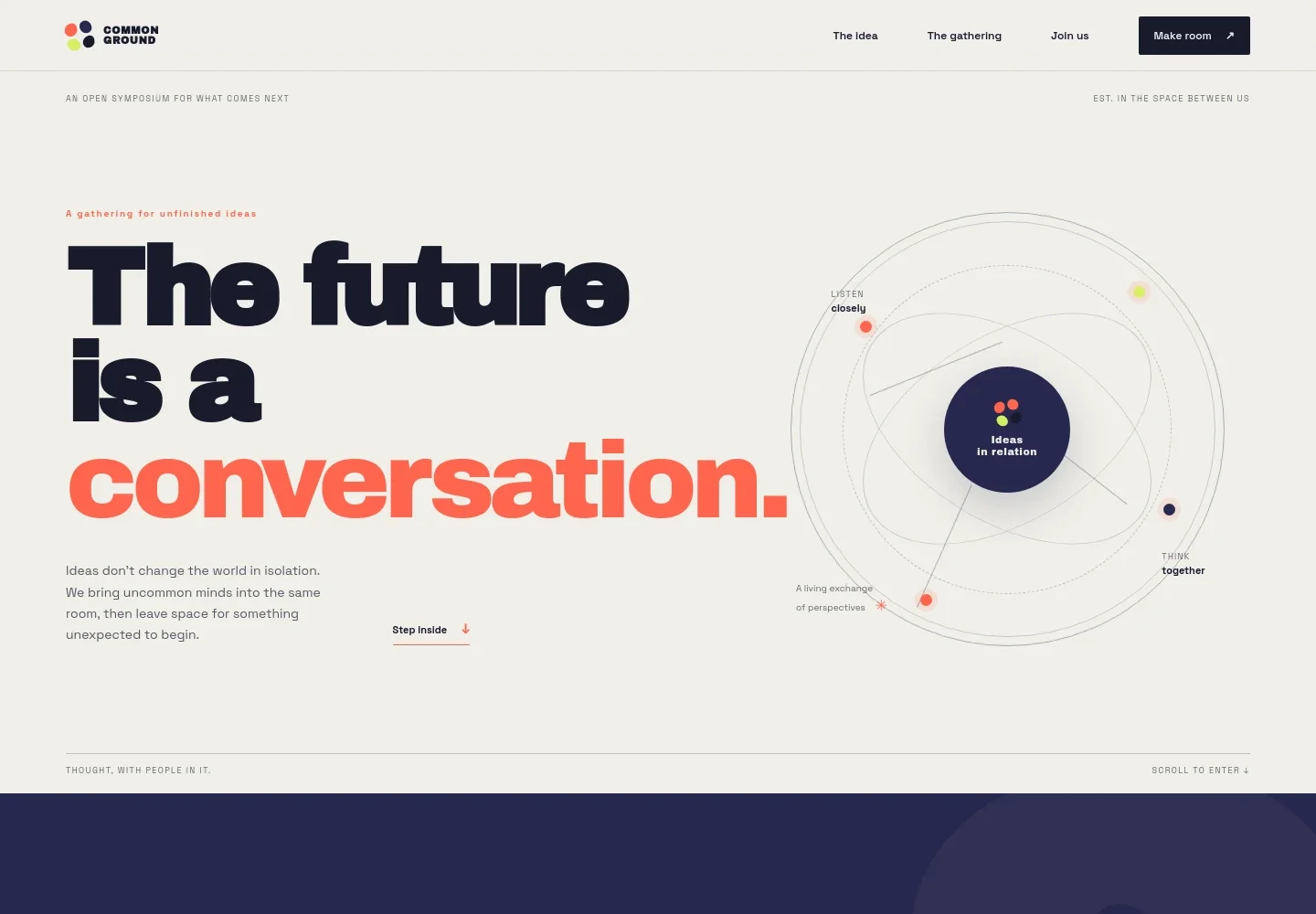
- Hero and symposium premise
- Introduces the event as a conversation about the future, with concise supporting copy and an abstract constellation graphic. Navigation links take visitors to the premise, gathering description, and invitation.
- The premise
- States the symposium’s emphasis on better questions rather than ready-made answers, setting expectations for a reflective, discussion-led gathering.
- How the exchange works
- Outlines three parts of the approach: bringing a question, meeting across perspectives, and leaving with a new thread to continue.
- The gathering
- Describes a meeting point for people with different viewpoints and uses layered abstract artwork and a featured question to convey ideas in motion.
- Invitation to join
- Explains who may feel at home in the room and offers a prominent link to start a conversation. The displayed contact address is identified on the page as illustrative.
- Footer
- Repeats the event identity and closing message, notes that contact details are illustrative, and provides a link back to the top.
How to use this template
Open in Revamp
Click Use this template and sign in or create an account. You’ll start with your own copy of the design, ready to personalize.
Bring your content
Replace the sample text, photos, and logo with your own. Share your content, a document, or an existing website, and ask Revamp to adapt the template to your business.
Refine and publish
Ask Revamp to adjust the colors, layout, or sections, or edit directly on the page. Review desktop and mobile, then publish. You can keep making changes after launch.
Put your website to work
Make it easier to manage attendee interest, event updates, and participation. Ask Revamp to add or connect tools that fit the way you run your symposium.
-

Manage event registration
EventbriteGive prospective attendees a clear way to register and keep event details organized. Ask Revamp to add event registration with Eventbrite.
-

Coordinate event dates
CalendlyHelp visitors keep track of upcoming sessions and make scheduling information easier to share. Ask Revamp to add event date booking with Calendly.
-

Keep interested participants informed
MailchimpShare symposium announcements and updates with people who want to hear from you. Ask Revamp to connect an email signup with Mailchimp.
Frequently asked questions
Is this template free?
Yes. This premium template is free to use through Use this template. Free refers to the template itself.
Can I use my own content?
Yes. Ask Revamp to personalize the page with your symposium name, purpose, audience, event details, and contact information.
Do I need coding skills?
No. You can ask Revamp to personalize the content and design without coding.
Can I change the design?
Yes. Ask Revamp to adjust the colors, typography, artwork, layout, or other design details to suit your event.
Can I keep editing after publishing?
Yes. You can keep editing your website after launch by asking Revamp to make updates.