About this template
Help school leaders and teachers quickly understand your approach to portraits: relaxed, personal photography that makes room for the real person, not a forced pose. The opening image and clear introduction set that tone before visitors browse the work.
The design presents teacher portraits, classroom stories, and school-day portraits as distinct services. A visual film strip and dedicated school section give prospective school clients a useful view of the photography and how picture day can be planned around their schedule.
A clear contact section invites schools to start a conversation, making it straightforward to share an inquiry after reviewing your approach and services.
Who it’s for
School photographers and portrait photographers who work with educators, schools, and classroom communities.
What’s included
The page combines an editorial portrait-led introduction, a visual school-day story, clearly described photography services, and a direct inquiry section. Its school-focused content helps educators and school decision-makers understand the photographer's style and find a next step.
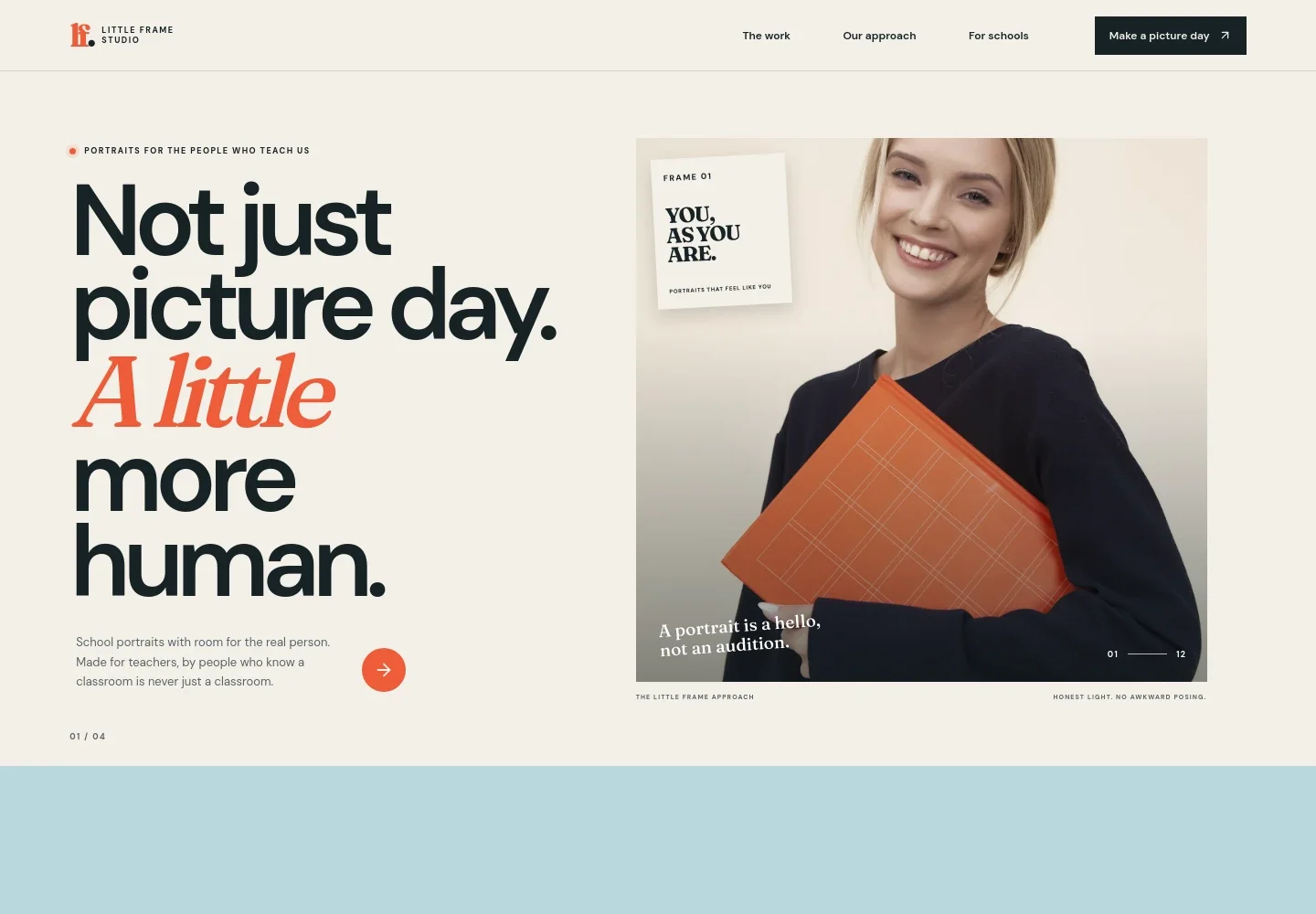
- Portrait-led introduction
- A prominent classroom image and concise introduction frame the offer as personal teacher portraits, with links to the work and inquiry areas.
- Photography approach
- A point-of-view section explains the relaxed, human approach to photographing teachers and sets expectations around natural portraits rather than forced posing.
- School-day photo story
- A three-image film strip presents classroom scenes under themes of the room, the rhythm, and in-between moments, giving visitors a visual sense of the work.
- Services for schools
- Separate descriptions introduce teacher portraits, documentary classroom stories, and school-day portraits planned around a school's schedule.
- School inquiry
- A closing contact section invites visitors to share details about their school and begin a conversation.
- Studio footer
- The footer repeats the studio identity, summarizes its focus on portraits for educators, and provides a back-to-top link.
How to use this template
Open in Revamp
Click Use this template and sign in or create an account. You’ll start with your own copy of the design, ready to personalize.
Bring your content
Replace the sample text, photos, and logo with your own. Share your content, a document, or an existing website, and ask Revamp to adapt the template to your business.
Refine and publish
Ask Revamp to adjust the colors, layout, or sections, or edit directly on the page. Review desktop and mobile, then publish. You can keep making changes after launch.
Put your website to work
Make school inquiries and shoot planning easier to manage. Ask Revamp to add or connect tools that support scheduling, client details, and follow-up.
-

Offer consultation booking
CalendlyGive school staff a simple way to choose a time to discuss picture day. Ask Revamp to add consultation booking with Calendly.
-

Keep school contacts organized
HubSpotTrack school inquiries and follow-ups in one place. Ask Revamp to connect HubSpot for managing prospective school clients.
-

Coordinate dates with your calendar
Google CalendarKeep conversations and planned school photo days visible alongside your schedule. Ask Revamp to add calendar scheduling with Google Calendar.
Frequently asked questions
Is this template free?
Yes. This premium template is free to use through Use this template. Free refers to the template itself, not hosting or other services.
Can I use my own content?
Yes. Ask Revamp to personalize the page with your photography, studio details, services, and contact information.
Do I need coding skills?
No coding skills are needed. Ask Revamp to personalize the content and design for your photography business.
Can I change the design?
Yes. Ask Revamp to adjust the layout, colors, imagery, and other design details to suit your studio.
Can I keep editing after publishing?
Yes. You can keep editing your website after launch. Ask Revamp to make updates as your services, photography, or contact details change.


