About this template
Help buyers understand the equipment and technical guidance your business offers for building and extending communications networks. The page introduces radio access, optical transport, power and protection, and integration support, with a clear route to discuss a deployment.
A dark, technical visual style pairs signal and network diagrams with a close-up of fiber connections. The layout moves from network coverage to product systems, field detail, and a direct contact prompt, giving technical and commercial visitors a useful path through your offer.
Who it’s for
Telecommunications equipment suppliers, network hardware distributors, and businesses supporting carrier, enterprise, remote, or edge-network deployments.
What’s included
The design gives network buyers a practical overview of connectivity equipment and support, then invites them to talk through deployment needs.
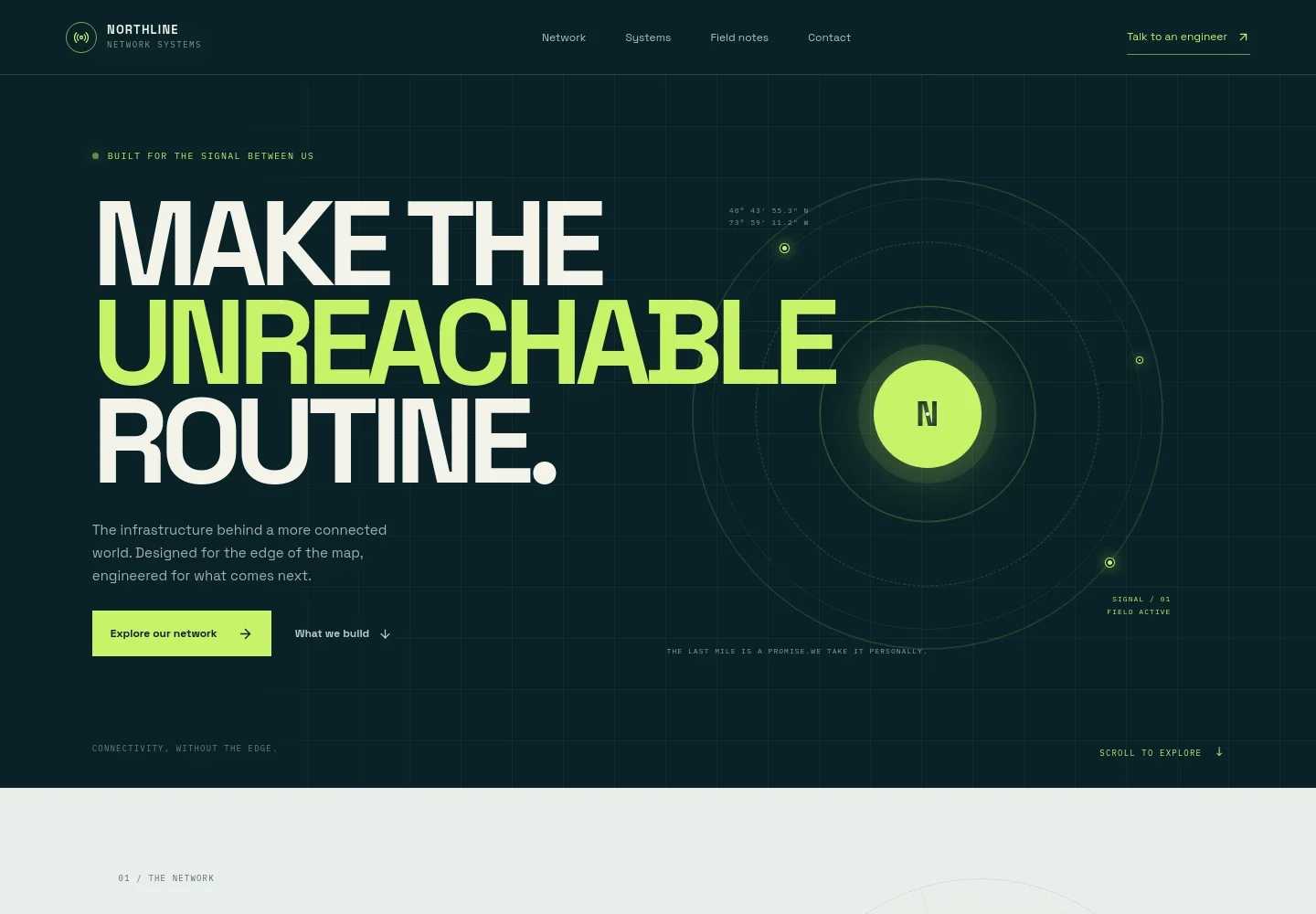
- Network introduction
- An opening statement and abstract signal visualization frame the business around extending connectivity. A network section adds an illustrative topology graphic and a link to discuss deployment planning.
- Equipment and support categories
- Four clearly separated entries describe radio access, optical transport, power and protection, and integration support. Each gives visitors a concise starting point for identifying relevant systems.
- Field notes and equipment detail
- A fiber-connection image and accompanying note highlight routing, interfaces, and how equipment works together, helping explain the importance of component-level choices.
- Contact prompt
- A closing invitation asks visitors to share their network requirements and links to a team contact. The displayed email is illustrative and can be personalized for the business.
- Navigation and footer
- Header links take visitors to the network, systems, field notes, and contact sections. The footer repeats the brand, provides a back-to-top link, and includes a template copyright line.
How to use this template
Open in Revamp
Click Use this template and sign in or create an account. You’ll start with your own copy of the design, ready to personalize.
Bring your content
Replace the sample text, photos, and logo with your own. Share your content, a document, or an existing website, and ask Revamp to adapt the template to your business.
Refine and publish
Ask Revamp to adjust the colors, layout, or sections, or edit directly on the page. Review desktop and mobile, then publish. You can keep making changes after launch.
Put your website to work
Give sales and technical teams a clearer way to organize enquiries, product information, and customer follow-up. Ask Revamp to add or connect the tools that suit your process.
-

Organize business enquiries
HubSpotKeep prospective customer details and sales conversations together. Ask Revamp to connect HubSpot for enquiry and account management.
-

Make technical consultations easier to schedule
CalendlyLet prospective buyers request time to discuss equipment or deployment needs. Ask Revamp to add consultation booking with Calendly.
-

Keep product and account information organized
Google SheetsGive staff a shared place to manage product references and customer details. Ask Revamp to connect Google Sheets for an editable tracking workflow.
Frequently asked questions
Is this template free?
Yes. This premium template is free to use when you select Use this template. Free refers to the template itself.
Can I use my own content?
Yes. Ask Revamp to personalize the site with your company details, equipment categories, images, contact information, and customer-facing language.
Do I need coding skills?
No coding skills are needed. Ask Revamp to make content and design changes in plain language.
Can I change the design?
Yes. Ask Revamp to adjust the colors, layout, imagery, and other design details to fit your business.
Can I keep editing after publishing?
Yes. You can keep editing after launch. Ask Revamp to update your content or design as your products and business needs change.


