About this template
Help customers find equipment suited to the work, from excavators and breakers to saws, grinders, drills, and site essentials. The design presents the range by job type, making it easier to orient visitors before they contact the hire desk.
A practical sequence explains how customers can describe the job, choose equipment and a hire period, then collect locally or ask about delivery options. A separate section speaks to trade customers who may want to discuss access, timing, or which machine fits the job.
Who it’s for
For tool and equipment rental businesses serving construction trades, contractors, landscapers, and people taking on practical projects.
What’s included
The page moves from equipment discovery to the next step, with clear categories, a three-step hire overview, trade-focused information, and a prominent contact prompt.
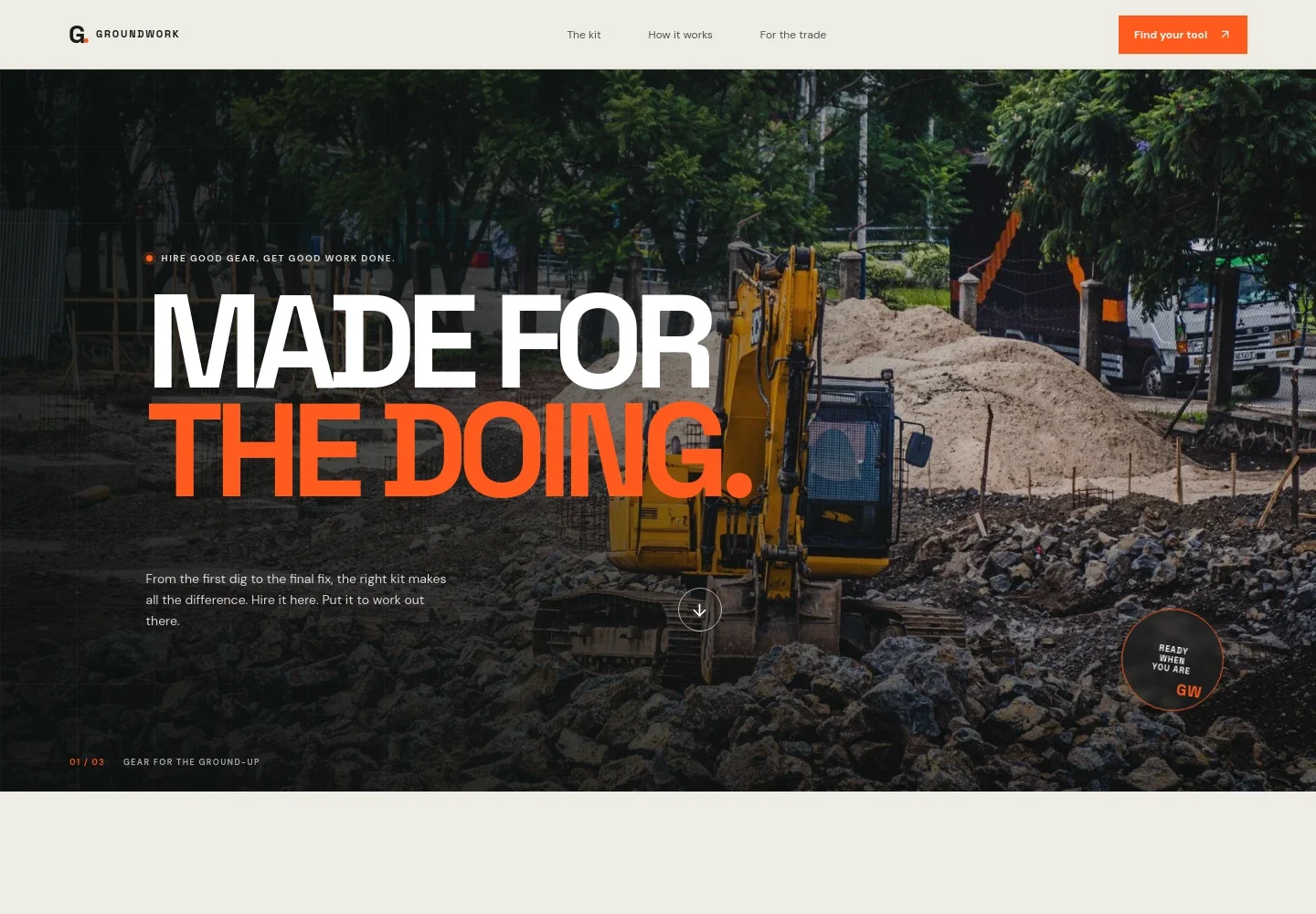
- Hero and navigation
- A full-width excavator image introduces the rental business, while navigation links take visitors to the kit, how hire works, and trade information.
- Rental service introduction
- An opening statement explains the focus on dependable equipment, clear hire, and practical know-how, with a link to the process section.
- Equipment categories
- Four linked groups organize the range around break and dig, cut and shape, lift and reach, and build and make. A tool photograph gives the section a hands-on feel.
- Plan to progress feature
- A large job-site image and concise copy connect choosing the right equipment with moving a project from plan to progress.
- How hire works
- Three steps describe sharing details about the job, selecting equipment and a hire period, and collecting from a local branch or asking about delivery.
- For the trade
- A construction-site image accompanies practical information for trade customers, including a prompt to discuss early starts, tight access, and equipment choice.
- Contact call to action
- A closing prompt invites visitors to discuss their project and call the local hire desk. The displayed number is identified on the page as illustrative.
- Footer
- A compact branded footer includes a return-to-top link.
How to use this template
Open in Revamp
Click Use this template and sign in or create an account. You’ll start with your own copy of the design, ready to personalize.
Bring your content
Replace the sample text, photos, and logo with your own. Share your content, a document, or an existing website, and ask Revamp to adapt the template to your business.
Refine and publish
Ask Revamp to adjust the colors, layout, or sections, or edit directly on the page. Review desktop and mobile, then publish. You can keep making changes after launch.
Put your website to work
Make it easier to manage rental enquiries, equipment availability, and customer follow-up. Ask Revamp to add connections with tools your business uses.
-

Manage rental operations
Point of Rental SoftwareKeep equipment, bookings, and rental activity organized in one system. Ask Revamp to connect Point of Rental Software for rental management.
-

Coordinate customer enquiries
HubSpotTrack prospective and returning customers so your team can follow up on equipment and hire questions. Ask Revamp to connect HubSpot for customer relationship management.
-

Keep bookings and schedules visible
CalendlyGive customers a way to request a conversation about their project at a suitable time. Ask Revamp to add consultation scheduling with Calendly.
Frequently asked questions
Is this template free?
Yes. This premium template is free to use through Use this template. The free offer applies to the template itself.
Can I use my own content?
Yes. Ask Revamp to personalize the page with your business name, equipment categories, hire information, images, and contact details.
Do I need coding skills?
No. Ask Revamp to personalize the content and design for your rental business without coding.
Can I change the design?
Yes. Ask Revamp to adjust the colors, imagery, layout, and other design details to suit your business.
Can I keep editing after publishing?
Yes. You can keep editing the site after launch. Ask Revamp to update your content or design as your equipment range and business needs change.


