About this template
Help customers understand what your tool store carries and how your team can help them choose. The design presents power tools, hand tools, workshop and site supplies, and fixings and finishes in a clear, easy-to-scan range.
The page also explains your practical approach to product advice, tool care, and repair guidance, then invites visitors to bring a project question or visit your counter. Its editorial styling and workshop imagery suit a store focused on capable gear and useful service.
Who it’s for
Independent tool and hardware stores, trade suppliers, and retailers serving makers, repair professionals, contractors, and workshop customers.
What’s included
A complete tool-store page that organizes the product range, explains the value of knowledgeable counter service, and gives visitors a clear next step to ask a question or visit in person.
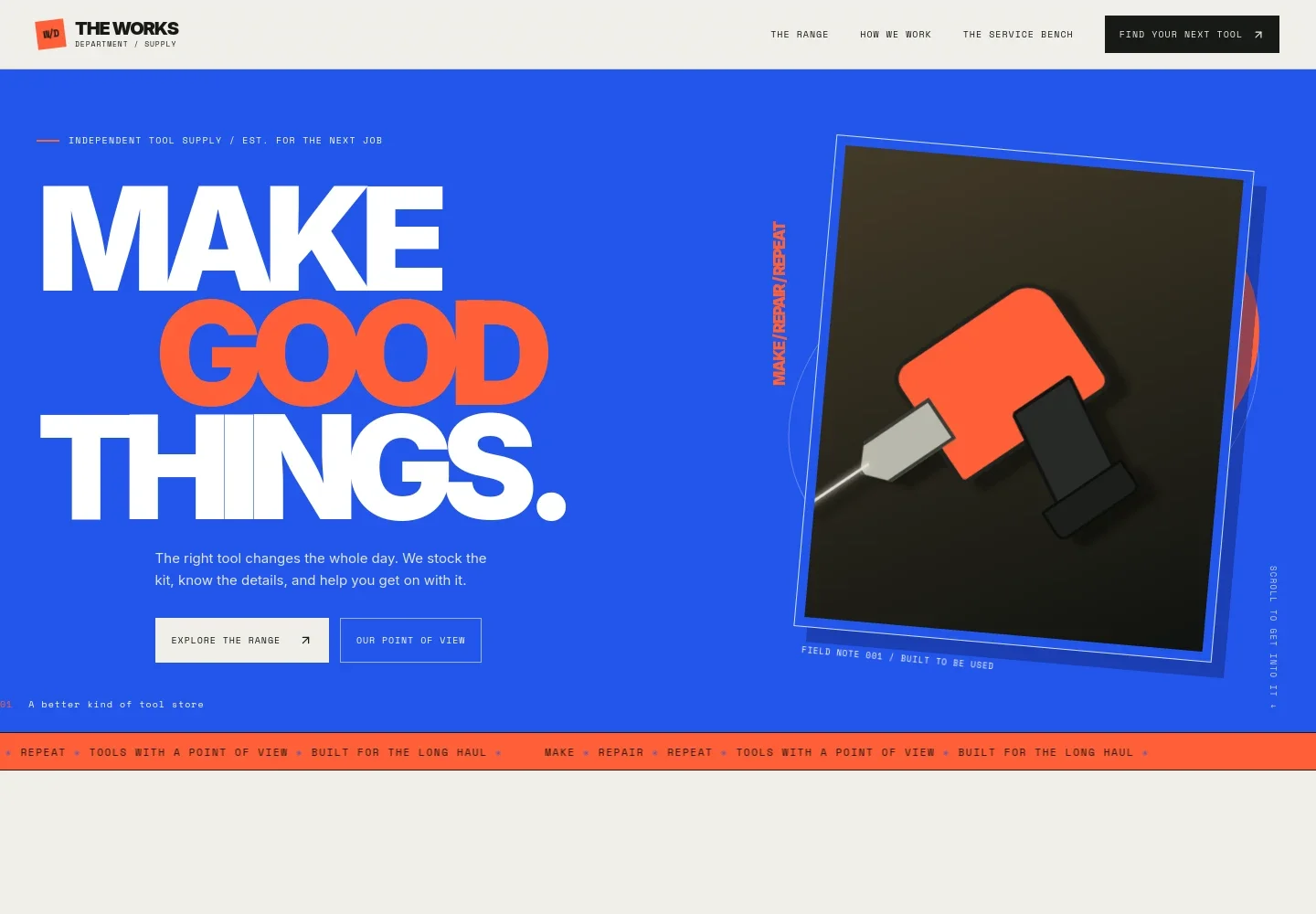
- Store identity and navigation
- A compact branded header links visitors to the range, the store's approach, the service section, and the visit details.
- Tool-store introduction
- A prominent headline, illustrated cordless drill, and short introduction establish the store's focus on practical tools and helpful advice.
- Store approach
- A concise statement presents the idea of choosing tools through useful guidance and straightforward answers, rather than guesswork.
- Product range
- Four scannable categories cover power tools, hand tools, workshop and site gear, and fixings and finishes, each with a short description.
- Practical point of view
- Workshop imagery and supporting copy explain how the store considers the task, material, and frequency of use when helping customers choose gear.
- Service and advice
- Three service items describe help choosing tools, care and repair guidance, and thinking through job-ready essentials.
- Visit and contact
- A closing section invites visitors to start with a project or question, find the local counter, and send an email. The sample address, hours, and email are illustrative details to personalize.
- Footer navigation
- The branded footer repeats links to the range, approach, and service sections, with a return-to-top link.
How to use this template
Open in Revamp
Click Use this template and sign in or create an account. You’ll start with your own copy of the design, ready to personalize.
Bring your content
Replace the sample text, photos, and logo with your own. Share your content, a document, or an existing website, and ask Revamp to adapt the template to your business.
Refine and publish
Ask Revamp to adjust the colors, layout, or sections, or edit directly on the page. Review desktop and mobile, then publish. You can keep making changes after launch.
Put your website to work
Make it easier to manage product information, customer questions, and store follow-up. Ask Revamp to add or connect tools that suit your retail operations.
-

Keep product and stock records organized
ShopifyAsk Revamp to connect Shopify to help manage product listings and inventory for an online retail operation.
-

Track customer inquiries and follow-up
HubSpotAsk Revamp to connect HubSpot to organize customer inquiries and sales follow-up in one place.
-

Make store visits easier to plan
CalendlyAsk Revamp to add appointment booking with Calendly for customers who want to arrange a product consultation.
Frequently asked questions
Is this template free?
Yes. This premium template is free to use through Use this template. Free refers to the template itself.
Can I use my own store content?
Yes. Ask Revamp to personalize the wording, product categories, store details, images, and contact information for your business.
Do I need coding skills?
No. Ask Revamp to personalize the content and design without coding.
Can I change the design?
Yes. Ask Revamp to adjust the colors, typography, layout, imagery, and other design details to suit your store.
Can I keep editing after publishing?
Yes. You can keep editing the site after launch. Ask Revamp to make updates as your product range, store information, or priorities change.