About this template
Help visitors identify a trailer for their load, towing vehicle, and plans. The design introduces utility, enclosed cargo, moving, and travel trailer categories, then explains the basic steps for choosing a trailer and getting ready to tow.
A road-trip-inspired layout pairs large travel imagery with concise fleet descriptions and practical towing reminders. Visitors can move from comparing trailer types to understanding the rental process and contacting your business.
Who it’s for
Trailer rental businesses serving people who need equipment for everyday projects, moving, cargo transport, or travel.
What’s included
The page guides visitors from trailer options to towing considerations and a direct contact invitation, with distinct sections for fleet categories, rental steps, and travel-focused brand storytelling.
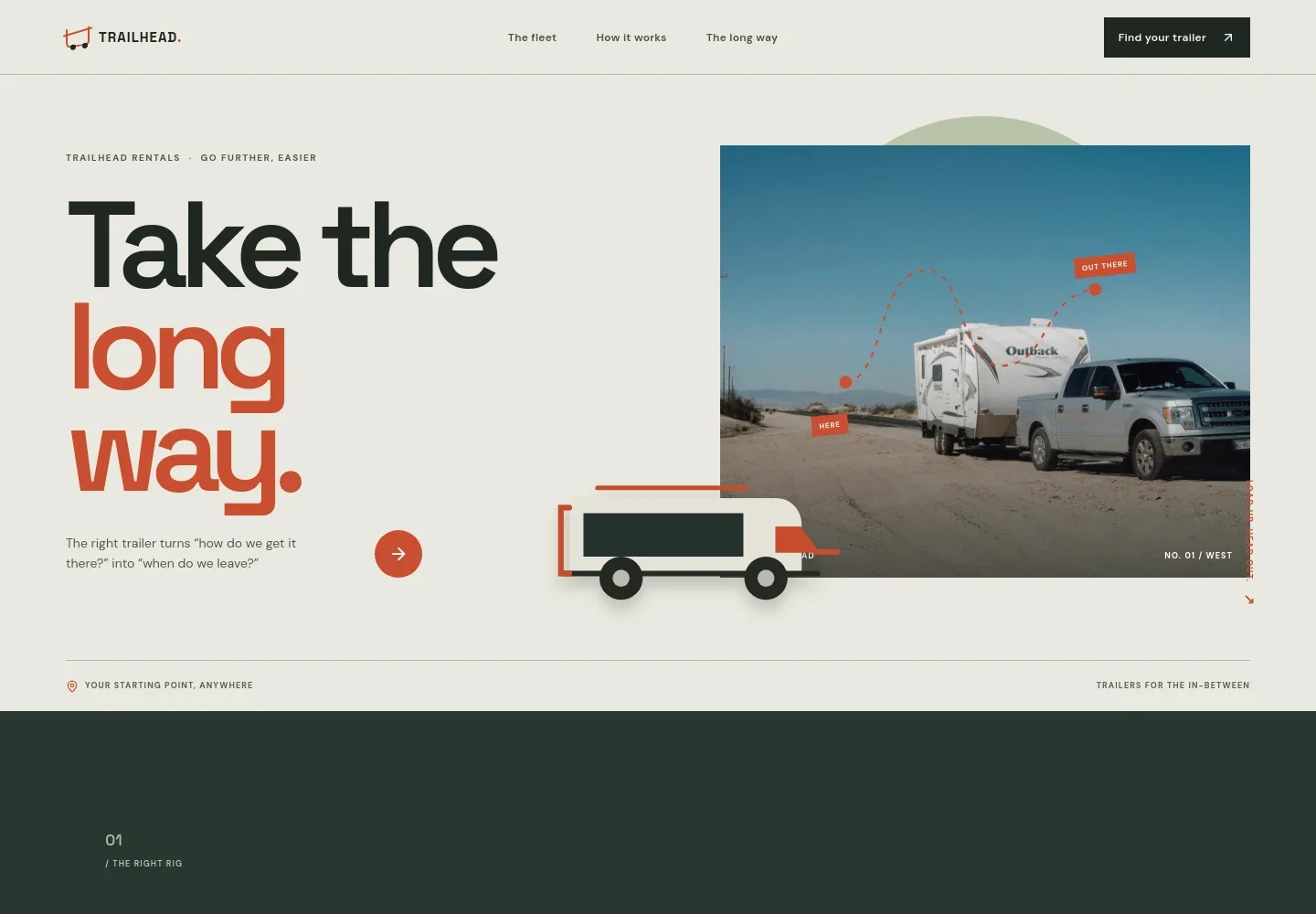
- Hero and fleet introduction
- A prominent road-trip image and concise introduction frame the key decision: matching the trailer to the job, load, and tow vehicle. A clear link takes visitors to the trailer options.
- Trailer types
- Four concise entries describe utility, enclosed cargo, moving, and travel trailers, helping visitors find a category that fits their plans.
- How it works
- A three-step overview covers describing the load and tow vehicle, choosing a trailer, and checking the connection and lights before departure.
- Towing safety reminder
- A visible note reminds visitors to confirm towing capacity, hitch compatibility, load limits, and local requirements before setting off.
- Travel feature
- A second large road image and short editorial copy connect trailer rental with moving and outdoor trips, giving the business a distinct, travel-minded voice.
- Contact invitation
- The closing section invites visitors to share what they are carrying and where they are headed, with an email link for getting in touch.
How to use this template
Open in Revamp
Click Use this template and sign in or create an account. You’ll start with your own copy of the design, ready to personalize.
Bring your content
Replace the sample text, photos, and logo with your own. Share your content, a document, or an existing website, and ask Revamp to adapt the template to your business.
Refine and publish
Ask Revamp to adjust the colors, layout, or sections, or edit directly on the page. Review desktop and mobile, then publish. You can keep making changes after launch.
Put your website to work
Make it easier to manage rental inquiries, reservations, and payments. Ask Revamp to add connections suited to how your trailer business handles bookings.
-

Take rental payments online
StripeGive customers a convenient way to pay for reservations. Ask Revamp to add payment collection with Stripe.
-

Let customers request a time
CalendlyOffer a straightforward way to arrange pickup or discuss availability. Ask Revamp to add appointment scheduling with Calendly.
-

Keep inquiries organized
HubSpotTrack prospective renters and follow-up conversations in one place. Ask Revamp to connect your inquiry flow with HubSpot.
Frequently asked questions
Is this template free?
Yes. This premium template is free to use through Use this template. Free refers to the template itself.
Can I use my own content?
Yes. Ask Revamp to personalize the text, images, trailer categories, contact details, and other content for your business.
Do I need coding skills?
No. Ask Revamp to personalize the content and design without coding.
Can I change the design?
Yes. Ask Revamp to adjust the visual style, layout, colors, and other design details to suit your business.
Can I keep editing after publishing?
Yes. You can keep editing the site after launch by asking Revamp to make changes.


