About this template
Help prospective customers understand how an independent vehicle inspection can inform a buying, selling, or ownership decision. The page explains the inspection approach, gives concrete examples of areas reviewed, and shows how findings can lead to useful questions and next steps.
A workshop-focused hero image and clear, numbered content guide visitors from the inspection method to the areas covered and a conversation about their needs. The design emphasizes impartial assessment and leaves the final decision with the vehicle owner or buyer.
Who it’s for
Independent vehicle inspectors, pre-purchase inspection businesses, and automotive professionals who want to explain their inspection service and invite prospective customers to get in touch.
What’s included
The page moves from the purpose of an independent inspection to its process, scope, and a direct invitation to discuss inspection options. Specific inspection examples help visitors understand what the service covers before they reach out.
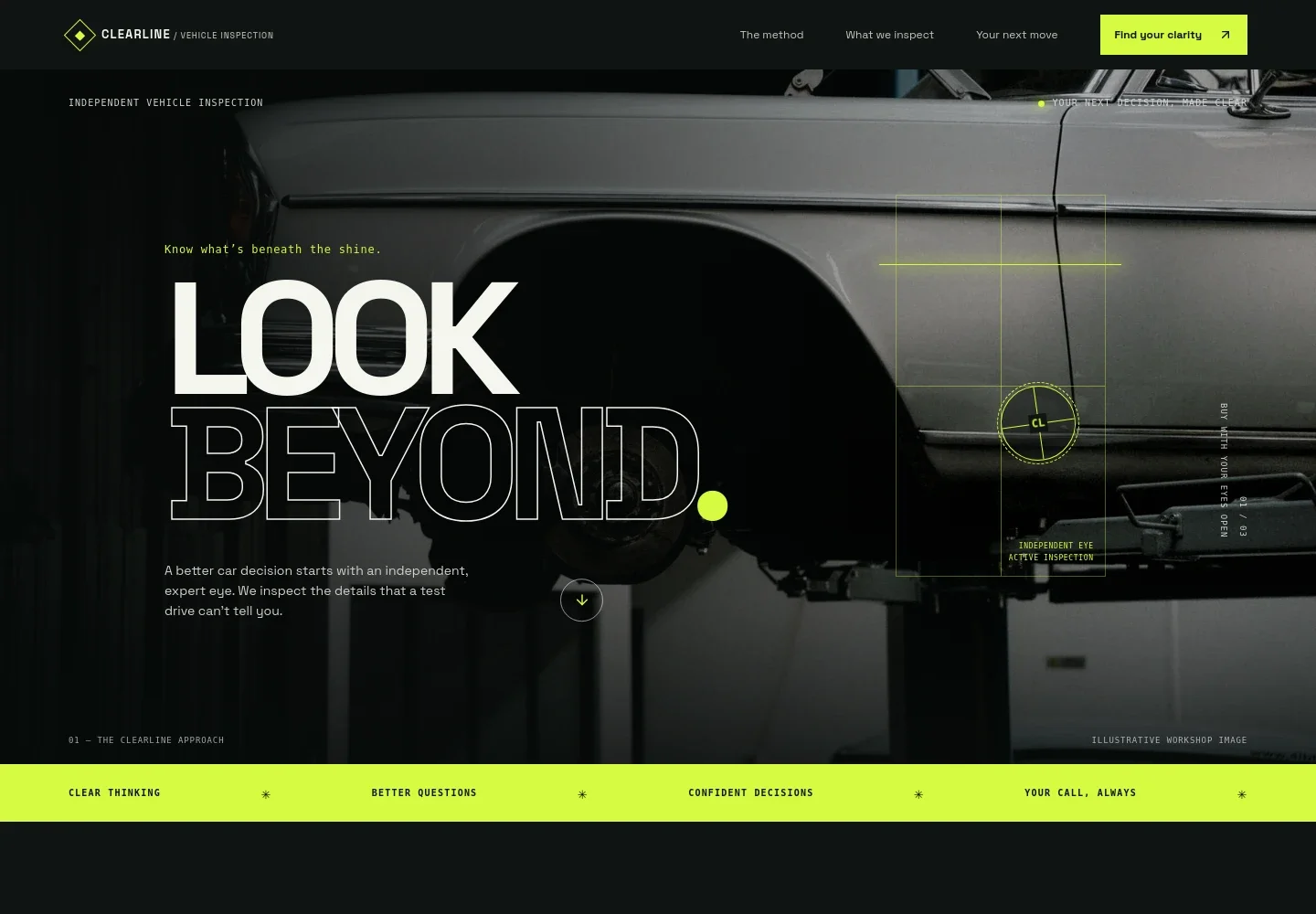
- Inspection service hero
- A large workshop image and concise headline introduce an independent inspection service, while navigation links visitors to the method, inspection details, and contact section.
- The inspection method
- Three numbered steps explain how an inspection starts with the visitor’s question, assesses the vehicle, and ends with a plain-language walkthrough of findings and possible next steps.
- What the inspection covers
- A visible checklist names body and paint, tyres and brakes, interior controls and warning lights, the underbody and visible fluid leaks, road-test observations where suitable, and questions for a later conversation. An accompanying note describes the assessment’s scope.
- Independent inspection principle
- A short statement reinforces that the service helps people understand a vehicle rather than telling them what to buy, keeping the customer’s decision at the center.
- Start a conversation
- The closing section invites visitors to discuss inspection options and suggests sharing the vehicle’s make, model and year, their buying or ownership context, and the questions they want answered.
- Contact and footer
- A contact card and footer provide places for the business’s email and brand details. The visible contact information is marked as illustrative and intended to be replaced.
How to use this template
Open in Revamp
Click Use this template and sign in or create an account. You’ll start with your own copy of the design, ready to personalize.
Bring your content
Replace the sample text, photos, and logo with your own. Share your content, a document, or an existing website, and ask Revamp to adapt the template to your business.
Refine and publish
Ask Revamp to adjust the colors, layout, or sections, or edit directly on the page. Review desktop and mobile, then publish. You can keep making changes after launch.
Put your website to work
Streamline inspection enquiries and follow-up by asking Revamp to add scheduling or customer-management tools that fit your service.
-

Make inspection appointments easier to arrange
CalendlyAsk Revamp to add appointment booking with Calendly so customers can request an available inspection time.
-

Keep customer enquiries and follow-ups organized
HubSpotAsk Revamp to connect HubSpot to help manage inspection leads and customer conversations.
-

Track inspection requests in a shared spreadsheet
Google SheetsAsk Revamp to connect Google Sheets to organize vehicle details, enquiry status, and follow-up notes.
Frequently asked questions
Is this vehicle inspection template free?
Yes. The premium template is free to use when you select Use this template. This applies to the template itself.
Can I use my own content?
Yes. Ask Revamp to personalize the text, images, contact details, and inspection information for your business.
Do I need coding skills?
No. You can ask Revamp to personalize the content and design without coding.
Can I change the design?
Yes. Ask Revamp to adjust the layout, colors, imagery, and other design details to suit your vehicle inspection service.
Can I keep editing after publishing?
Yes. You can keep editing after launch and ask Revamp to update your content and design as your business changes.


