About this template
Introduce an automotive brand through its design point of view, engineering approach and relationship with the driving experience. The page guides visitors from a strong opening message to the thinking behind the work and an invitation to start a conversation.
A dramatic hero, editorial copy, vehicle-inspired illustrations and a large road photograph give the design a distinctive automotive character. Use the sections to explain your own vehicles, design philosophy and engineering priorities.
Who it’s for
For automotive brands, vehicle designers, independent manufacturers and automotive studios that want to communicate their point of view and invite prospective customers or collaborators to get in touch.
What’s included
The layout moves from brand introduction to design approach, engineering ideas, the experience of driving and a direct contact invitation. Its restrained typography, vehicle sketches and road imagery support an editorial presentation rather than a product catalogue.
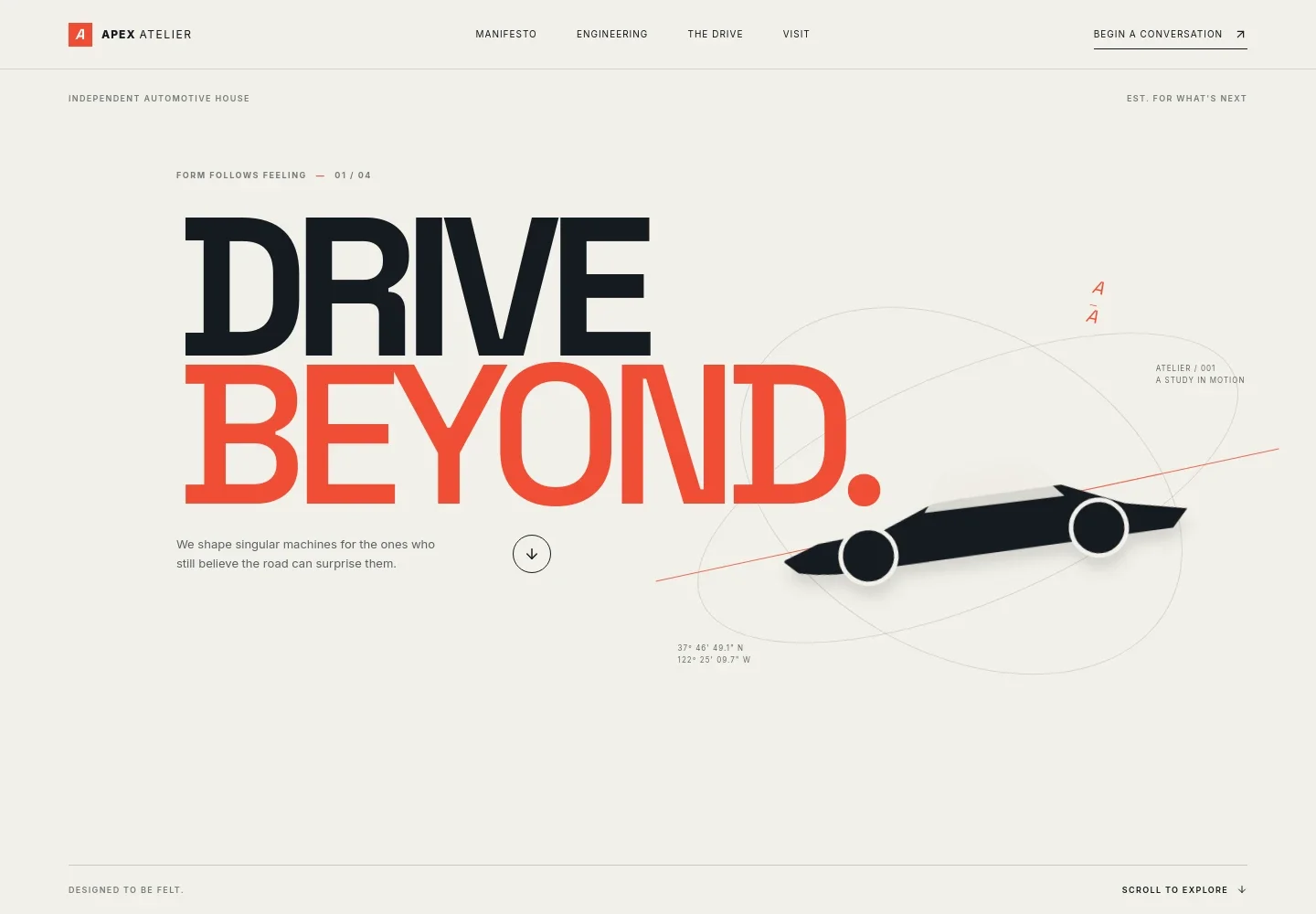
- Automotive brand hero
- A large headline introduces the brand, with a vehicle silhouette, graphic details and a short statement about the driving experience.
- Brand point of view
- An editorial section explains the ideas behind the business and connects considered design with engineering and the experience of driving.
- Engineering and craft
- Text and vehicle-inspired technical illustrations give space to describe design choices, proportions, materials and the relationship between form and function.
- The driving experience
- A prominent photograph of a winding road and supporting copy shift the focus from the machine to the experience of taking it into the world.
- Contact invitation
- A closing section invites visitors to share what they have in mind and provides an email contact link that can be personalized for the business.
- Navigation and footer
- The navigation links visitors to the page's main sections, while the footer repeats the brand identity and provides a return-to-top link.
How to use this template
Open in Revamp
Click Use this template and sign in or create an account. You’ll start with your own copy of the design, ready to personalize.
Bring your content
Replace the sample text, photos, and logo with your own. Share your content, a document, or an existing website, and ask Revamp to adapt the template to your business.
Refine and publish
Ask Revamp to adjust the colors, layout, or sections, or edit directly on the page. Review desktop and mobile, then publish. You can keep making changes after launch.
Put your website to work
Make it easier to manage inquiries, present vehicle inventory or coordinate appointments. Ask Revamp to add or connect tools that fit your sales and customer communication process.
-

Manage vehicle listings
AutoTraderGive prospective buyers a clearer view of available vehicles. Ask Revamp to connect your site to AutoTrader for vehicle listings.
-

Organize customer inquiries
HubSpotKeep track of prospects and follow-up conversations. Ask Revamp to connect HubSpot for customer relationship management.
-

Schedule customer appointments
CalendlyLet prospective customers request a convenient time to talk or visit. Ask Revamp to add appointment booking with Calendly.
Frequently asked questions
Is this vehicle website template free?
Yes. This premium template is free to use when you select Use this template. This applies to the template itself, not hosting or other services.
Can I use my own content?
Yes. Ask Revamp to personalize the page with your business name, vehicle information, images, engineering details and contact information.
Do I need coding skills?
No. Ask Revamp to personalize the content and design without coding.
Can I change the design?
Yes. Ask Revamp to adjust the colors, typography, layout, imagery or other design details to suit your automotive business.
Can I keep editing after publishing?
Yes. You can keep editing your website after launch. Ask Revamp to make updates as your vehicles, messaging or business details change.


