About this template
Help prospective clients understand your post-production services, creative approach, and how to start a project. The page presents editing, color finishing, sound and mix, and final delivery as parts of a considered service.
A selected-work area offers a visual introduction to your style, while clearly identifying its featured image as an art-direction study rather than a client commission. A four-part process explains how you work from project goals and edit structure through finishing and delivery.
Who it’s for
Independent video editors, post-production studios, and film professionals offering editorial, color, sound, or finishing services to filmmakers, agencies, and businesses.
What’s included
The design gives visitors a clear path from understanding your creative point of view to reviewing your services, process, selected work, and contact details. Its dark visual style, bold typography, and timeline-inspired details suit a studio focused on shaping stories through picture and sound.
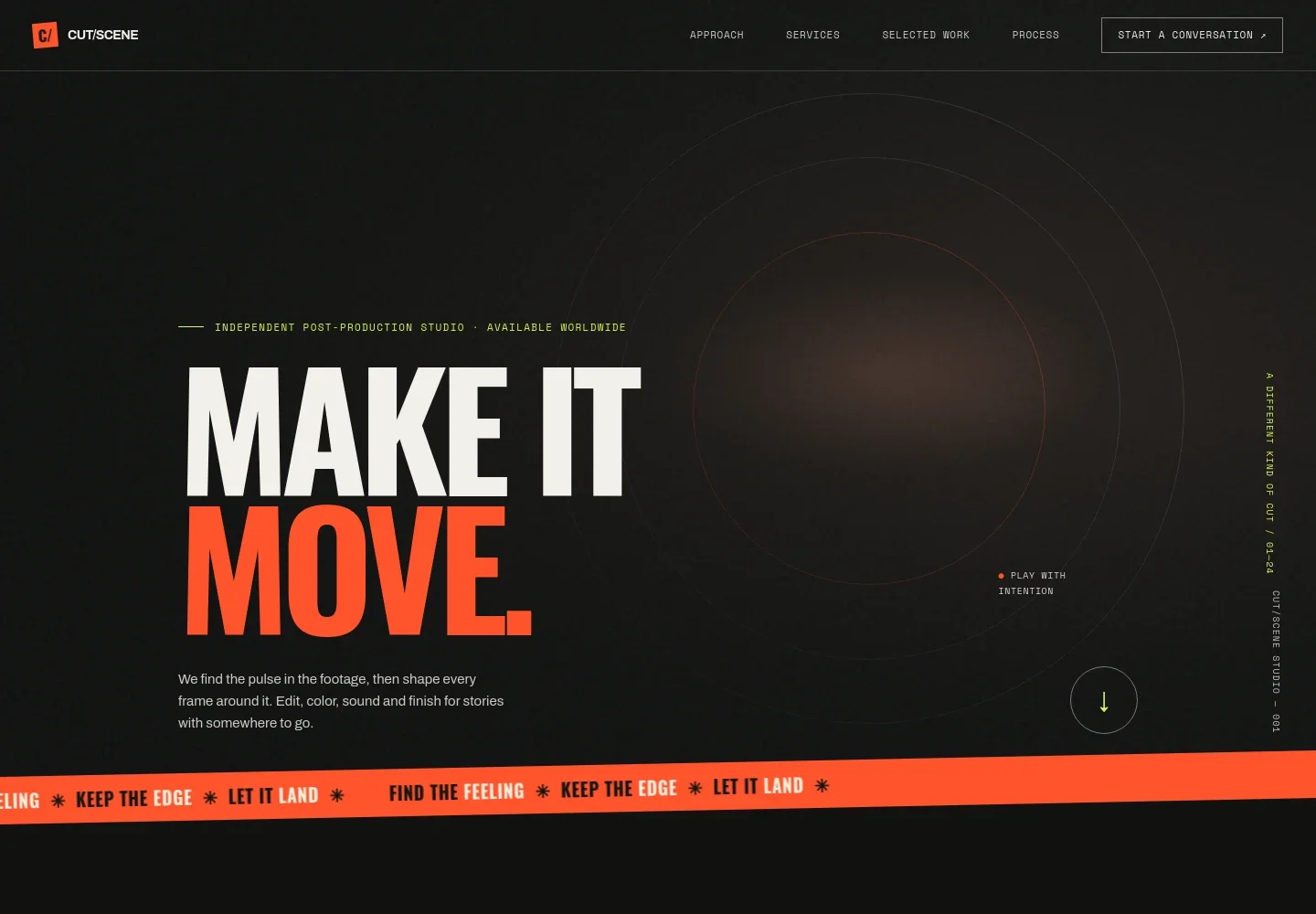
- Studio introduction
- A prominent opening statement and concise introduction present the studio's post-production focus, including editing, color, sound, and finishing.
- Creative approach
- An editorial statement explains the studio's view of editing as a way to shape meaning, supported by a visual sequence and timeline-inspired detail.
- Services
- Four service descriptions cover editorial, color finishing, sound and mix, and versions and delivery, helping visitors see the range of post-production work offered.
- Selected work
- A featured campaign-film concept study introduces the portfolio area. Its accompanying note identifies the imagery as an art-direction study, not a client commission.
- Process
- Four clear stages describe finding the project's center, building the edit's rhythm, bringing picture and sound together, and preparing final outputs.
- Contact
- A closing invitation, email link, and brief working-style detail give prospective clients a direct way to begin a conversation.
How to use this template
Open in Revamp
Click Use this template and sign in or create an account. You’ll start with your own copy of the design, ready to personalize.
Bring your content
Replace the sample text, photos, and logo with your own. Share your content, a document, or an existing website, and ask Revamp to adapt the template to your business.
Refine and publish
Ask Revamp to adjust the colors, layout, or sections, or edit directly on the page. Review desktop and mobile, then publish. You can keep making changes after launch.
Put your website to work
Make project inquiries easier to manage by asking Revamp to add a scheduling or client-management tool to your site.
-

Schedule project calls
CalendlyGive prospective clients a convenient way to book an introductory call. Ask Revamp to add consultation booking with Calendly.
-

Track client inquiries
HubSpotKeep prospective projects and follow-ups organized in a client relationship system. Ask Revamp to connect HubSpot for inquiry management.
-

Manage creative projects
AsanaOrganize project conversations, feedback, and delivery milestones in one workspace. Ask Revamp to connect Asana for project tracking.
Frequently asked questions
Is this video editing template free?
Yes. This premium template is free to use when you select Use this template. Free refers to the template itself.
Can I use my own content?
Yes. Ask Revamp to personalize the site with your studio name, services, project imagery, work samples, and contact details.
Do I need coding skills to customize it?
No coding skills are needed. Ask Revamp to personalize the content and design for your video editing business.
Can I change the design?
Yes. Ask Revamp to adjust the visual style, layout, colors, or typography to better fit your studio and portfolio.
Can I keep editing the site after it is published?
Yes. You can keep asking Revamp to make updates after launch as your services, work, or contact information changes.


