About this template
Show prospective clients the kinds of films your studio makes, how you work from creative development through post-production, and how to start a project. The dark, cinematic design puts a full-width on-set image and oversized message up front, then leads visitors through selected work, your approach, services, and contact details.
The portfolio presents three selectable story entries, with a featured brand-film example and room to explain each project’s focus and services. Clear process and service sections help clients understand what collaboration can involve before they get in touch.
Who it’s for
Independent video production studios, filmmakers, and creative production teams offering brand films, campaign content, documentary work, or end-to-end film production.
What’s included
The layout gives your visual work prominence while making your services, creative approach, and next step easy to find.
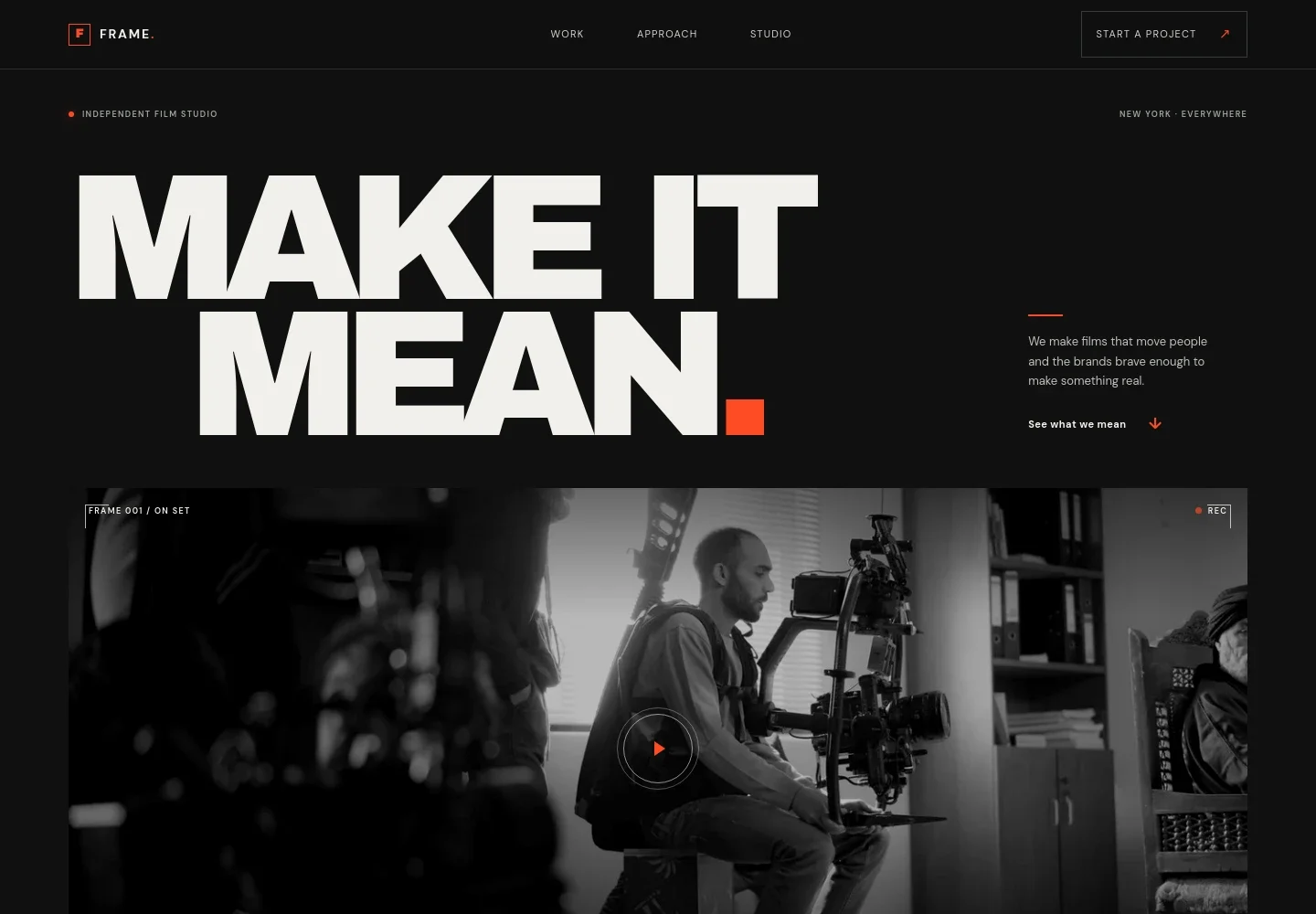
- Studio navigation and project call to action
- A compact navigation links to Work, Approach, and Studio, with a Start a project link that takes visitors to the contact section.
- Cinematic hero
- An oversized headline sits alongside a concise studio introduction, with an on-set image framed by film-inspired labels and a prompt to view the reel.
- Selected work
- A featured project area introduces a brand-film example with a short summary, service tags, and three selectable story entries. Use it to present selected projects and their creative focus.
- Approach
- Three steps describe the studio’s process, from finding the story to production planning and the edit. This gives prospective clients context for how an idea can develop into a finished film.
- Studio introduction
- A studio overview explains the relationship between story and strategy, followed by four service rows covering creative development, film production, post and finishing, and campaign content.
- Contact invitation
- A closing project invitation directs visitors to start a conversation by email, followed by a footer with the studio identity and a return-to-top link.
How to use this template
Open in Revamp
Click Use this template and sign in or create an account. You’ll start with your own copy of the design, ready to personalize.
Bring your content
Replace the sample text, photos, and logo with your own. Share your content, a document, or an existing website, and ask Revamp to adapt the template to your business.
Refine and publish
Ask Revamp to adjust the colors, layout, or sections, or edit directly on the page. Review desktop and mobile, then publish. You can keep making changes after launch.
Put your website to work
Streamlined project inquiries and review processes can help a production studio move from first conversation to client feedback. Ask Revamp to add connections with tools your team uses.
-

Organize production projects
monday.comKeep project plans, tasks, and team conversations in one workspace. Ask Revamp to connect project inquiries with a workflow in monday.com.
-

Collect and manage project inquiries
HubSpotTrack prospective clients and follow-ups in a shared pipeline. Ask Revamp to route website inquiries into HubSpot.
-

Schedule project conversations
CalendlyGive prospective clients a convenient way to request a meeting time. Ask Revamp to add consultation booking with Calendly.
-

Share video reviews with clients
Frame.ioGather time-stamped comments on cuts and keep feedback focused on the footage. Ask Revamp to add a review link using Frame.io.
Frequently asked questions
Is this template free?
Yes. This premium template is free to use when you select Use this template. The offer applies to the template itself.
Can I use my own content?
Yes. Ask Revamp to personalize the site with your studio name, project images and films, service details, and contact information.
Do I need coding skills?
No. Ask Revamp to personalize the content and design in natural language, without writing code.
Can I change the design?
Yes. Ask Revamp to adjust the colors, typography, layout, imagery, and other design details to suit your studio.
Can I keep editing after publishing?
Yes. You can keep editing your website after launch. Ask Revamp to make updates as your work, services, or contact details change.


