About this template
Help filmmakers, brands, and creative teams browse a curated moving-image library by mood, subject, and visual detail. The design pairs cinematic footage previews with clear information about file specifications and licensing.
Visitors can explore featured landscape, nature, and people clips, use collection filters and search, then find guidance on licensing and a contact link for questions.
Who it’s for
Independent stock footage libraries, video licensing businesses, and creative teams presenting a curated video collection to filmmakers, brands, and production professionals.
What’s included
The page is organized around finding and licensing footage: an immersive reel draws attention to sample frames, while searchable collection previews and a clear licensing section help visitors understand what they can browse and what to consider before using a clip.
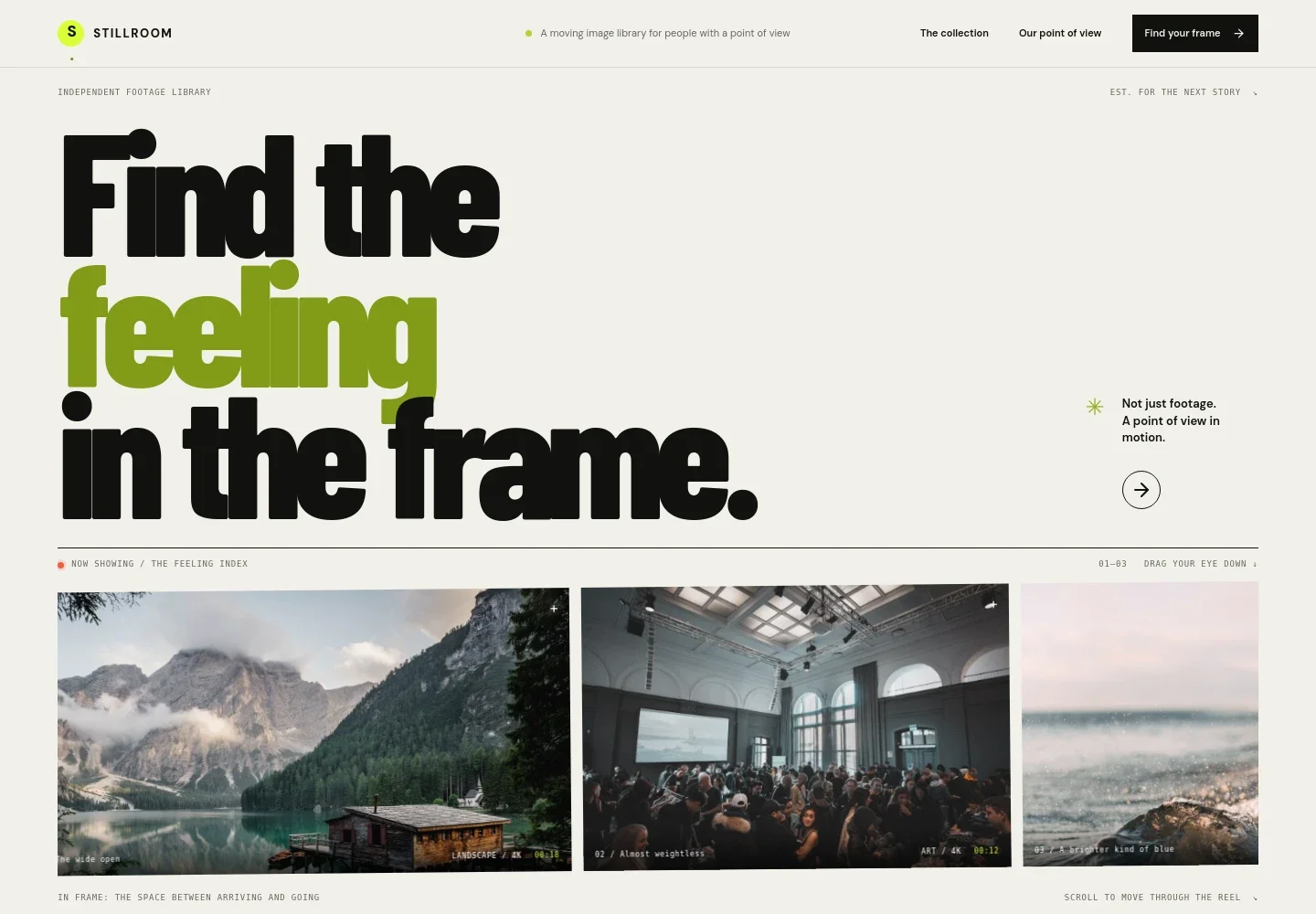
- Cinematic hero reel
- Three large sample frames introduce the collection through landscape, art, and ocean imagery, with each frame labeled by subject, resolution, and duration.
- Collection approach
- A concise editorial section explains the library’s focus on human details, light, and moments that help a story convey a feeling.
- Searchable footage collection
- Visitors can filter sample footage by atmosphere, people, nature, or motion and search using descriptive terms. Featured cards show a clip image, subject, and visible file details.
- Licensing overview
- A three-step layout covers finding footage, reviewing file specifications and usage terms, and using download-ready clips in films, campaigns, and digital stories.
- License questions and contact
- The closing contact area gives visitors a direct email link for asking about a license or a specific frame.
How to use this template
Open in Revamp
Click Use this template and sign in or create an account. You’ll start with your own copy of the design, ready to personalize.
Bring your content
Replace the sample text, photos, and logo with your own. Share your content, a document, or an existing website, and ask Revamp to adapt the template to your business.
Refine and publish
Ask Revamp to adjust the colors, layout, or sections, or edit directly on the page. Review desktop and mobile, then publish. You can keep making changes after launch.
Put your website to work
A stock footage business can use these tools to organize media assets and manage customer inquiries. Ask Revamp to request the additions that fit your licensing and sales process.
-

Organize and deliver video assets
Frame.ioKeep high-resolution footage and preview files organized for review and delivery. Ask Revamp to connect your library workflow with Frame.io.
-

Track licensing inquiries and client conversations
HubSpotKeep prospective customers and licensing discussions in one place. Ask Revamp to connect HubSpot for managing inquiries.
-

Send collection updates to subscribers
MailchimpShare new footage collections and library news with an interested audience. Ask Revamp to connect Mailchimp for email campaigns.
Frequently asked questions
Is this template free?
Yes. This premium template is free to use when you select Use this template. Free refers to the template itself.
Can I use my own content?
Yes. Ask Revamp to personalize the footage previews, collection categories, licensing information, and contact details with your own content.
Do I need coding skills?
No. Ask Revamp to personalize the page and its design without coding.
Can I change the design?
Yes. Ask Revamp to adjust the layout, colors, typography, and other design details to suit your footage library.
Can I keep editing after publishing?
Yes. You can keep asking Revamp to update your content and design after launch.


