About this template
Help readers find wedding ideas that put the feeling of the day before the checklist. The design introduces an independent wedding journal through an editorial-style opening, a clear point of view, and a featured story followed by themed article previews.
Use the journal to share planning perspectives, gathering ideas, and wedding stories. A dedicated correspondence section gives readers a visible way to send a question or share a story, while the restrained typography and spacious layouts keep the writing and photography in focus.
Who it’s for
For wedding bloggers, independent wedding publications, and editorial teams sharing ideas and stories with couples planning a celebration.
What’s included
The page guides visitors from the journal’s perspective to its stories and a direct invitation to get in touch. Its editorial layout pairs prominent headlines and photography with concise story summaries, helping readers quickly understand what the publication covers.
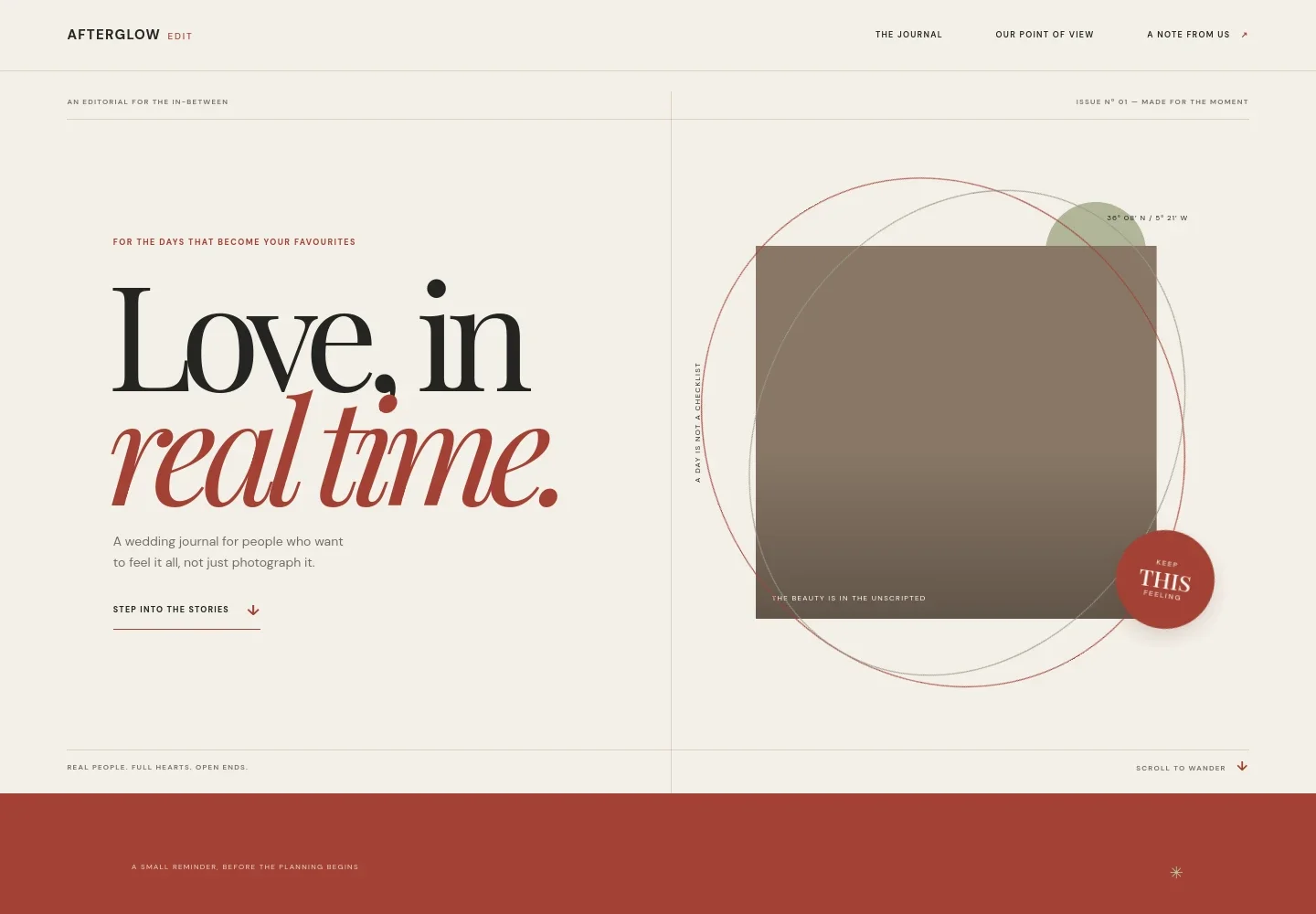
- Editorial hero
- Introduces the journal with a prominent headline, a short statement of its perspective, and a link into the stories. A framed visual treatment sets an editorial tone.
- Point of view
- Shares the journal’s perspective on weddings, with copy about making room for unexpected moments and focusing on the people gathered together.
- Featured journal story
- Pairs a wedding table photograph with a lead article preview about letting the feeling of the day guide planning, plus a reading-time label and a link onward.
- Story previews
- Presents three article summaries organized around place, feeling, and the table, giving readers a quick sense of the journal’s topics.
- Editorial pull quote
- Creates a pause between the story list and correspondence with a short statement about being present as well as documenting the day.
- Correspondence
- Invites readers to send a wedding question or share a story, with an email contact link that can be personalized for the publication.
- Footer
- Repeats the publication name and provides a return-to-top link and a short closing line.
How to use this template
Open in Revamp
Click Use this template and sign in or create an account. You’ll start with your own copy of the design, ready to personalize.
Bring your content
Replace the sample text, photos, and logo with your own. Share your content, a document, or an existing website, and ask Revamp to adapt the template to your business.
Refine and publish
Ask Revamp to adjust the colors, layout, or sections, or edit directly on the page. Review desktop and mobile, then publish. You can keep making changes after launch.
Put your website to work
Give readers more ways to follow the journal and help your team manage incoming story ideas. Ask Revamp to add connections suited to your publishing workflow.
-

Build an email readership
MailchimpInvite readers to receive new stories and editorial updates. Ask Revamp to add a newsletter signup connected to Mailchimp.
-

Organize editorial planning
Google CalendarKeep story ideas and publishing plans organized in a shared calendar. Ask Revamp to connect Google Calendar for editorial scheduling.
-

Track story pitches
HubSpotKeep reader submissions and potential collaborations organized in one place. Ask Revamp to add a HubSpot form for story inquiries.
Frequently asked questions
Is this template free?
Yes. This premium template is free to use when you select Use this template. The offer applies to the template, not hosting or other services.
Can I use my own content?
Yes. Ask Revamp to personalize the page with your publication name, articles, photography, contact details, and editorial voice.
Do I need coding skills?
No coding skills are needed. Ask Revamp to make content and design changes in natural language.
Can I change the design?
Yes. Ask Revamp to adjust the typography, colors, imagery, layout, or other design details to suit your wedding publication.
Can I keep editing after publishing?
Yes. You can keep editing after launch. Ask Revamp to update stories, contact information, or the design as your journal develops.