About this template
Help couples understand how you shape the music across a wedding, from a relaxed cocktail-hour welcome and first dance to a dance floor that builds with the room. The page presents your approach as personal and considered, rather than a one-size-fits-all playlist.
Use the sections on planning, sound, and getting in touch to explain how you work with couples and invite an initial conversation about their date, venue, and ideas.
Who it’s for
Independent wedding DJs and wedding sound professionals who want to introduce their musical approach, explain the flow of a reception, and encourage couples to make an enquiry.
What’s included
The dark, editorial design pairs bold type and stage-inspired artwork with a clear path from your approach to the practical details and enquiry invitation. Its sections help couples picture the shape of the evening while understanding how you plan and work with them.
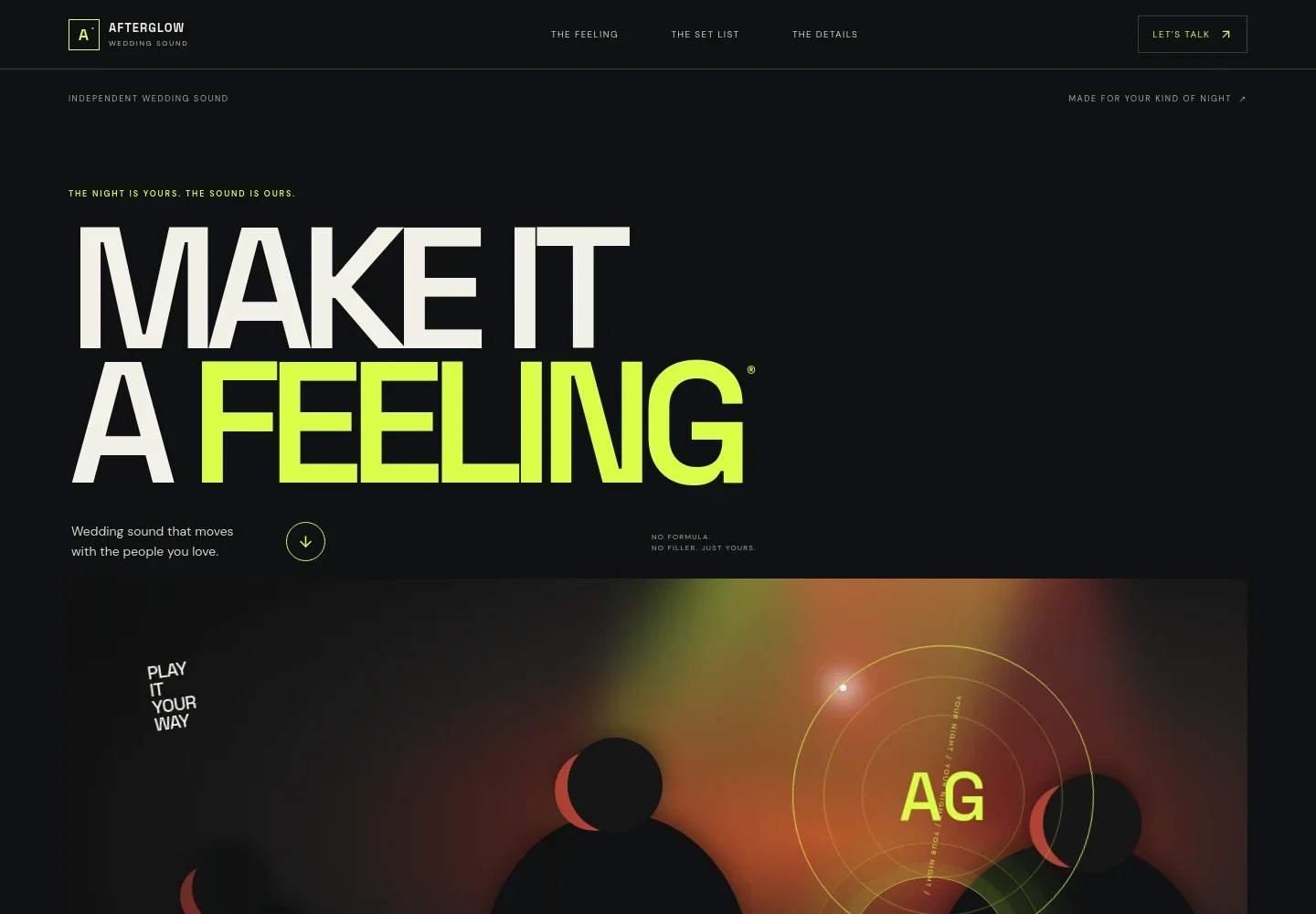
- Wedding sound hero
- A prominent opening introduces the wedding sound service and its personal, people-first approach, with a direct link into the page and a visible invitation to talk.
- Point of view
- Explain how you listen to a couple's stories, guests, and favorite songs before shaping the music around them.
- A night in four movements
- Show a simple progression from the room settling to familiar songs, an open dance floor, and the final song, helping couples imagine the evening's energy.
- Reception moments
- Describe the welcome and cocktail hour, the first dance, and the open dance floor, with room to explain the role music plays in each part.
- Atmospheric interlude
- A full-width, stage-inspired visual reinforces the focus on the couple's people and songs, giving the page a pause between service details and planning information.
- Planning and service details
- Outline a real conversation, a flexible shared run of show, sound suited to the room, and one point of contact, so couples can see what working together involves.
- Enquiry invitation
- Close with a welcoming prompt for couples to share a date, place, or early idea, alongside an email contact link they can personalize.
How to use this template
Open in Revamp
Click Use this template and sign in or create an account. You’ll start with your own copy of the design, ready to personalize.
Bring your content
Replace the sample text, photos, and logo with your own. Share your content, a document, or an existing website, and ask Revamp to adapt the template to your business.
Refine and publish
Ask Revamp to adjust the colors, layout, or sections, or edit directly on the page. Review desktop and mobile, then publish. You can keep making changes after launch.
Put your website to work
Make it easier to manage wedding enquiries, availability, and planning details. Ask Revamp to add connections to tools that fit your workflow.
-

Keep availability organized
CalendlyAsk Revamp to add consultation booking with Calendly so couples can request a time to discuss their wedding.
-

Track enquiries and follow-ups
HubSpotAsk Revamp to connect HubSpot to help organize couple enquiries and keep track of conversations.
-

Keep wedding details in one place
Google SheetsAsk Revamp to connect Google Sheets for organizing event dates, contact details, and planning notes.
Frequently asked questions
Is this wedding DJ template free?
Yes. This premium template is free to use when you select Use this template. Free refers to the template itself.
Can I use my own wedding DJ content?
Yes. Ask Revamp to personalize the text, images, contact details, and service information for your business.
Do I need coding skills to customize it?
No coding skills are needed. Ask Revamp to make content and design changes in plain language.
Can I change the design?
Yes. Ask Revamp to adjust the colors, typography, imagery, layout, and other design details to suit your brand.
Can I keep editing after publishing?
Yes. You can keep asking Revamp to update your content and design after launch.