About this template
This wedding photography template helps couples understand your documentary approach, see the moments you focus on, and start a conversation about their day. Its editorial presentation pairs a cinematic hero with writing about candid photography and a clear description of the experience.
The page guides visitors from your perspective behind the camera through the process, from the first conversation to the wedding day, then closes with a direct inquiry link. A Pacific Northwest base and worldwide availability appear in the sample copy and can be personalized for your business.
Who it’s for
Wedding photographers and photography studios who want to explain a candid, documentary approach and help couples inquire about availability.
What’s included
A considered page structure for showing couples how you photograph a wedding, what working with you involves, and how to get in touch.
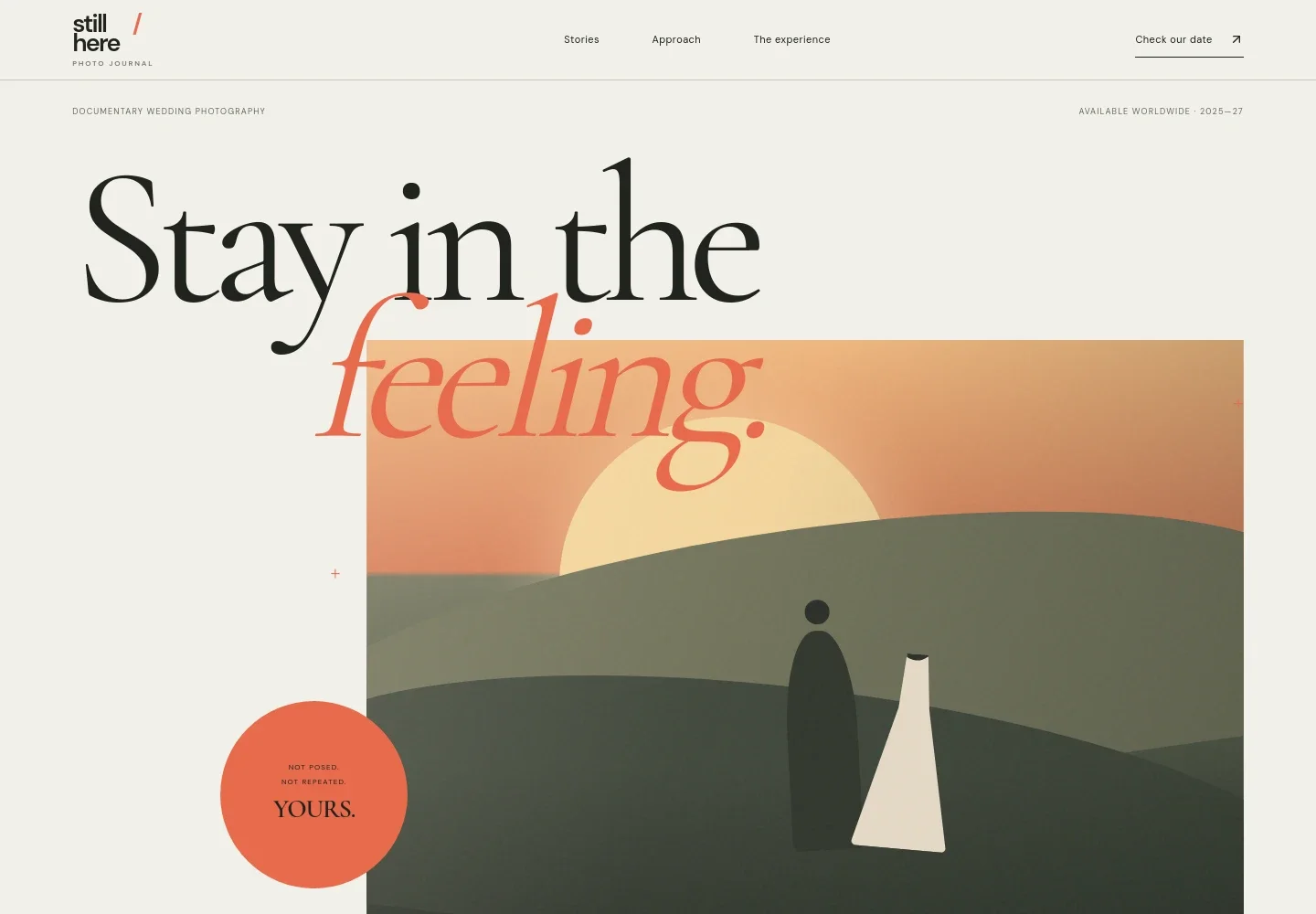
- Editorial hero
- A large wedding scene illustration, documentary photography label, short positioning statement, and prominent link to check a date introduce the studio and its approach.
- Photography approach
- An introductory statement explains the focus on honest moments and includes a close-up wedding-ring image, giving couples a sense of the details the photographer notices.
- What we notice
- A concise section describes following the day as it unfolds rather than working from a shot list, with examples of small, easily missed moments.
- The experience
- Two illustrated stages and supporting copy explain the sample process: listening and planning before the wedding, then photographing attentively while leaving room for the day to unfold.
- What you receive
- A deliverables line names carefully edited photographs, a private online gallery, print-ready files, and guidance from first contact through delivery.
- Inquiry and contact
- A closing invitation asks couples to share their plans and links to an email inquiry, alongside sample location and availability details.
How to use this template
Open in Revamp
Click Use this template and sign in or create an account. You’ll start with your own copy of the design, ready to personalize.
Bring your content
Replace the sample text, photos, and logo with your own. Share your content, a document, or an existing website, and ask Revamp to adapt the template to your business.
Refine and publish
Ask Revamp to adjust the colors, layout, or sections, or edit directly on the page. Review desktop and mobile, then publish. You can keep making changes after launch.
Put your website to work
Make it easier to respond to inquiries, organize client details, and coordinate wedding dates. Ask Revamp to add or connect tools that fit your workflow.
-

Schedule consultations
CalendlyLet prospective couples choose a time to talk. Ask Revamp to add consultation booking with Calendly.
-

Organize client inquiries
HubSpotKeep prospective clients and follow-up details organized in one place. Ask Revamp to connect HubSpot for contact management.
-

Coordinate wedding dates
Google CalendarKeep booked dates and consultation times visible alongside your schedule. Ask Revamp to connect Google Calendar.
Frequently asked questions
Is this template free?
Yes. This premium template is free to use through Use this template. The offer is for the template itself.
Can I use my own content?
Yes. Ask Revamp to personalize the copy, photographs, studio details, location, availability, and contact information for your business.
Do I need coding skills?
No. Ask Revamp to personalize the content and design without coding.
Can I change the design?
Yes. Ask Revamp to adjust the design, layout, colors, typography, and imagery to suit your studio.
Can I keep editing after publishing?
Yes. You can keep making edits after your site launches by asking Revamp to update the content or design.


