About this template
Help couples picture their wedding day at a garden estate, from a ceremony and reception to a relaxed dinner and brunch across a weekend. The page introduces the setting and shows how celebrations can take shape there.
The design moves from an atmospheric opening into the venue story, a day-planning section, and a clear enquiry invitation. Its garden imagery, editorial typography, and restrained colors give venue owners a way to present the character of their space while keeping practical next steps easy to find.
Who it’s for
Wedding venue owners and managers, especially those presenting a garden, estate, or countryside setting to couples planning a ceremony, reception, or weekend celebration.
What’s included
The page guides prospective couples from an impression of the garden setting to ideas for their celebration, then invites them to start a conversation.
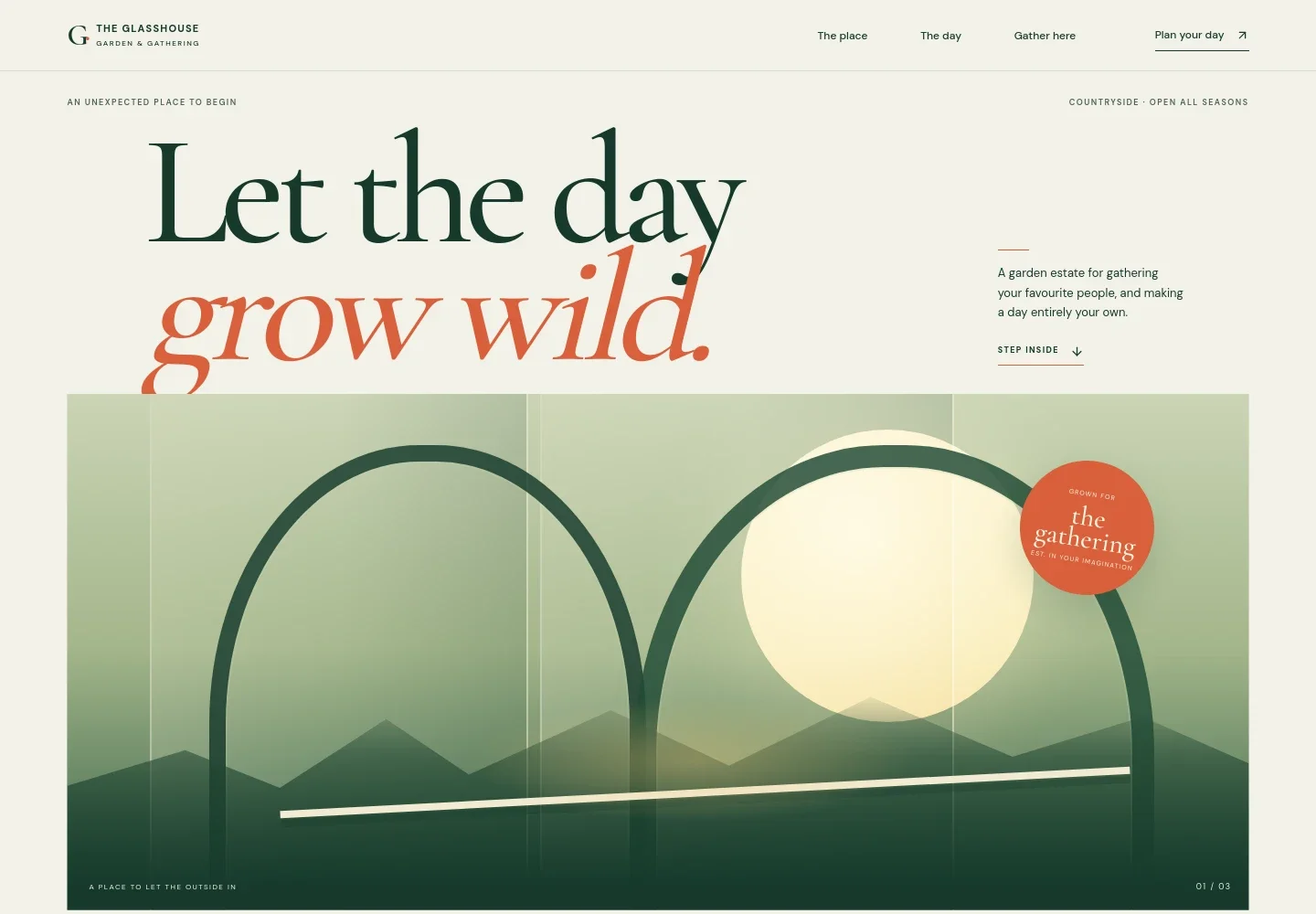
- Opening hero
- A prominent wedding-focused headline, a short description of the garden estate, and links into the venue and enquiry sections establish the setting and give visitors a way to continue.
- The place
- Introduces the garden as a place to gather, with copy about its atmosphere and a simple visual timeline from first light to golden hour and after dark.
- The day
- Shows how couples might use the venue for a ceremony, reception, an intimate dinner, or a next-day brunch, while emphasizing flexibility in the celebration.
- Gather here enquiry
- Closes with an invitation to describe the celebration and an email contact link, giving couples a direct next step for discussing the venue.
How to use this template
Open in Revamp
Click Use this template and sign in or create an account. You’ll start with your own copy of the design, ready to personalize.
Bring your content
Replace the sample text, photos, and logo with your own. Share your content, a document, or an existing website, and ask Revamp to adapt the template to your business.
Refine and publish
Ask Revamp to adjust the colors, layout, or sections, or edit directly on the page. Review desktop and mobile, then publish. You can keep making changes after launch.
Put your website to work
Make it easier to manage venue enquiries and share wedding information. Ask Revamp to add or connect tools that fit how your venue works.
-

Organize couple enquiries
HubSpotKeep prospective couples and their follow-ups organized. Ask Revamp to connect HubSpot for enquiry management.
-

Coordinate venue visits
CalendlyLet couples request a convenient time to tour the venue. Ask Revamp to add consultation booking with Calendly.
-

Share wedding planning details
MailchimpSend couples planning updates and venue news by email. Ask Revamp to connect Mailchimp for email marketing.
Frequently asked questions
Is this template free?
Yes. This premium template is free to use when you select Use this template. Free refers to the template itself.
Can I use my own content?
Yes. Ask Revamp to personalize the copy, images, venue details, contact information, and other content for your business.
Do I need coding skills?
No. Ask Revamp to personalize the content and design without coding.
Can I change the design?
Yes. Ask Revamp to adjust the colors, typography, imagery, layout, and other design details to suit your venue.
Can I keep editing after publishing?
Yes. You can keep asking Revamp to update your site after launch as your venue, services, or contact details change.