About this template
Show visitors your womenswear brand’s point of view, highlight a new collection, and give shoppers a clear path to ask about fit or styling. This editorial design uses campaign photography, bold type, and a wardrobe-in-motion lookbook to connect clothing with everyday occasions.
The page introduces a featured edit, explains the brand’s approach to thoughtful cuts and repeat wear, and closes with a direct email contact. Use the story-led layout to help customers understand the collection and what makes its pieces work together.
Who it’s for
Designed for independent womenswear labels, fashion boutiques, and clothing brands that want to present a collection, share their design perspective, and invite shoppers to get in touch.
What’s included
The page is arranged as a visual brand story: an editorial hero leads into looks for different moments, a featured collection edit, the brand’s approach, and a personal contact section.
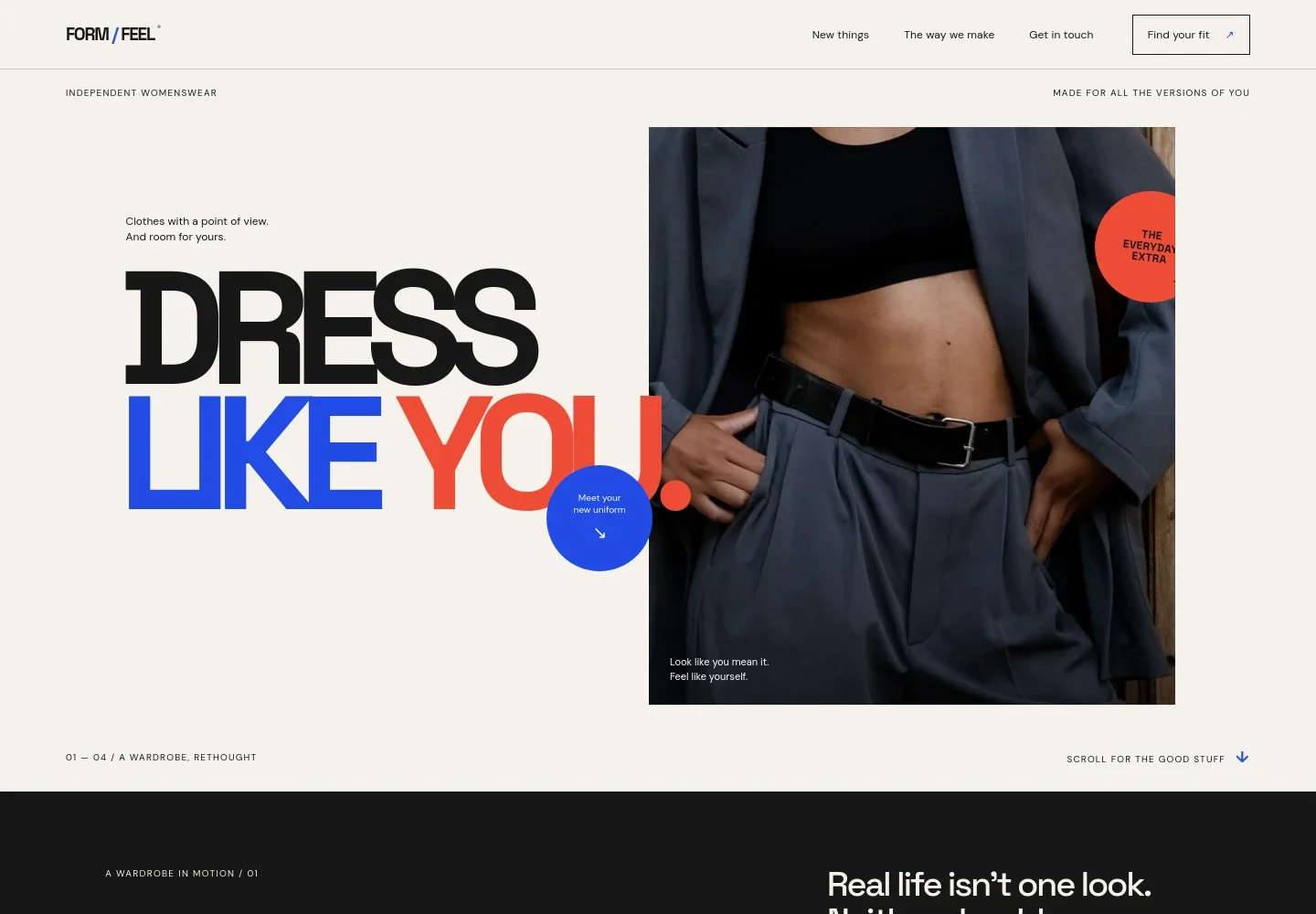
- Editorial hero and navigation
- A prominent fashion photograph, oversized “Dress like you” headline, and links to the latest section, brand approach, and contact help visitors quickly understand the label and where to go next.
- Wardrobe in motion lookbook
- Three illustrated outfit moments, from first coffee to an evening out, present the collection as clothing for different parts of everyday life.
- Featured collection edit
- A close-up image of sewing details sits beside copy introducing the current edit, with a link leading into the brand’s point of view.
- Brand approach
- A large typographic statement and short principles explain the focus on ease, pieces that work together, and clothes made to wear again.
- Contact and footer
- A direct email invitation gives visitors a place to ask about fit, styling, or the collection. The footer repeats the brand identity and contact details.
How to use this template
Open in Revamp
Click Use this template and sign in or create an account. You’ll start with your own copy of the design, ready to personalize.
Bring your content
Replace the sample text, photos, and logo with your own. Share your content, a document, or an existing website, and ask Revamp to adapt the template to your business.
Refine and publish
Ask Revamp to adjust the colors, layout, or sections, or edit directly on the page. Review desktop and mobile, then publish. You can keep making changes after launch.
Put your website to work
Make it easier to sell and promote your collection. Ask Revamp to add customer email marketing or connect the tools your retail business uses.
-

Build a customer list
MailchimpKeep shoppers informed about new collection drops and brand updates. Ask Revamp to add an email signup connected to Mailchimp.
-

Promote new arrivals
KlaviyoPlan and send collection announcements to your subscribers. Ask Revamp to connect Klaviyo for ecommerce email marketing.
-

Track customer inquiries
HubSpotKeep customer conversations and follow-ups organized. Ask Revamp to connect HubSpot to your contact process.
Frequently asked questions
Is this template free?
Yes. This premium template is free to use when you select Use this template. This applies to the template itself, not hosting or other services.
Can I use my own content?
Yes. Ask Revamp to personalize the page with your brand name, collection details, product photography, and contact information.
Do I need coding skills?
No coding skills are needed. Ask Revamp to make content and design changes in natural language.
Can I change the design?
Yes. Ask Revamp to adjust the colors, typography, imagery, layout, or other design details to suit your clothing brand.
Can I keep editing after publishing?
Yes. You can keep asking Revamp to update your content and design after launch.