About this template
Help prospective students understand how your architecture school approaches learning, from observing places and working with materials to testing ideas through models and drawings. The page presents a clear educational point of view before guiding visitors through the studio, learning approach, and invitation to start a conversation.
The design pairs architectural model and workshop photography with editorial typography, numbered navigation, and concise statements about making, context, and responsibility. Use it to explain what students can expect from your school and give them a direct path to ask about it.
Who it’s for
Architecture schools, design programs, independent learning studios, and educators who want to introduce their teaching approach and invite prospective students to get in touch.
What’s included
A complete school introduction, organized around its educational point of view, studio practice, learning approach, and a clear invitation to begin a conversation.
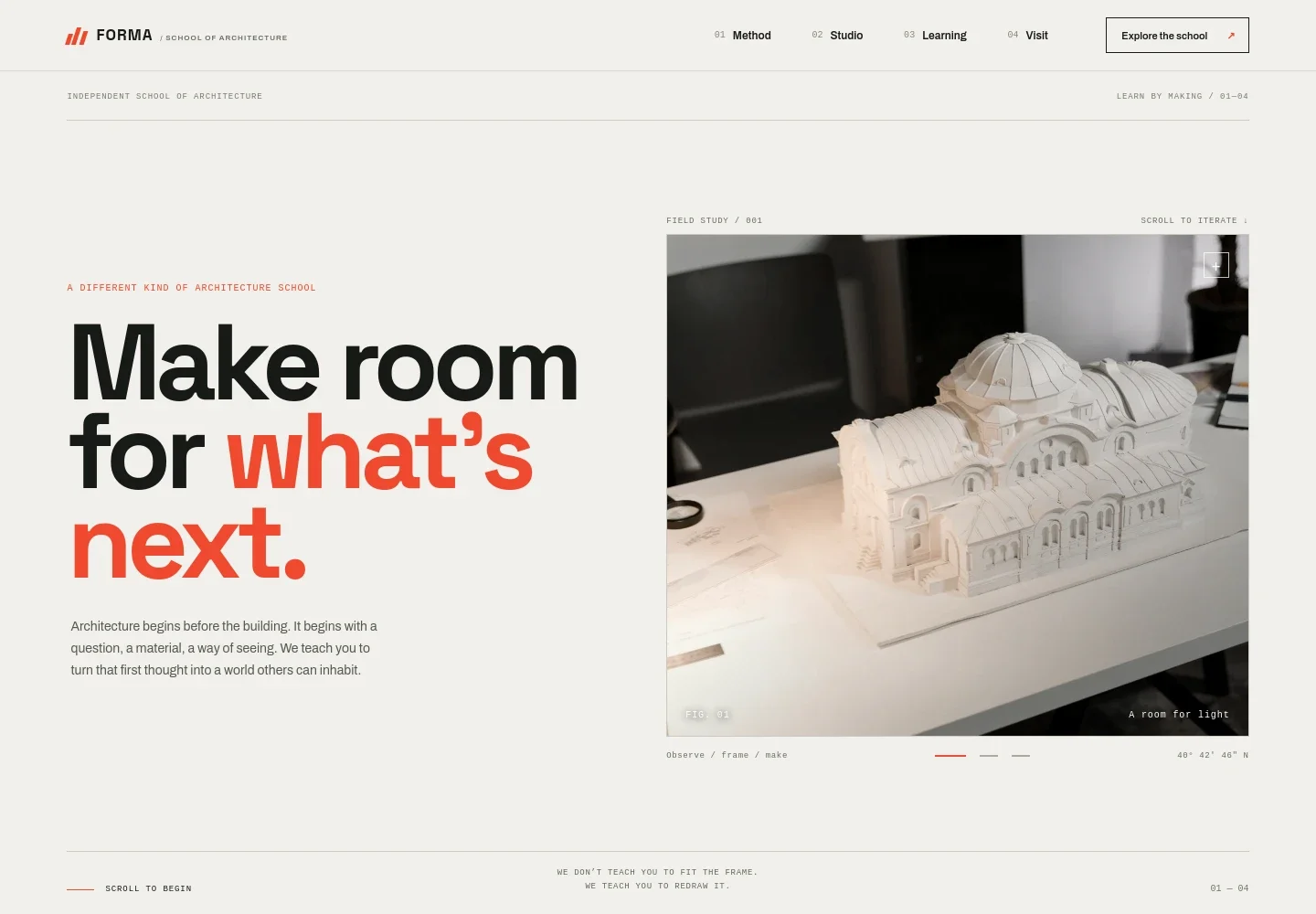
- School introduction
- A prominent headline and architectural model image establish the school’s identity and frame learning as a process of turning questions into spaces people can inhabit.
- Educational point of view
- A manifesto-style section explains the school’s focus on the lives spaces hold, the resources they use, and the possibilities design can create.
- Studio practice
- Workshop photography and copy describe learning through drawing, modeling, testing ideas, and revising work.
- Learning approach
- Four numbered themes cover reading place and context, thinking through materials, making complex ideas visible, and presenting work to others.
- Material study
- A large workshop image and short prompt reinforce the emphasis on hands-on making and thoughtful use of materials.
- Visit and contact invitation
- A closing message invites prospective students to start a conversation, with a direct email link.
- Navigation and footer
- Numbered links connect visitors to the method, studio, learning, and visit sections. The footer repeats the school identity and offers a return-to-top link.
How to use this template
Open in Revamp
Click Use this template and sign in or create an account. You’ll start with your own copy of the design, ready to personalize.
Bring your content
Replace the sample text, photos, and logo with your own. Share your content, a document, or an existing website, and ask Revamp to adapt the template to your business.
Refine and publish
Ask Revamp to adjust the colors, layout, or sections, or edit directly on the page. Review desktop and mobile, then publish. You can keep making changes after launch.
Put your website to work
Make it easier for prospective students to ask questions, arrange a visit, and receive school updates. Ask Revamp to add or connect tools such as:
-

Book a school visit
CalendlyGive prospective students a simple way to choose a time for a campus visit or introductory conversation. Ask Revamp to add consultation booking with Calendly.
-

Coordinate visit schedules
Google CalendarKeep scheduled conversations and school visits organized alongside your existing calendar. Ask Revamp to connect Google Calendar for appointment scheduling.
-

Share school updates
MailchimpKeep prospective students informed about open days, program news, and application reminders. Ask Revamp to add an email signup connected to Mailchimp.
Frequently asked questions
Is this template free?
Yes. This premium template is free to use through Use this template. Free refers to the template itself, not hosting or other services.
Can I use my own school content?
Yes. Ask Revamp to personalize the copy, school details, imagery, learning themes, and contact information for your institution.
Do I need coding skills?
No. Ask Revamp to personalize the content and design without coding.
Can I change the design?
Yes. Ask Revamp to adjust the visual style, colors, typography, imagery, and layout to suit your school.
Can I keep editing after publishing?
Yes. You can keep editing your site after launch. Ask Revamp whenever you want to update content or make design changes.


