About this template
Help prospective students see what your art classes are like, from loose painting sessions and beginner drawing to hands-on material play. The page presents making art as an open, exploratory practice rather than a test of skill.
A bold editorial layout pairs expressive art imagery with clear class descriptions, a studio introduction, and a direct invitation to get in touch about finding a session.
Who it’s for
Independent art teachers, community art studios, and creative educators offering in-person classes to adults or mixed-level groups.
What’s included
The page moves visitors from your teaching approach to specific class options, a feel for the studio, and a simple contact invitation. Its generous typography, painterly imagery, and numbered sections suit a welcoming, hands-on art teaching practice.
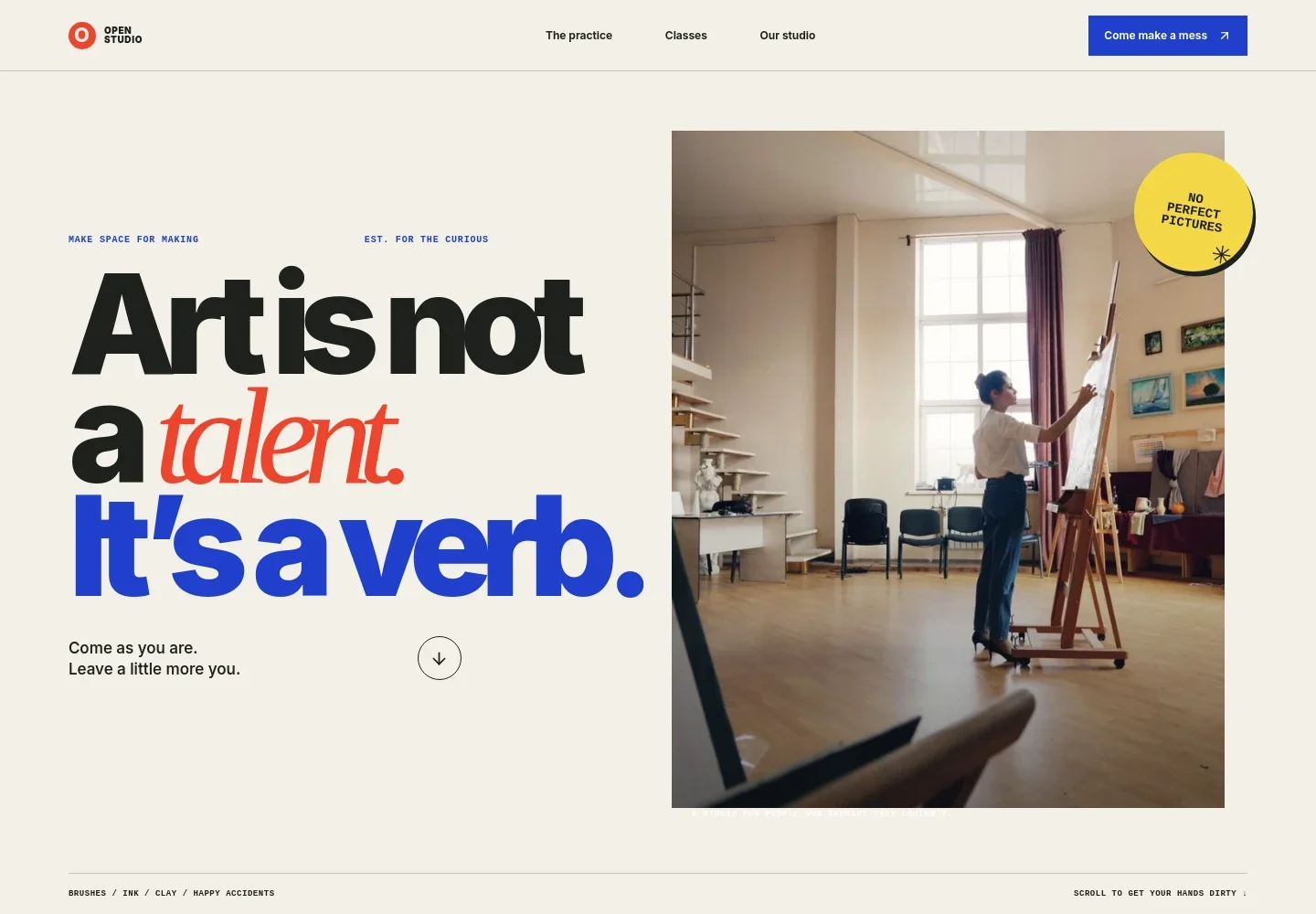
- Art class introduction
- A large headline and studio photograph establish an informal approach to making art, with a clear link leading visitors toward the class options.
- Teaching approach
- Explain how your studio makes room for curiosity and experimentation, alongside a visual sequence that suggests the process of layering paint.
- Class list
- Present painting, beginner drawing, and hands-on material play as distinct starting points, with brief descriptions and level or medium labels.
- Studio introduction
- Pair an expressive paint detail with copy about the studio atmosphere, helping visitors picture the setting for a class.
- Contact invitation
- Close with an invitation to ask about finding a suitable session and a prominent email contact link.
How to use this template
Open in Revamp
Click Use this template and sign in or create an account. You’ll start with your own copy of the design, ready to personalize.
Bring your content
Replace the sample text, photos, and logo with your own. Share your content, a document, or an existing website, and ask Revamp to adapt the template to your business.
Refine and publish
Ask Revamp to adjust the colors, layout, or sections, or edit directly on the page. Review desktop and mobile, then publish. You can keep making changes after launch.
Put your website to work
Make it easier for students to choose a session, manage class bookings, and hear about upcoming workshops. Ask Revamp to add connections with tools such as these.
-

Take class bookings online
CalendlyGive students a way to choose a class time and reserve a place. Ask Revamp to add appointment booking with Calendly.
-

Keep class dates organized
Google CalendarShare an up-to-date schedule of workshops and sessions. Ask Revamp to connect Google Calendar for class dates.
-

Keep students informed
MailchimpBuild an email list for class announcements and studio news. Ask Revamp to connect Mailchimp for email updates.
Frequently asked questions
Is this template free?
Yes. This premium template is free to use when you select Use this template. This applies to the template itself, not hosting or other services.
Can I use my own content?
Yes. Ask Revamp to personalize the class descriptions, studio information, images, and contact details with your own content.
Do I need coding skills?
No coding skills are needed. Ask Revamp to make changes to your content or design in plain language.
Can I change the design?
Yes. Ask Revamp to adjust the colors, typography, imagery, layout, or other design details to suit your art teaching business.
Can I keep editing after publishing?
Yes. You can keep asking Revamp to update your site after it has launched.


