About this template
This author website template presents a story studio for writers seeking manuscript development, editorial partnership, or support with their creative practice. Visitors can understand the studio's approach, see how its services differ, and get in touch to discuss a book in progress.
A dramatic writer portrait, literary typography, and expressive headline establish a distinct editorial mood. The page moves from an introduction to the writing process, service details, and a direct contact invitation, helping prospective clients find the information they need without losing sight of the work itself.
Who it’s for
For authors, independent writers, manuscript editors, and creative writing studios who want to explain their editorial services and invite writers to start a conversation.
What’s included
The page brings a literary story-studio identity together with clear service descriptions and a personal contact invitation. Its section sequence helps visitors understand the studio, its writing approach, and the ways it works with authors.
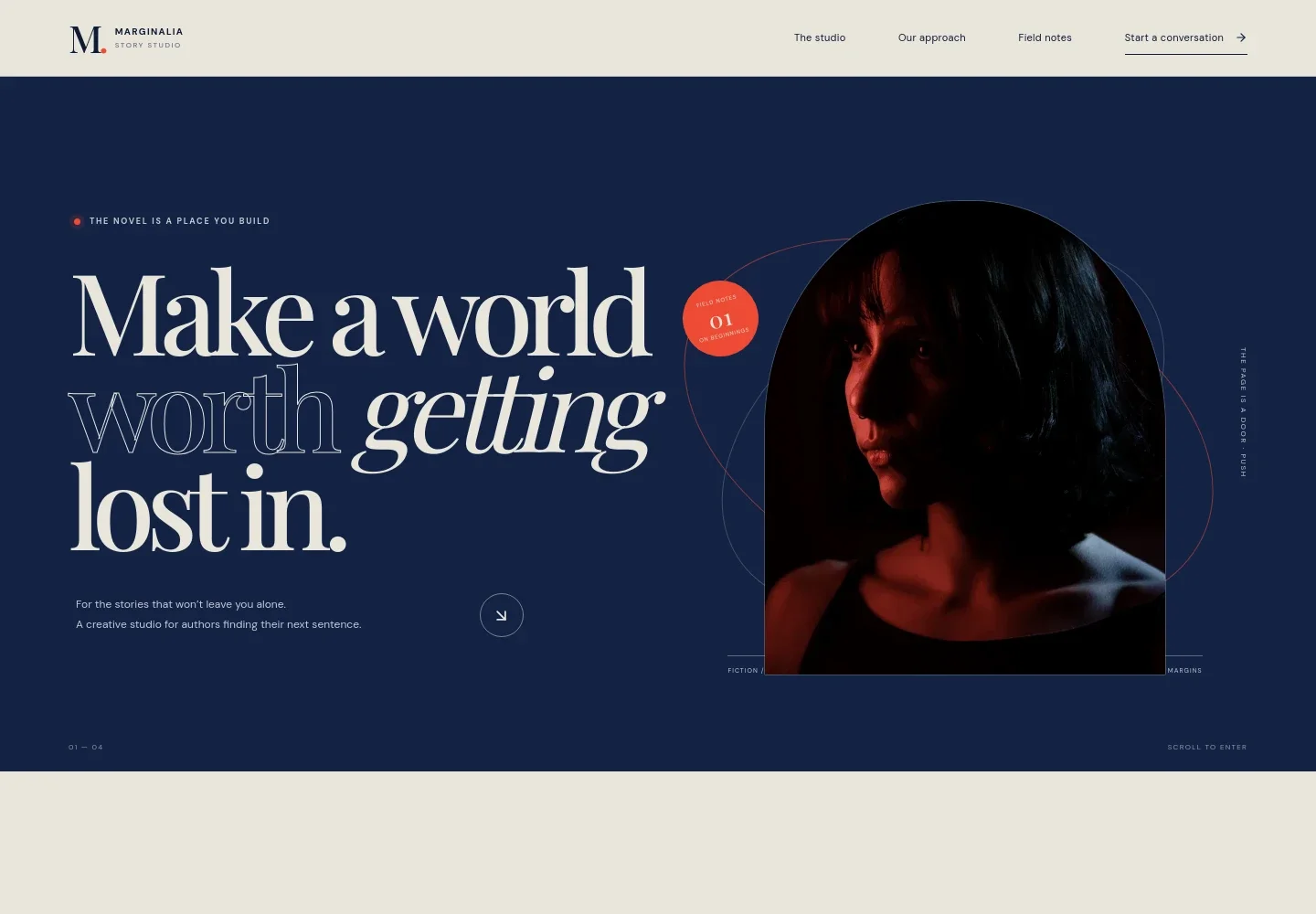
- Literary hero and writer portrait
- A prominent editorial headline, writer-room portrait, and brief introduction establish the studio's focus on stories and authors. The visual treatment gives the opening a distinct bookish character.
- Studio introduction
- Introduces the story studio and its editorial approach, from early pages through a manuscript ready to send. A text link leads interested writers toward the contact section.
- Writing approach
- A visual sequence frames the writing process as a first line becoming a world, paired with a short note about finding a story's pulse and developing it one page at a time.
- Editorial services
- Three service rows describe manuscript development, editorial partnership, and creative practice, with concise explanations of each and links to ask about the work.
- Note to the writer
- A standalone statement offers an encouraging message about beginning before knowing the ending, reinforcing the page's supportive tone.
- Contact invitation
- The closing section invites writers to share a question, idea, or chapter and provides a direct email link to start a conversation.
- Footer navigation
- A compact footer repeats the studio identity and offers a link back to the top of the page.
How to use this template
Open in Revamp
Click Use this template and sign in or create an account. You’ll start with your own copy of the design, ready to personalize.
Bring your content
Replace the sample text, photos, and logo with your own. Share your content, a document, or an existing website, and ask Revamp to adapt the template to your business.
Refine and publish
Ask Revamp to adjust the colors, layout, or sections, or edit directly on the page. Review desktop and mobile, then publish. You can keep making changes after launch.
Put your website to work
Make it easier to book an introductory conversation or keep interested readers in touch. Ask Revamp to add a connection with tools authors and editorial businesses commonly use.
-

Book introductory calls
CalendlyGive prospective authors a straightforward way to choose a meeting time. Ask Revamp to add consultation booking with Calendly.
-

Share writing updates
MailchimpInvite readers and prospective clients to receive studio news or writing notes. Ask Revamp to connect an email signup with Mailchimp.
-

Organize author inquiries
HubSpotKeep track of new inquiries and follow-up conversations in one place. Ask Revamp to connect contact management with HubSpot.
Frequently asked questions
Is this author website template free?
Yes. This premium template is free to use when you select Use this template. Free refers to the template itself.
Can I use my own content?
Yes. Ask Revamp to personalize the page with your author bio, books, editorial services, writing approach, images, and contact details.
Do I need coding skills to customize it?
No coding skills are needed. Ask Revamp to update the content and design to suit your author website.
Can I change the design?
Yes. Ask Revamp to change the colors, typography, imagery, layout, or other design details to fit your writing and publishing work.
Can I keep editing after publishing?
Yes. You can keep editing after launch. Ask Revamp to update your content or design whenever your books, services, or contact information change.