About this template
Help prospective students understand how your college connects close study of scripture and Christian thought with questions in contemporary life. The design introduces an approach grounded in careful reading, open inquiry, and learning in community.
Visitors can explore three areas of study, see how education relates to different forms of service and work, and find a clear invitation to begin a conversation. The restrained editorial style and student-focused photography suit an institution that wants to communicate academic seriousness alongside a lived faith.
Who it’s for
Bible colleges, seminaries, and Christian higher education institutions introducing their approach, areas of study, student community, and opportunities to connect.
What’s included
The page guides prospective students from the college’s educational approach to its study themes, broader sense of vocation, and invitation to get in touch.
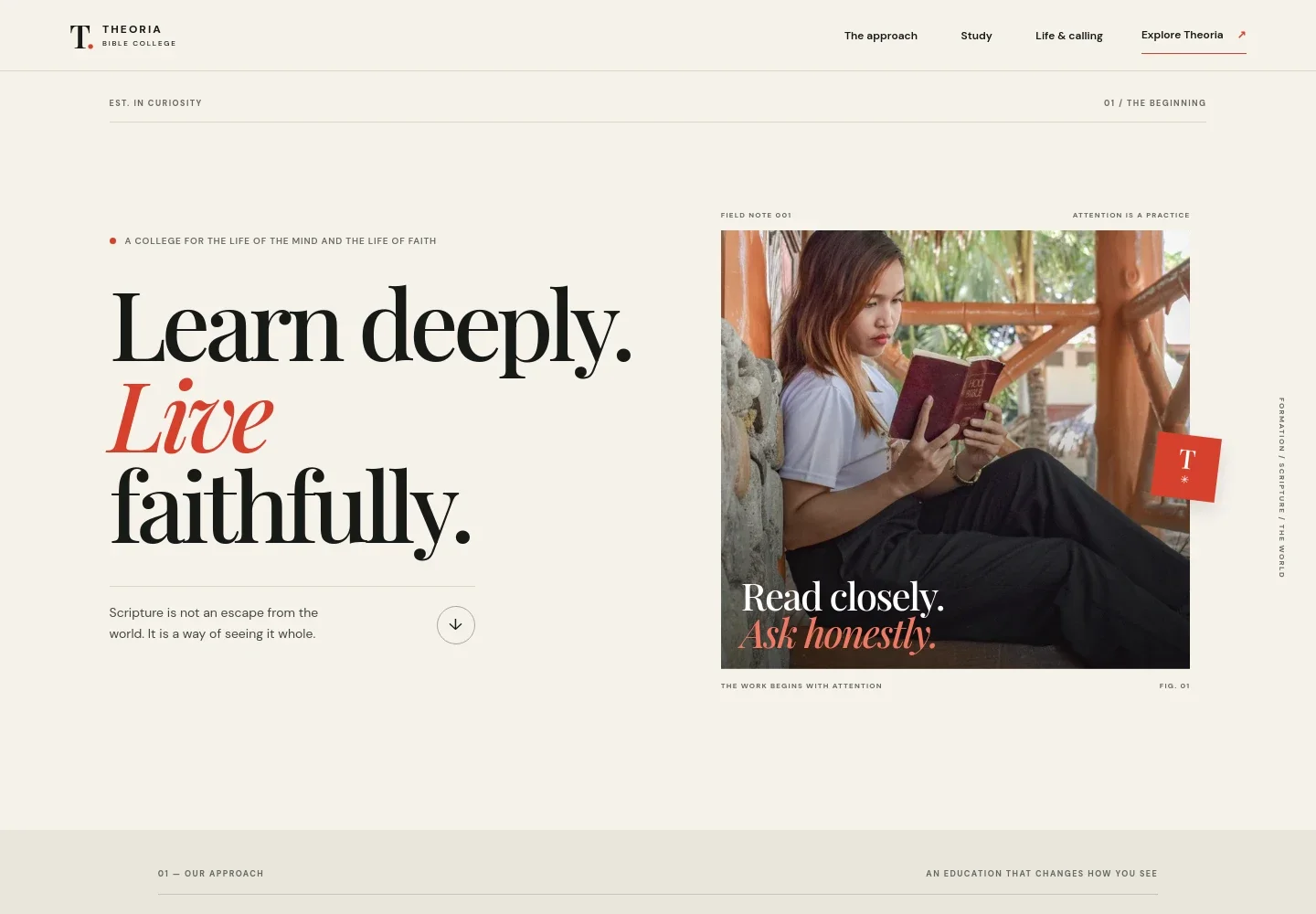
- College introduction
- A prominent headline and student-reading image establish the college’s focus on thoughtful study and faith, with an introductory link into the approach section.
- Educational approach
- Explains how close reading of ancient texts, Christian thought, and honest inquiry relate to questions in life today. A three-part sequence presents formation as Attend, Interpret, and Live.
- Areas of study
- Introduces three study themes: scripture and its languages and contexts, theology and Christian traditions, and putting wisdom into practice in communities and public life.
- Learning in community and life beyond study
- Pairs a seminar image with copy about how theological education can inform teaching, pastoral work, creative practice, community service, and other kinds of work.
- Begin a conversation
- Closes with an invitation to ask questions about theological education and a direct email contact link.
- Footer
- Repeats the college wordmark and a brief statement about thoughtful study, with a link back to the beginning of the page.
How to use this template
Open in Revamp
Click Use this template and sign in or create an account. You’ll start with your own copy of the design, ready to personalize.
Bring your content
Replace the sample text, photos, and logo with your own. Share your content, a document, or an existing website, and ask Revamp to adapt the template to your business.
Refine and publish
Ask Revamp to adjust the colors, layout, or sections, or edit directly on the page. Review desktop and mobile, then publish. You can keep making changes after launch.
Put your website to work
Help prospective students find key information and take the next step. Ask Revamp to add useful student inquiry, campus visit, and admissions communication tools.
-

Collect prospective student inquiries
HubSpotKeep admissions conversations organized and follow up with prospective students. Ask Revamp to add inquiry forms connected to HubSpot.
-

Make campus visits easier to arrange
CalendlyLet prospective students choose a suitable time for a conversation or visit. Ask Revamp to add scheduling with Calendly.
-

Share admissions updates
MailchimpSend prospective students timely updates about the college and its admissions process. Ask Revamp to add email communications with Mailchimp.
Frequently asked questions
Is this template free?
Yes. This premium template is free to use when you select Use this template. The offer applies to the template, not hosting or other services.
Can I use my own content?
Yes. Ask Revamp to personalize the page with your college’s name, programs, admissions information, images, and contact details.
Do I need coding skills?
No. Ask Revamp to personalize the content and design for your college without coding.
Can I change the design?
Yes. Ask Revamp to adjust the layout, colors, typography, imagery, or other design details to suit your institution.
Can I keep editing after publishing?
Yes. You can keep editing the site after launch. Ask Revamp to update content or make further design changes as your college’s needs evolve.


